Visual testing in Cursor
Visual testing in Cursor gives your agent eyes on UI changes over MCP. Cursor writes the UI, UI Verify screenshots the PR, and pulls the diffs back to triage.
 Igor LuchenkovBuilding UI Verify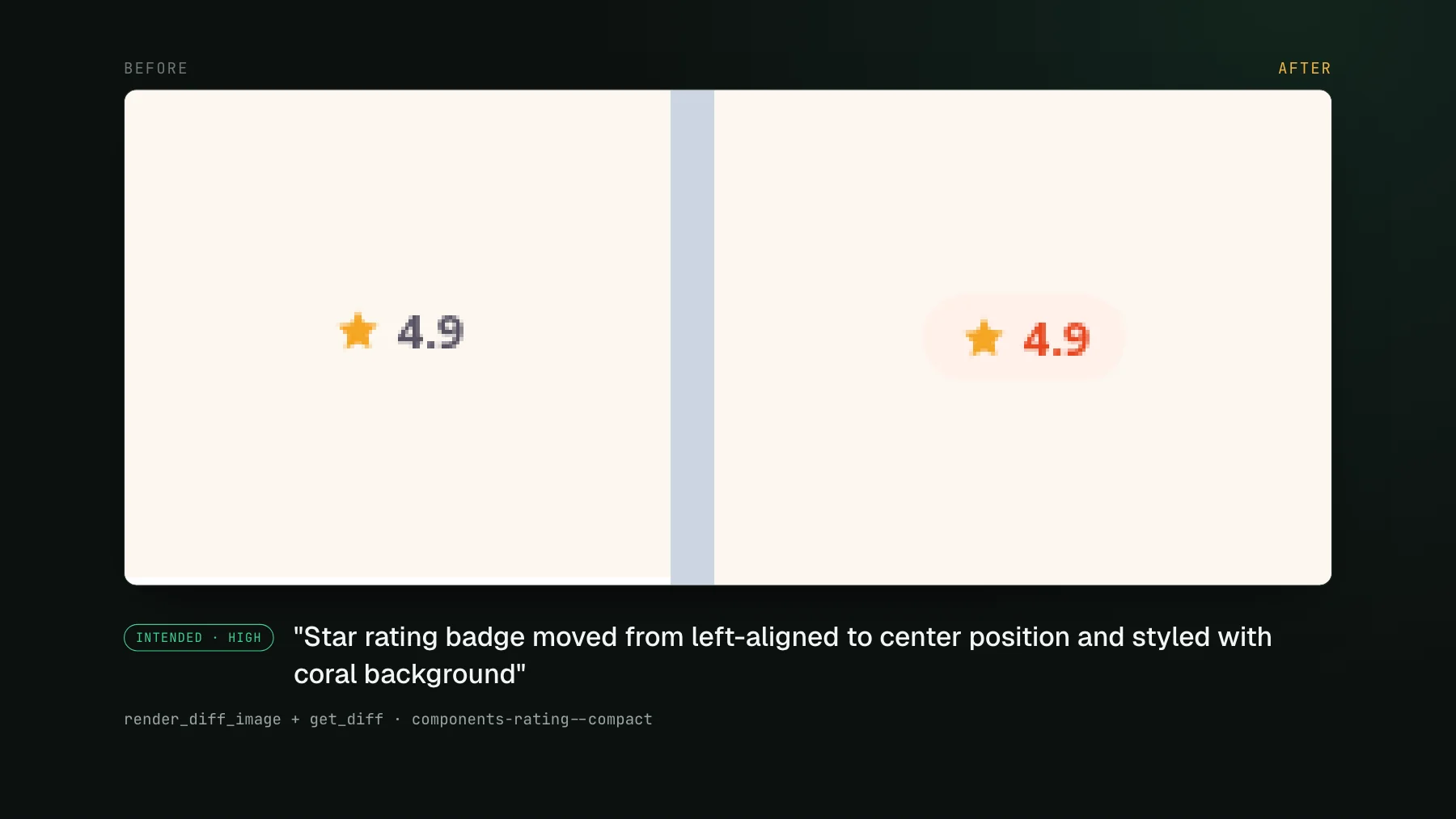
On this page
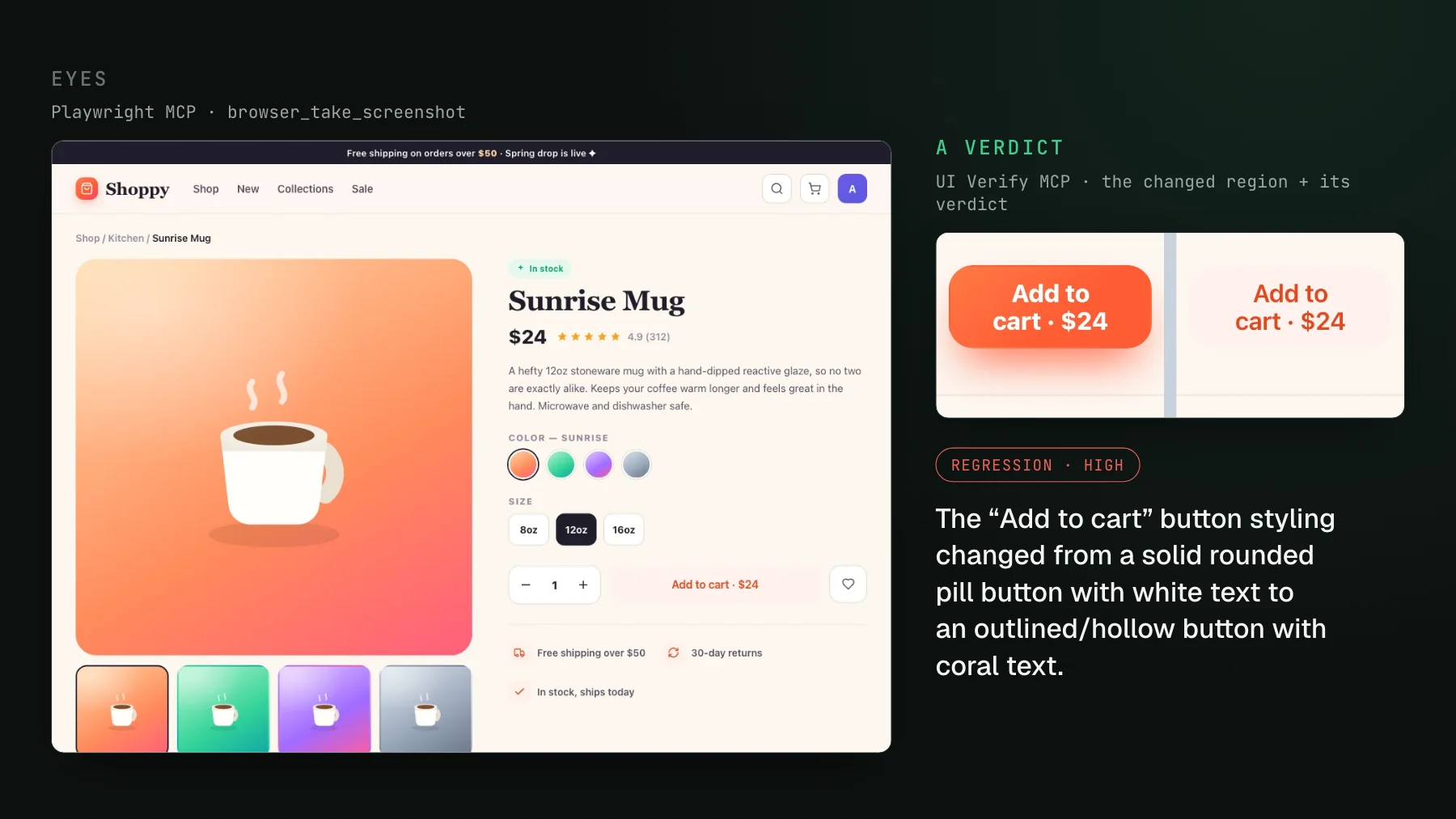
Cursor writes UI at a pace that outruns your ability to eyeball it. You describe a change, the agent edits a component, touches a shared token, refactors a layout, and reports back that it "looks good." It has not looked at anything. The agent that just wrote your UI has no picture of the rendered result, so the one check that would catch a broken layout or a white-on-white label is the check it structurally cannot run. Visual testing is how you close that gap, and over MCP you can hand the check back to Cursor itself.
Visual testing in Cursor, defined
Visual testing in Cursor means screenshotting your UI on every pull request, diffing each screenshot against a known-good baseline, and exposing those diffs and an AI judge's verdicts to the Cursor agent over the Model Context Protocol - so the agent that wrote the change can look at the pixels it moved, tell an intended change from a regression, fix the regressions, and accept the intended ones as new baselines. The screenshotting and the judging happen in the cloud on your pull request. Cursor's job is the review: it reads the results the same way it reads a failing test, in the editor, without a human ferrying images to a dashboard and back.
One thing to be clear about up front: the MCP is editor-agnostic. It works in Cursor and in any other MCP client. Nothing below is a Cursor-only feature. What makes Cursor a natural fit is that it already speaks MCP and already renders image content, so a diff cropped to the change shows up inline in the conversation where the agent can actually reason over it.
Why Cursor is blind to its own UI changes
On the backend, a Cursor agent is genuinely self-correcting. Give it a failing test, a type error, a red CI log, and it reads the signal, reasons about the cause, and fixes itself. That loop is why agent-written backend code feels trustworthy. The UI breaks the loop, because the signal an agent needs there is a picture, and a picture is the one thing it never gets from a stack trace. The agent edits some CSS, the terminal says nothing changed, and it moves on. An agent certifying a UI it never rendered is guessing, and a confident guess reads exactly like a real review right up until the regression reaches a user.
This is why so many agent-heavy teams end up building a review surface by hand before they buy one. They can feel the gap, and they reach for whatever gets a rendered image in front of the agent.
That hand-rolled loop can work: the agent boots the environment, drives the live UI, and checks its own render, catching a real fraction of its own mistakes. What it costs is time and a blocked machine, because the agent ends up spending longer driving the running app to verify a change than it spent writing it. Visual testing in the agent era tells that story in full. The version that does not tax your laptop moves the picture to the pull request instead.
The loop: Cursor writes, UI Verify screenshots, the judge sorts
The version that does not tax your machine moves the picture to the pull request and hands the agent a crop instead of a live browser. The steps:
- Cursor writes the UI change and opens the pull request.
- UI Verify screenshots every affected story in the cloud and diffs each against its baseline - so nothing renders on your laptop and the agent never drives the running app twice.
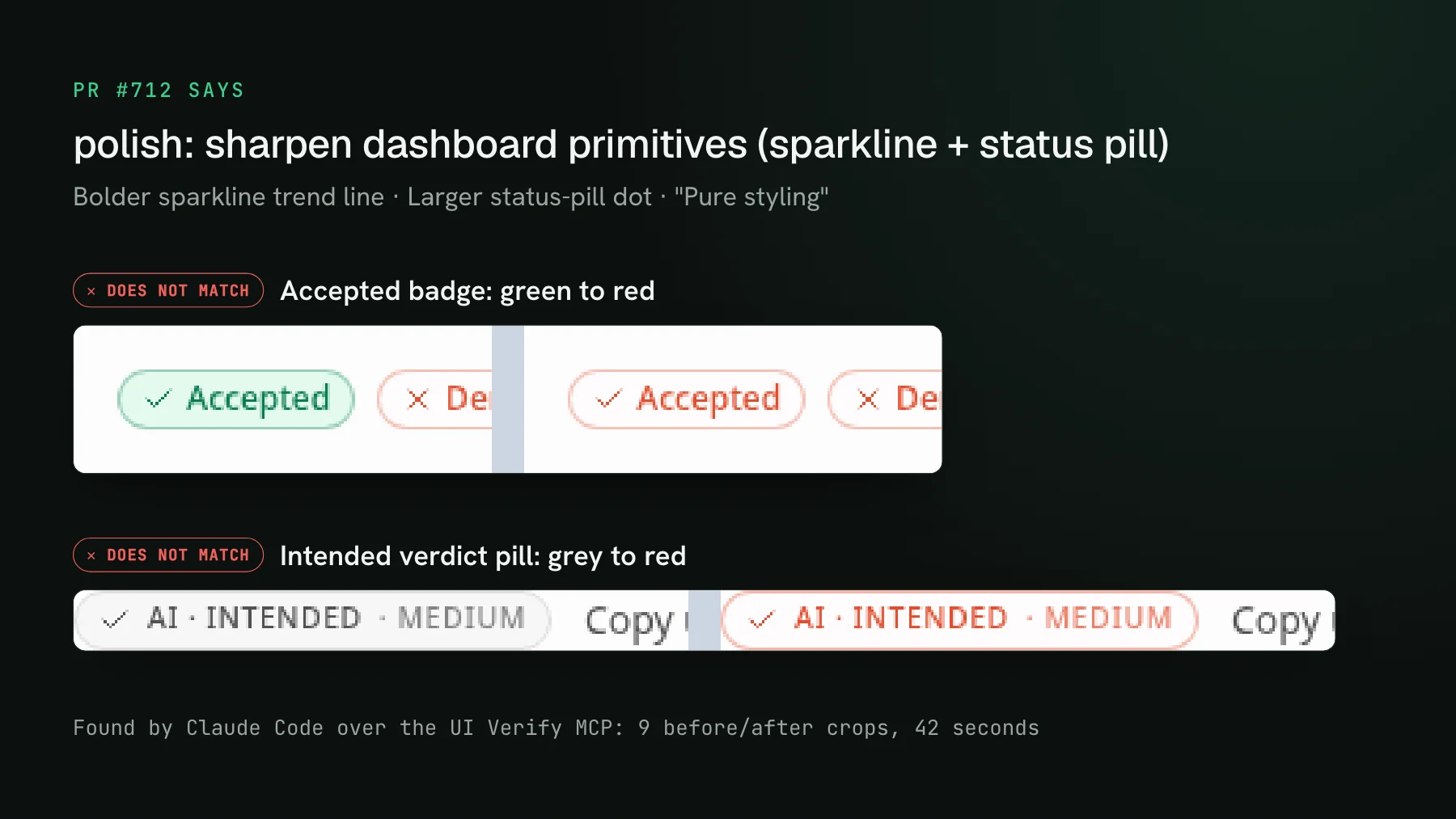
- An AI judge labels each changed story a likely regression or an intended change, with a short reason, and holds the required check when it flags a regression.
- Cursor pulls the diffs and verdicts back over MCP, looks at each cropped before/after, fixes the real regressions, and accepts the intended ones as new baselines.
The judge is the piece that makes the agent's review worth trusting. A raw pixel diff only tells you something moved; it cannot tell you whether the move was the point of the PR. The judge produces that verdict - intended change or regression - so Cursor gets a decision to reason against, not a bare delta. It advises and ranks; promoting a candidate to a baseline is always an explicit action the agent or a human takes, never something a green build did quietly. The mechanics are in Automated visual review with an AI judge.
Connect the MCP in Cursor
Cursor supports MCP servers natively, so connecting UI Verify is a one-time setup: add the UI Verify MCP server to Cursor's MCP configuration with your project key (prefixed uv_proj_), which is pre-filled on your project's setup page. After adding a server, reload Cursor so the new tools load - an agent cannot pick up a freshly-added MCP server mid-session and will report the review tools as missing until it does. From then on, every build the agent opens is one it can review from inside the editor.
.cursor/mcp.json entry that reads the key from UIVERIFY_API_KEY, so the committed file never holds it.What the agent pulls back
Connected, the agent works the same handful of tools the triage walkthrough lists: it lists the changed stories, pulls each cropped before and after, reads the judge's verdict, and accepts the intended ones. The Cursor-specific detail is render_diff_image: it returns the changed region as inline pixels, and because Cursor renders image content that crop lands straight in the conversation where the agent can reason over it. Why the crop, and not the full page, is what makes an agent's review trustworthy is its own post.
Same MCP, whatever editor you drive
Because the MCP is editor-agnostic, the exact loop above runs unchanged if you drive Claude Code or another MCP client instead of Cursor, or switch between them across a day - the tools, the verdicts, and the crops are the same, only the client differs. That portability matters for teams where different engineers use different editors: the review surface does not fork per tool. It also means agent-native review is not a bet on one editor, or even on one vendor: Percy, Applitools, and Argos each ship an MCP review path of their own now, so this shape is becoming the category default rather than any single tool's edge.
The deeper reason the loop is worth wiring up is that it closes the last open gap in agent work. Tests, types, lint, and CI already self-correct in the editor. The UI was the one surface that still needed a human to look. Put the diff and a verdict where Cursor already works, and that loop closes too. Close the loop: let your agent triage visual diffs over MCP makes the fuller case for why the crop, not the screenshot, is what turns "looks good" into an actual verdict.
Where to start
If you already open pull requests from Cursor, the fastest path is to make one build reviewable from the editor and try the loop on a real change. Triage visual changes from your coding agent walks the MCP flow tool by tool, and the triage visual changes skill packages the whole review into one command your agent runs - list the changes, read the verdicts, accept the intended ones, flag anything it cannot explain. Or browse all the visual-testing skills and let Cursor wire the setup up for you.
Give Cursor eyes on your UI
UI Verify screenshots your UI on every pull request and exposes each build's diffs and an AI judge's verdicts over MCP, so the same Cursor agent that wrote the change reviews the pixels it moved - and accepts the intended ones without you clicking through a dashboard.
Start for freeNo credit card required.
Triage a build from your agent
Bucket real regressions vs noise and accept baselines, over MCP.