Playwright visual regression testing
UI Verify turns the Playwright tests you already have into visual regression tests. Swap one import and each test archives the page it rendered; UI Verify screenshots that archive in one pinned browser and diffs it against the baseline, and your coding agent sees what its change did to the UI before it opens a pull request. Every pull request is checked again. No snapshot calls to add, and no screenshots in your repo.
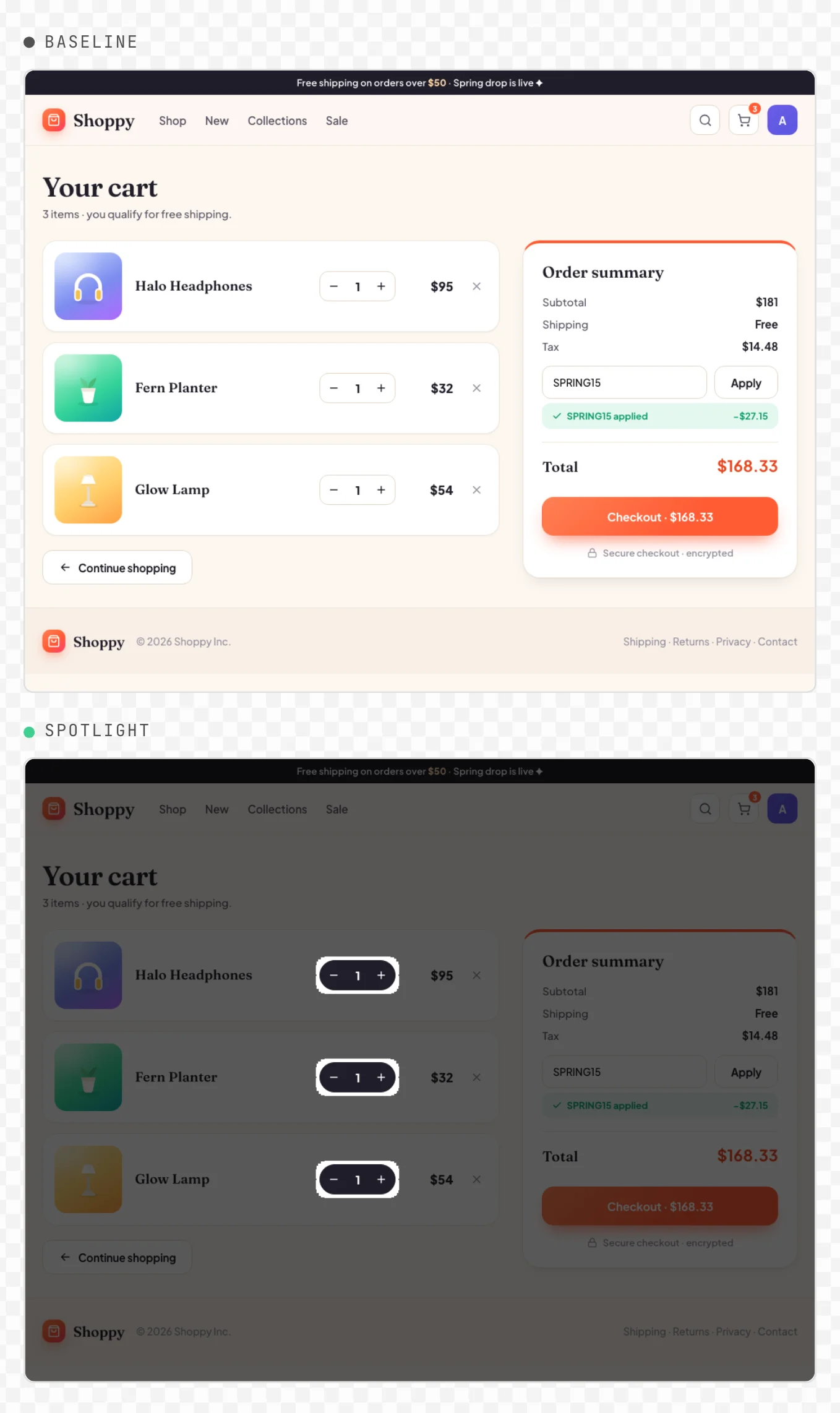
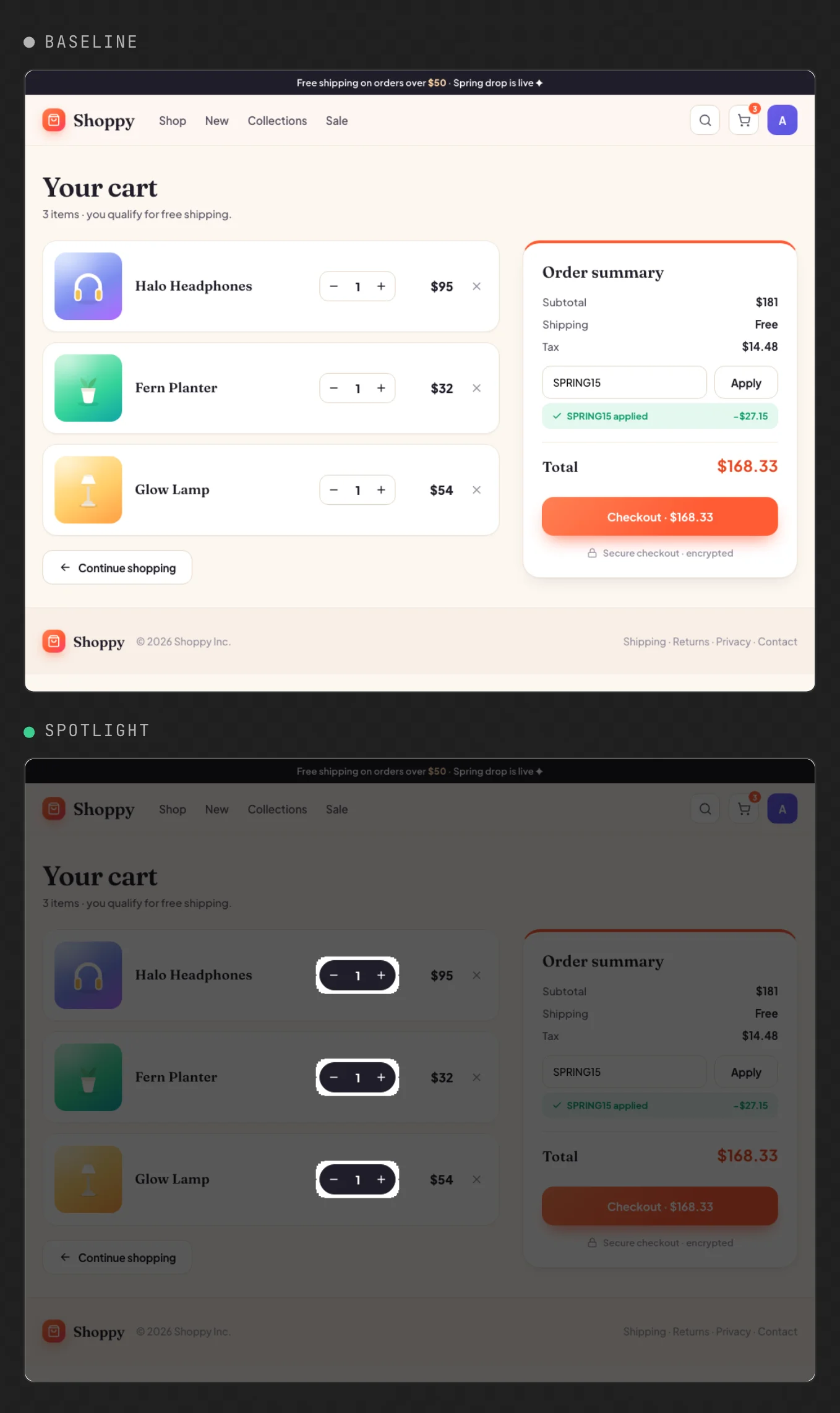
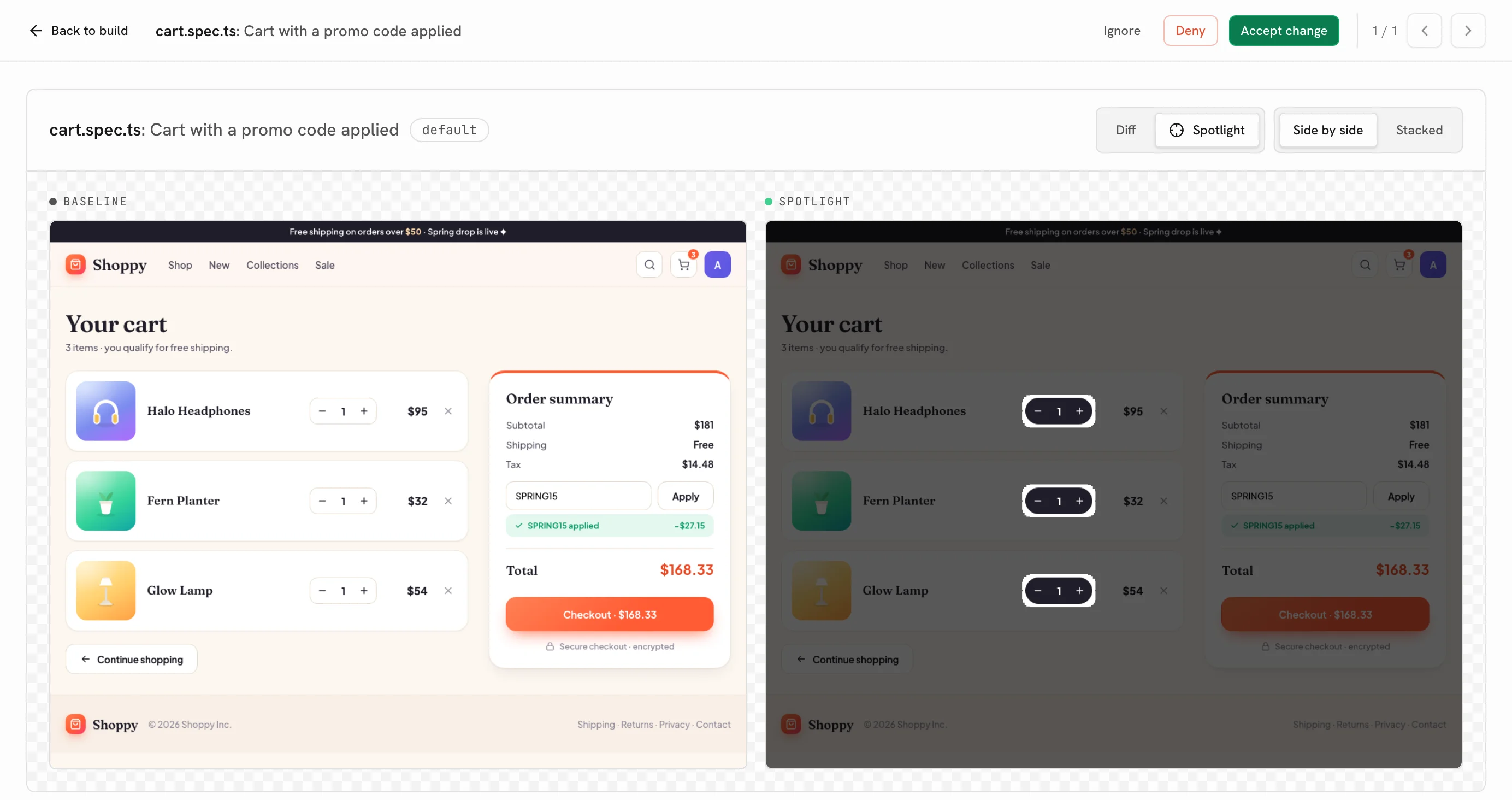
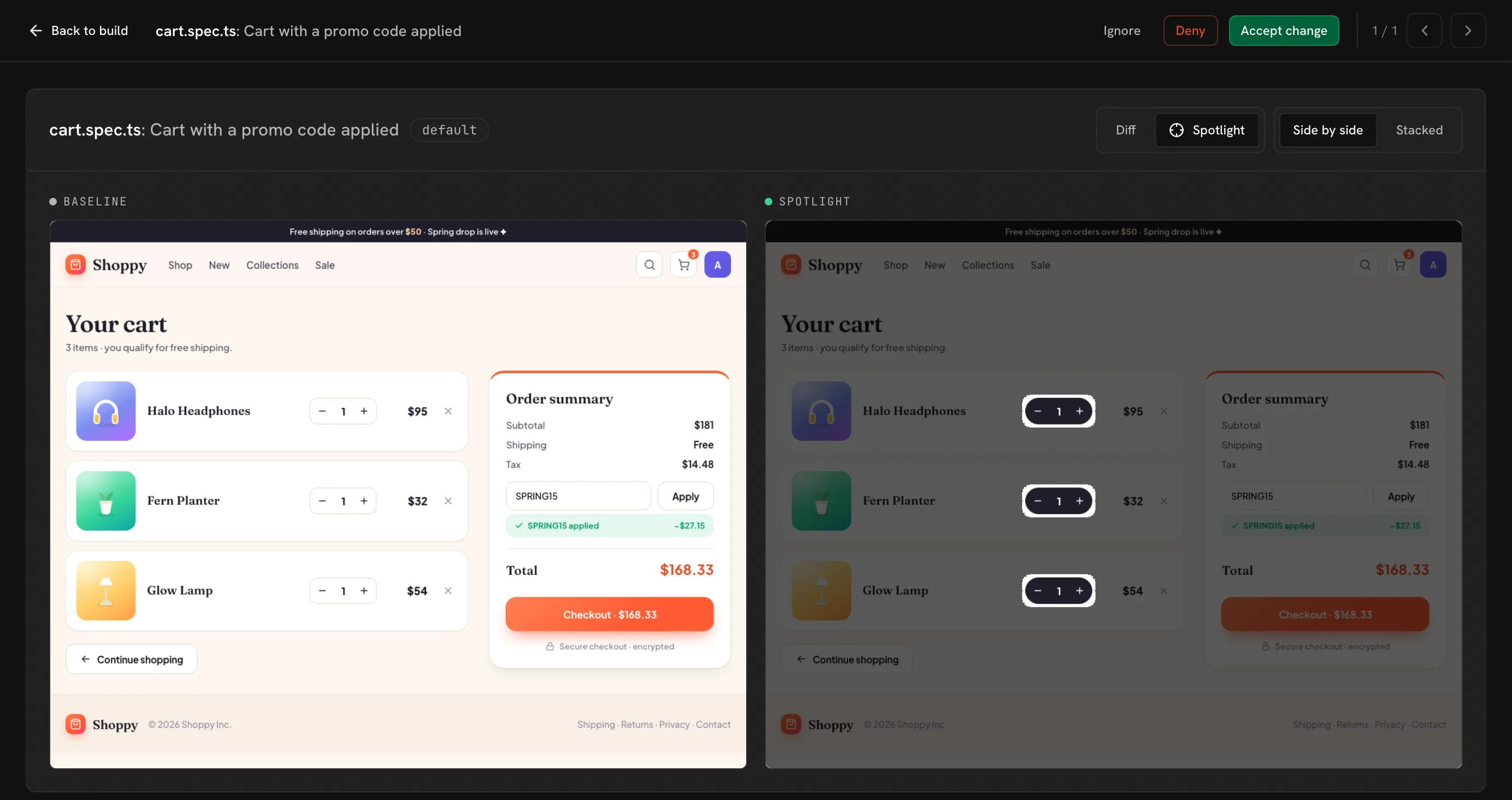
What is Playwright visual regression testing?
Playwright visual regression testing compares screenshots of the pages your Playwright tests drive against approved baselines, so a change to the pixels shows up as a diff you review. A Playwright assertion checks that a button exists and is enabled; it never notices the button rendering 20 pixels lower or the card around it losing its border. A visual test does.
Playwright is a good place for it because your tests already navigate to the states worth checking: the cart, the settings modal, the empty state you wrote fixtures to reach. It also covers what a component test cannot, a whole page of your app, a marketing site, or a staging URL. With @uiverify/playwright each test archives its final page as it ends, so the suite you have becomes the visual suite.
How do you set up visual testing in Playwright?
Your tests need Playwright Test (@playwright/test) 1.40 or later. Setup takes a few minutes.
1. Install the SDK
npm i -D @uiverify/playwright@1.4.02. Swap your Playwright import
Import test and expect from @uiverify/playwright instead of @playwright/test. That swap is the whole integration, and the step that records the archive: every test now saves its final page, plus the stylesheets, fonts and images it uses, as it ends.
import { test, expect } from "@playwright/test";
import { test, expect } from "@uiverify/playwright";

test("checkout", async ({ page }) => {
  await page.goto("/cart");
  await page.click("#checkout");
  await expect(page.getByRole("heading", { name: "Payment" })).toBeVisible();
});
3. Choose the moment, if you need to
A test with no extra code is captured when it ends. To capture a moment you choose, or several named states in one test, request the uiVerify fixture and call uiVerify.snapshot(). A test that calls it is not captured again at its end, and uiVerify.disableAutoSnapshot() opts a test out entirely.
import { test } from "@uiverify/playwright";

test("account menu", async ({ page, uiVerify }) => {
  await page.goto("/");
  await uiVerify.snapshot("closed");
  await page.getByRole("button", { name: "Account" }).click();
  await uiVerify.snapshot("open");
});
4. Run the tests and upload the archive
Run Playwright as usual, then upload ./uiverify-archive with your project API key. UI Verify replays each test, screenshots it and diffs it against the baseline.
npx playwright install   # one-time: download the browsers
npx playwright test      # writes ./uiverify-archive
UIVERIFY_API_KEY=your_key npx -y uiverify@1.8.0 upload --static-dir ./uiverify-archive
5. Run it on every pull request
Run the same commands in CI, after npx playwright install --with-deps, on pull requests and on your default branch. Accept the first default-branch build once, or add --auto-accept-changes to that upload, and it becomes the baseline every pull request diffs against. The full GitHub Actions workflow, and how to capture only some of your tests, are in the Playwright quickstart.
How does UI Verify compare to toHaveScreenshot, Chromatic and Argos?
Teams that visual-test Playwright today use Playwright's built-in toHaveScreenshot() assertion, Chromatic's Playwright integration, or Argos's Playwright SDK. All four start from the Playwright tests you already have. They differ in where the screenshot is taken, where the baselines live, and who reviews a change.
| UI Verify | Playwright toHaveScreenshot() | Chromatic for Playwright | Argos for Playwright | |
|---|---|---|---|---|
| Where the screenshot is taken | UI Verify's cloud, replaying an archive of each test in one pinned browser | The machine running the test, so each OS gets its own baseline (-chromium-darwin, -chromium-linux) | Chromatic's cloud, from an archive of each test | Your CI, with argosScreenshot() calls in your tests |
| Where baselines live | Hosted, one per branch, resolved from git | PNG files committed next to your tests | Hosted by Chromatic | Hosted by Argos |
| Updating a baseline | Accept in the dashboard or from your agent; merging advances it | Re-run with --update-snapshots and commit the new PNGs | Accept in Chromatic's web app | Approve the build in Argos, or merge the pull request |
| Where you review a change | A check and a comment on the pull request, and the review queue | A failing test, with the expected, actual and diff images in the test report | A check on the pull request, an opt-in pull request comment, and Chromatic's web app | A commit status and a comment on the pull request, and Argos's web app |
| Browsers | Chromium | Chromium, Firefox and WebKit, one baseline set each | Chrome, Firefox, Safari and Edge (Chrome only on the free plan) | The browsers your Playwright projects run |
| Skipping unchanged tests | Only with a module graph you write; by default every captured test renders | Playwright's --only-changed runs only the test files a change touches | No: TurboSnap does not support Playwright | A subset build uploads the partial run you choose |
| Review from a coding agent | MCP tools return each diff and accept or reject it | The agent reads the failing test and the report | Its MCP server serves Storybook docs, not build review | MCP tools inspect diffs and approve or reject a build |
| Intended change or regression | An optional AI judge labels each change and says why | A pixel threshold | A pixel diff, judged by a reviewer | A pixel diff, judged by a reviewer or your agent |
| Price | Free for 10,000 snapshots a month (50,000 for open source); paid plans include more, then per snapshot | Free, it runs in your CI | Per snapshot, with a free tier | Per screenshot, with a free plan for personal repositories |
Playwright's own docs say why the built-in assertion needs care: rendering varies with the host OS, browser version, hardware and headless mode, so baselines have to be generated in the same environment the tests run in. Chromatic and UI Verify both replay an archive in their own cloud instead, and Argos diffs the screenshots your CI takes. For more on each, see UI Verify vs Playwright screenshots, UI Verify vs Argos and UI Verify vs Chromatic.
What does UI Verify add to Playwright?
- Your coding agent checks its own UI work. While it edits, the agent runs the affected Playwright tests, uploads the archive with
uiverify check, and reads the diffs over MCP, so it sees what its change did to the UI before it opens a pull request. See Check visual changes mid-edit. - Every pull request is checked again. UI Verify posts a check and a comment with the diff on the pull request, and a change waits in the review queue until you, or your agent, accept or reject it.
- The same pixels on every machine. Every capture is replayed in one fixed environment, so your Mac and the Linux CI runner produce the same screenshot and nobody maintains a Docker image for it. You still freeze in-app inputs like the clock and live data; the determinism checklist shows how.
- No screenshots in your repo. Baselines are hosted, one per branch, resolved from git, and every version of a page is kept, so you can see how it looked build over build. See baselines.
- Baselines advance when you merge. Nothing to regenerate on the right OS and nothing to commit.
- One attribute instead of a mask list. Add
data-uiverify-ignoreto an element in your markup and it is masked in every capture that includes it. See ignore regions. - Flaky changes stay out of the way. A change that does not reproduce on a re-render is marked flaky instead of turning the pull request red. See automatic flake detection.
- An AI judge, if you want one. Turn it on and each change is labeled an intended change or a likely regression, with the reason. See the AI judge.
When is toHaveScreenshot, Chromatic or Argos the better choice?
toHaveScreenshot() is the right tool for a small suite that runs in one environment, such as one Docker image everyone renders through. It is free, it needs no service, it screenshots in Firefox and WebKit as well as Chromium, and Playwright's --only-changed runs only the test files a change touches. UI Verify renders Playwright captures in Chromium, and renders every capture on each build unless you give it a module graph.
Argos fits if you also capture with Cypress or WebdriverIO, want an open-source tool, or host your code on GitLab. Chromatic fits if your team already uses it for Storybook and wants one tool and one bill, or needs Microsoft Edge. UI Verify fits when you want your coding agent to review its own UI changes, the same pixels on every machine without maintaining a Docker image, and an AI judge on the pull request.
Frequently asked questions
Do I need Storybook for Playwright visual testing?
No. @uiverify/playwright captures the pages your Playwright tests drive, and UI Verify renders them without a Storybook build.
Do I have to add snapshot calls to my tests?
No. Every test is captured when it ends. Call uiVerify.snapshot() to capture a moment you choose or several named states instead, opt a test out with uiVerify.disableAutoSnapshot(), or capture only some specs with Playwright's own --grep, testMatch or projects.
Can I visual test a staging or production URL?
Yes. The SDK archives whatever page your test visits, so point page.goto or Playwright's baseURL at staging or production. Live data changes from run to run there, so pin it with page.route fixtures or capture the parts that hold still; Deterministic Playwright captures covers each source of variation.
Does UI Verify skip unchanged Playwright tests?
Not by default. A Playwright test reaches its page by URL, so nothing in the archive ties your source files to a screenshot, and every test renders. If you can say which files each spec depends on, write them as a preview-stats.json in the archive and UI Verify skips the rest, as it does for Storybook and Vitest; skip unchanged has the format. Otherwise keep builds small by capturing only the specs that matter with --grep or testMatch, and running the job only on pull requests that can change the UI.
Why do Playwright visual tests flake?
Usually live data, the clock, or a capture taken before the page settled. UI Verify already holds animations, fonts and randomness still. Fix flaky Playwright screenshot tests walks through the rest.
Why do toHaveScreenshot baselines fail in CI?
Operating systems rasterize text and edges differently, so a baseline made on a Mac does not match a render on a Linux CI runner, and Playwright names each baseline for the OS that drew it. Playwright in Docker shows the usual fix, and UI Verify sidesteps it by rendering every capture in one environment.
How much does Playwright visual testing with UI Verify cost?
It is free for 10,000 snapshots a month, and 50,000 a month for open-source projects. A snapshot is one capture (a test's end-of-test capture, or each uiVerify.snapshot() call) at one viewport. See snapshot billing.
Can my coding agent set it up?
Yes. The Set up visual testing skill swaps the import and wires CI, and Deterministic Playwright captures is the determinism checklist it applies. The Playwright quickstart also opens with a prompt you can paste into your agent.
Guides and posts
Visual-test your Playwright suite today
Swap one import, upload once, and your next pull request is checked. Free for 10,000 snapshots a month, 50,000 for open source.