For developers, product teams and coding agents
Catch UI regressions before they merge.
Screenshot every pull request. An AI judge tells a real regression from an intended change, so you review decisions, not diffs, and your coding agent can fix them for you.
“A Tailwind refactor broke a bunch of our buttons. Now UI Verify catches those bugs before we ship, and otherwise stays out of the way. Awesome stuff.”

CTO of Cura
How it works
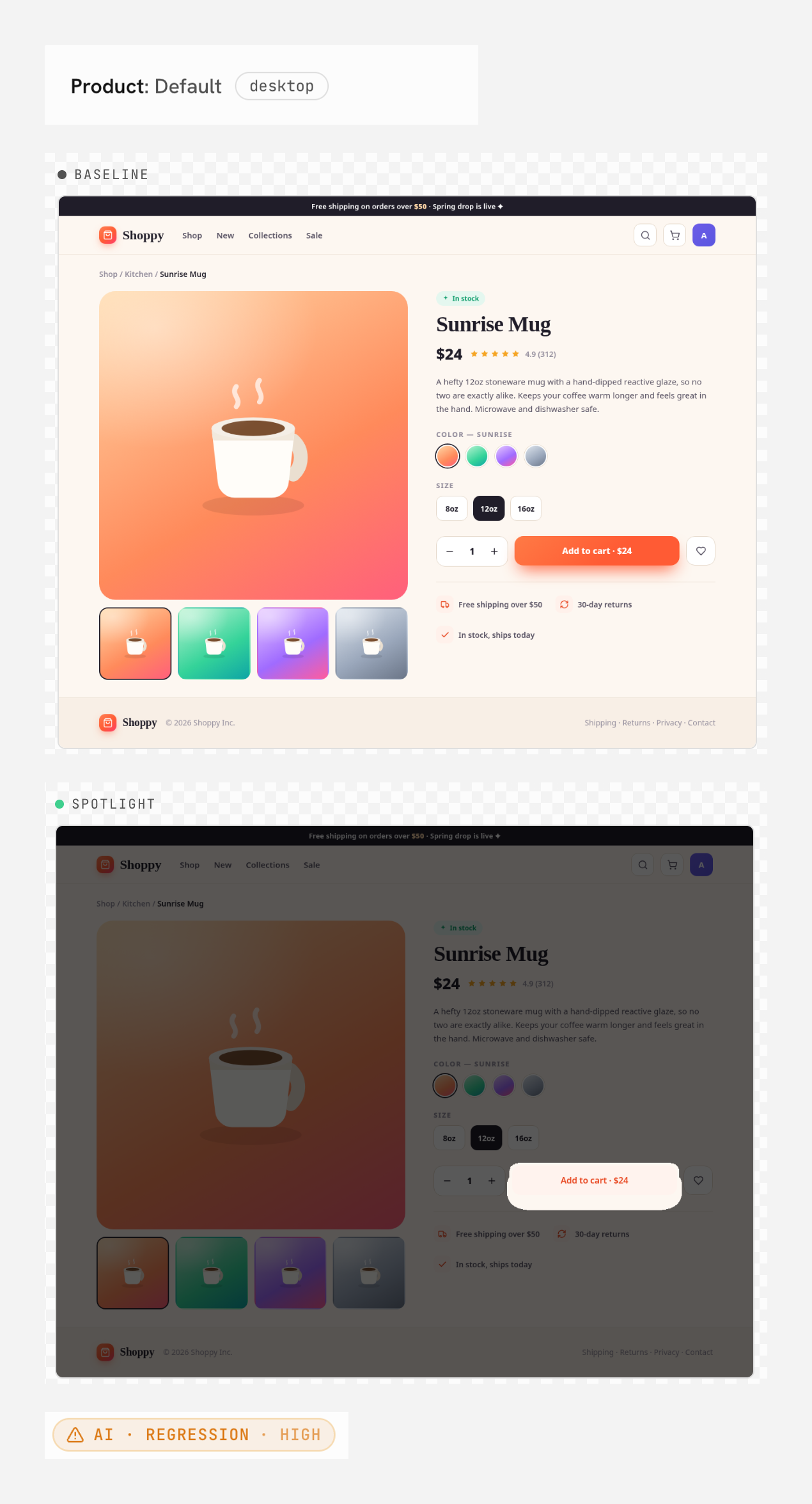
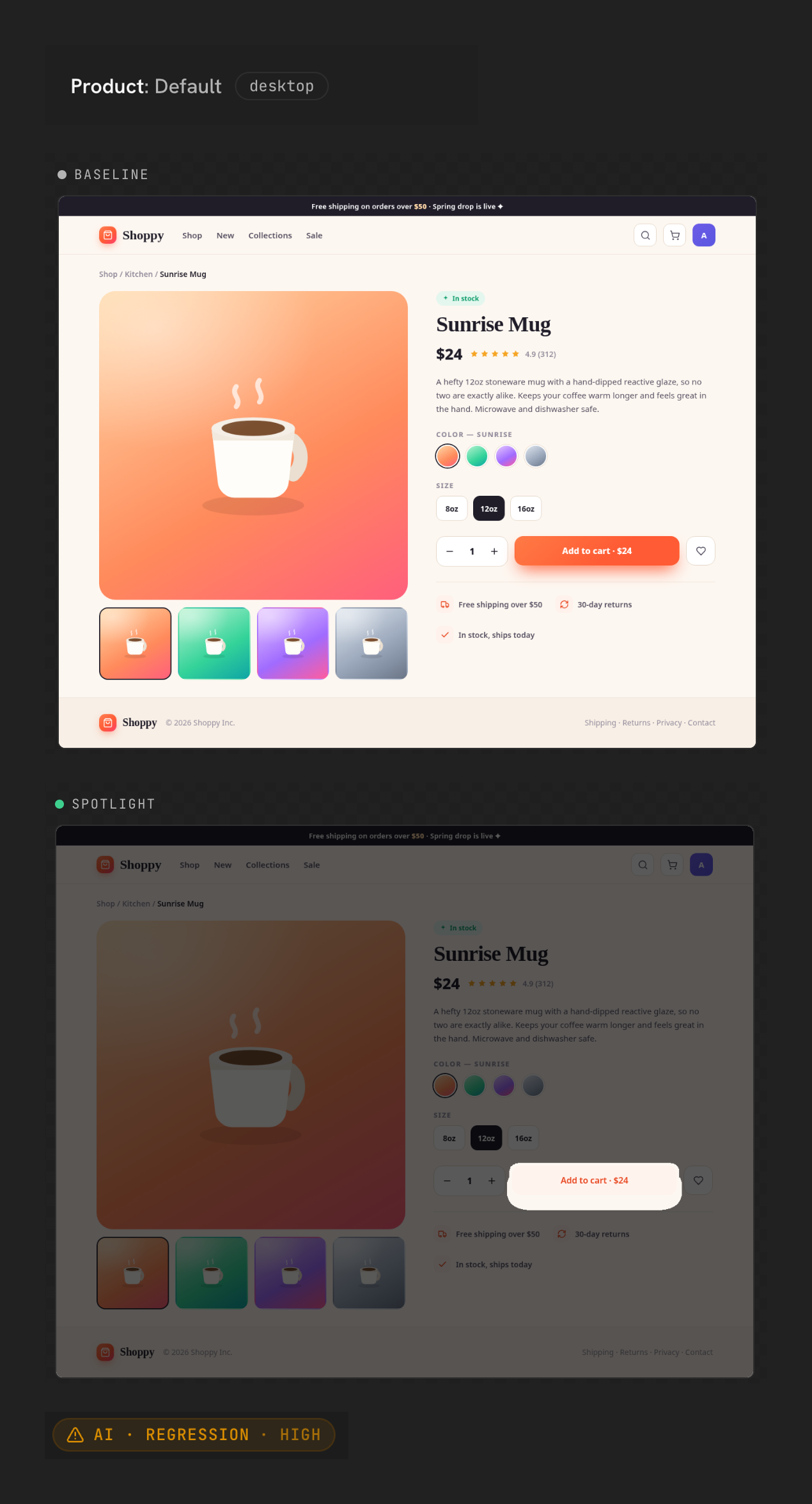
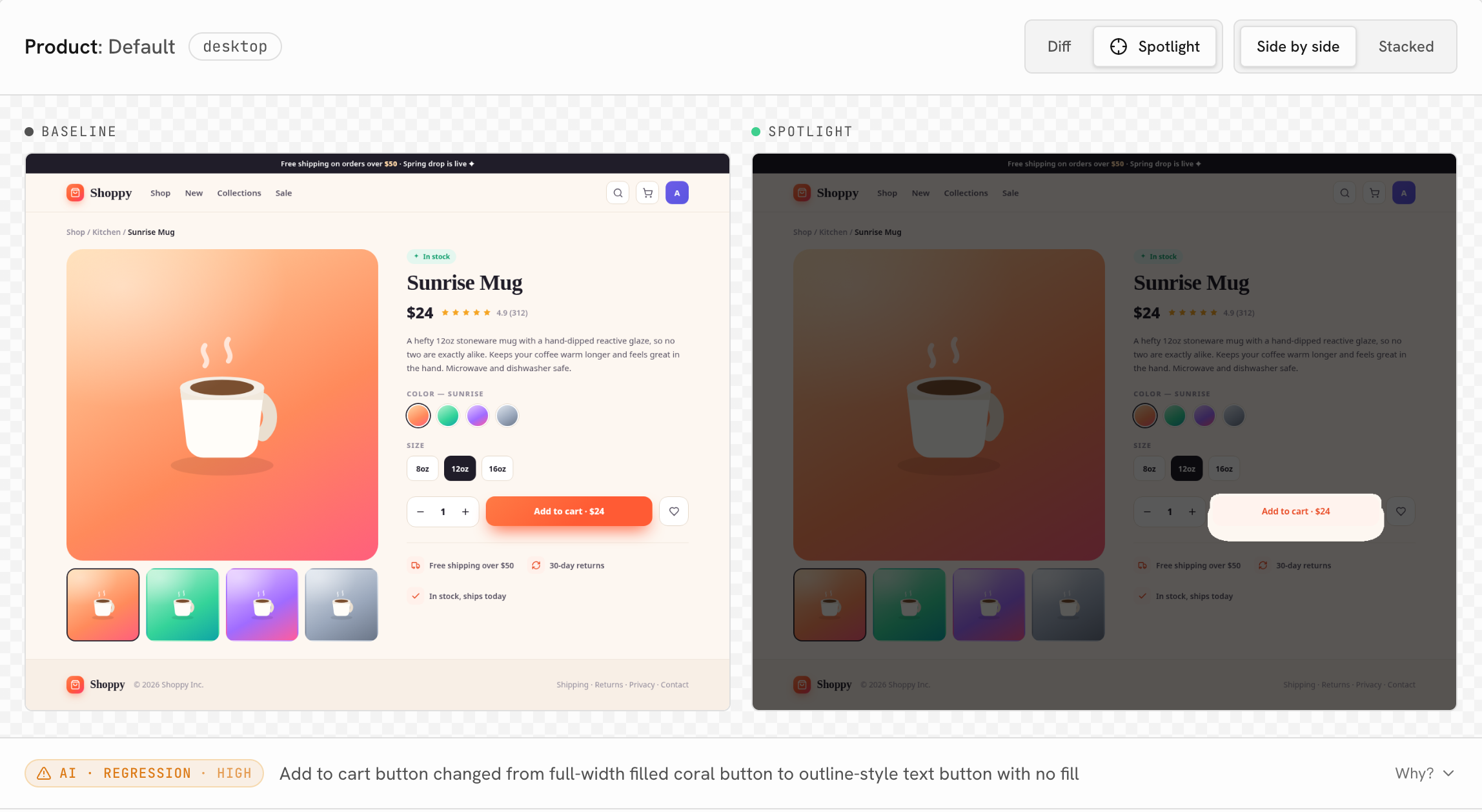
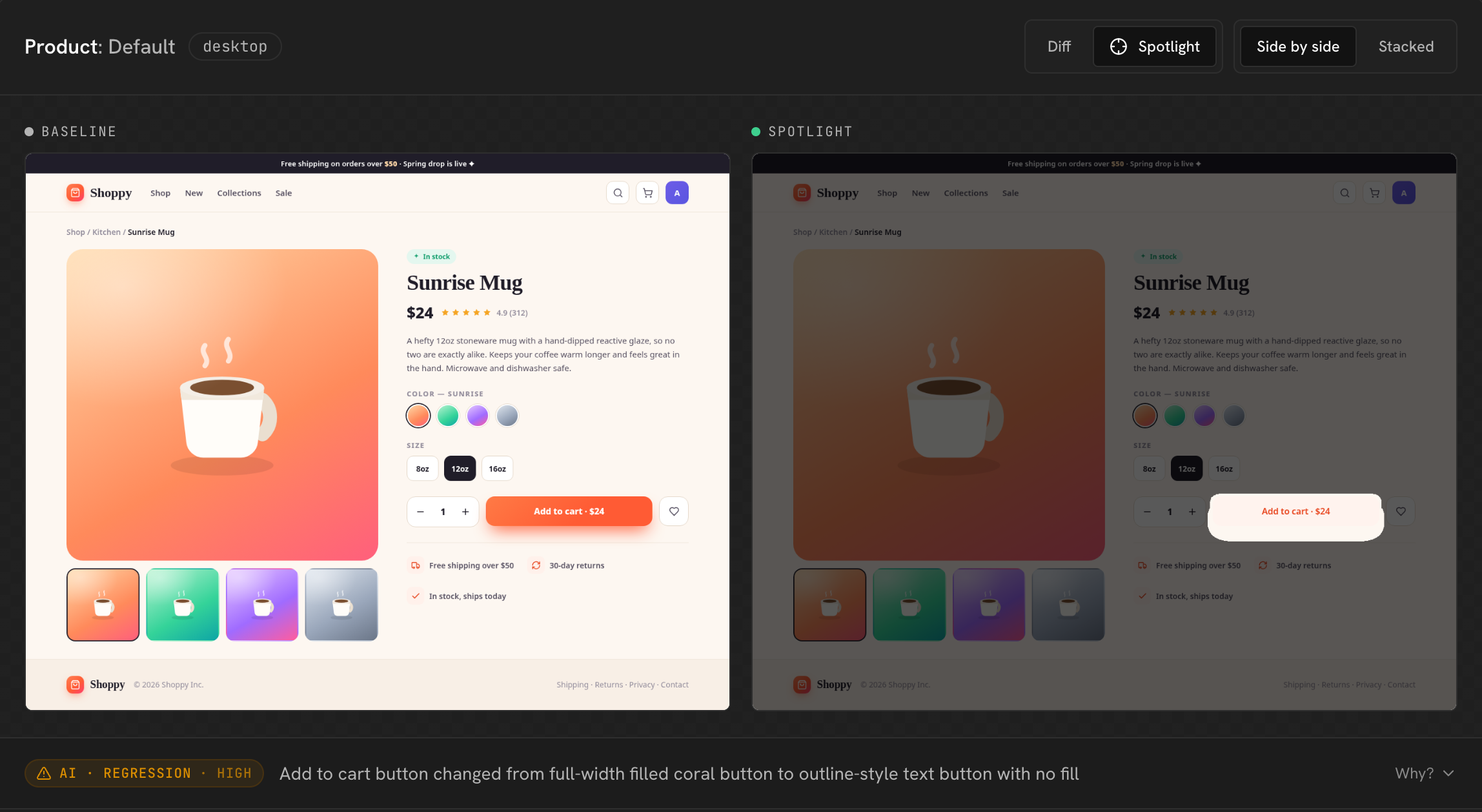
From pull request to merged, with your team and your agents in the loop. One real example: a PR restyles the Add to cart button, and accidentally turns the store’s primary action into a faint, unreadable outline.
A pull request goes up
Your team or your agent opens a PR. UI Verify screenshots every screen your change touches, then comments back with a plain verdict, not a wall of diffs.
Emphasize the Add to cart button #1
main from emphasize-add-to-cartVisual changes · 2 to review
1 intended change, 1 likely regression across 6 snapshots.
components/Button Intendedpages/Product Likely regressionReview in the dashboard →
An AI judge decides what actually broke
It reads the diff and makes the call: this is a regression, not an intended change. The Add to cart button lost its fill and text, from a restyle that looked harmless.
Stoneware · 12oz
$24
Stoneware · 12oz
$24
You and your team sign off, together
Comment on the exact pixel, hash it out in a thread, and accept or deny, with your designer, QA, or a teammate in the same place. The decision lands back on the PR.
Stoneware · 12oz
$24
Stoneware · 12oz
$24
Your agent handles the feedback, over MCP
Your coding agent picks up the review comments and the denied changes over MCP, fixes the regressions in its own code, and re-runs the check to green. People decide, the agent does the legwork.
The hard parts, handled
An AI judge that reads intent, capture that works with the tools you already have, and a review loop your coding agent can drive. The fundamentals are covered too.
An AI judge, not a pixel diff
It reads your pull request's intent and calls each change an intended update, a real regression, or a flake, with its reasoning, so you review decisions instead of diffs.
How the judge decides


Works with your stack
Point UI Verify at your Storybook, your Playwright suite, or your Vitest browser tests, and every component or page they render becomes a snapshot. Or upload custom screenshots from any tool.
See the quickstarts


MCP for your coding agent
An MCP server lets Claude Code, Codex, Cursor, and others list builds, inspect diffs, accept or deny changes, and push the fix before you merge.
Visual testing for agentsFlake-resistant capture
Animation, timers, fonts, and async data are all pinned, so a red build is a real change.
Snapshot only what changed
We capture only what your change touches and carry the rest forward. Fewer billed snapshots.



Every browser and viewport
Chromium, Firefox, and Safari, at desktop and phone width, rendered in parallel.
Versioned baselines
Every accepted baseline is kept, so you can compare against any point in time.
Works with the tests you already have
No new test framework to learn. UI Verify captures what your existing suite renders, and each path has a quickstart your agent can follow.
Storybook
Every story becomes a snapshot. Point us at your build and the first PR check is minutes away.
QuickstartPlaywright
Real pages from the end-to-end tests you already run. No snapshot calls to sprinkle through your suite.
QuickstartVitest
Browser-mode component tests become visual tests with one helper. No Storybook required.
Quickstart
Custom screenshots
Screenshots you produce yourself, with any tool: native, mobile, React Native. Upload the PNGs and we diff and review them.
QuickstartYour agent installs it
Create a project and paste one prompt into your coding agent. In about five minutes it reads the docs, writes the workflow, wires your capture, and opens the first PR. You just drop in your API key.
You’ll get a ready-to-paste prompt once your project is created.
About 240 pull requests a month, free
We render only the screens your change touches and carry the rest forward at a fifth of a snapshot each, so a pull request barely dents your 10,000 free monthly snapshots. These are live numbers from our own 154-screen app.
At 50,000 snapshots a month, UI Verify is $169. Chromatic lists $299 and Percy $1,639 for the same volume. See the comparisons versus Chromatic · Percy · Applitools
The median PR on UI Verify’s own repo
154 screens
- 13 screens the change touched, rendered
- 13 snapshots
- 141 unchanged screens, carried forward at a fifth each
- 28 snapshots
- AI review of every change
- Included
This pull request
41 of 10,000 free
Median skip-unchanged PR build on our repo, last 60 days; a PR that touches shared config re-renders everything. Past the free tier, snapshots are $0.004 each.
Frequently asked questions
Isn't visual testing always flaky?
Flake is a capture problem, so we fix it at capture. Animations, timers, fonts, and async data are all pinned before the screenshot is taken, and any sub-pixel noise that still slips through, the AI judge labels a flake and keeps out of your review. A red build means a real change, not a rerun.
What if the AI judge gets it wrong?
You always have the last word. Every verdict comes with the judge's reasoning, a regression blocks the merge until a human accepts or overrides it, and nothing becomes a baseline on the judge's say-so. It pre-reads every diff for you; it never merges for you.
What counts as a snapshot?
One screen (a component or page) rendered in one browser at one viewport. You rarely pay for all of them: we render only what your change touches and carry the rest forward at a fifth of the rate, so a typical pull request bills a fraction of your full UI. On our own app, the median PR re-renders 13 screens out of 154.
How does pricing work?
Each plan includes a monthly bucket of snapshots (10,000 free, 30,000 on Starter, 65,000 on Pro). Beyond the bucket, extra snapshots are $0.004 each. In-plan they work out to about $0.003.
How does AI review pricing work?
An AI review is one vision verdict on a changed snapshot: intended change, real regression, or flake. Every plan includes a monthly bucket (100 free, 1,000 on Starter, 2,500 on Pro); beyond it, extra reviews are $0.03 each.
What happens when I go over my plan?
Extra snapshots are billed at $0.004 each, the same low rate. On the Free plan, snapshots pause until the next cycle or you upgrade.
What happens on my first build?
Your first build has no baseline to compare against, so there is nothing to review yet: every screen is captured and accepted as the starting baseline. From the next pull request on, UI Verify diffs against it and shows only what changed.
Do I need Storybook?
No. UI Verify works with your Vitest browser-mode component tests, your Storybook build, or your existing Playwright end-to-end suite. Add @uiverify/vitest or @uiverify/playwright to your tests and every component or page they render is captured, or point it at a static Storybook and every story becomes a snapshot. More frameworks are on the roadmap.
Which browsers do you support?
UI Verify renders in Chromium, Firefox, and Safari. Point a project at the engines you care about and every screen is captured in each. Edge runs on the same Chromium engine.
Do you support GitLab or Bitbucket?
UI Verify integrates with GitHub and Bitbucket, posting a check and a comment on every pull request. GitLab is on the roadmap.
When do you run?
On every pull request. UI Verify renders your components and pages, diffs them against the baseline, and posts a check with a comment, so you review only what changed.
Can my AI coding agent use it?
Yes. UI Verify runs an MCP server, so your coding agent (Claude Code, Cursor, and others) can list builds, inspect diffs, and accept or deny changes, the same review actions you'd take in the dashboard. It's included free on every plan.
Is my data secure?
Snapshots are encrypted in transit and at rest, isolated per team, and never used to train models. See our Security page for the details.
Can I cancel anytime?
Yes. Plans are monthly, so you can cancel or change tier whenever you like.
Ship UI changes with confidence
Start free in minutes with 10,000 snapshots a month, no credit card. Or book a demo and we’ll get you live in your CI.