Visual testing in the agent era: a practical guide
Visual testing screenshots your UI and diffs it against a baseline to catch regressions. A practical guide to where it fits and why agents make it essential.
 Igor LuchenkovBuilding UI Verify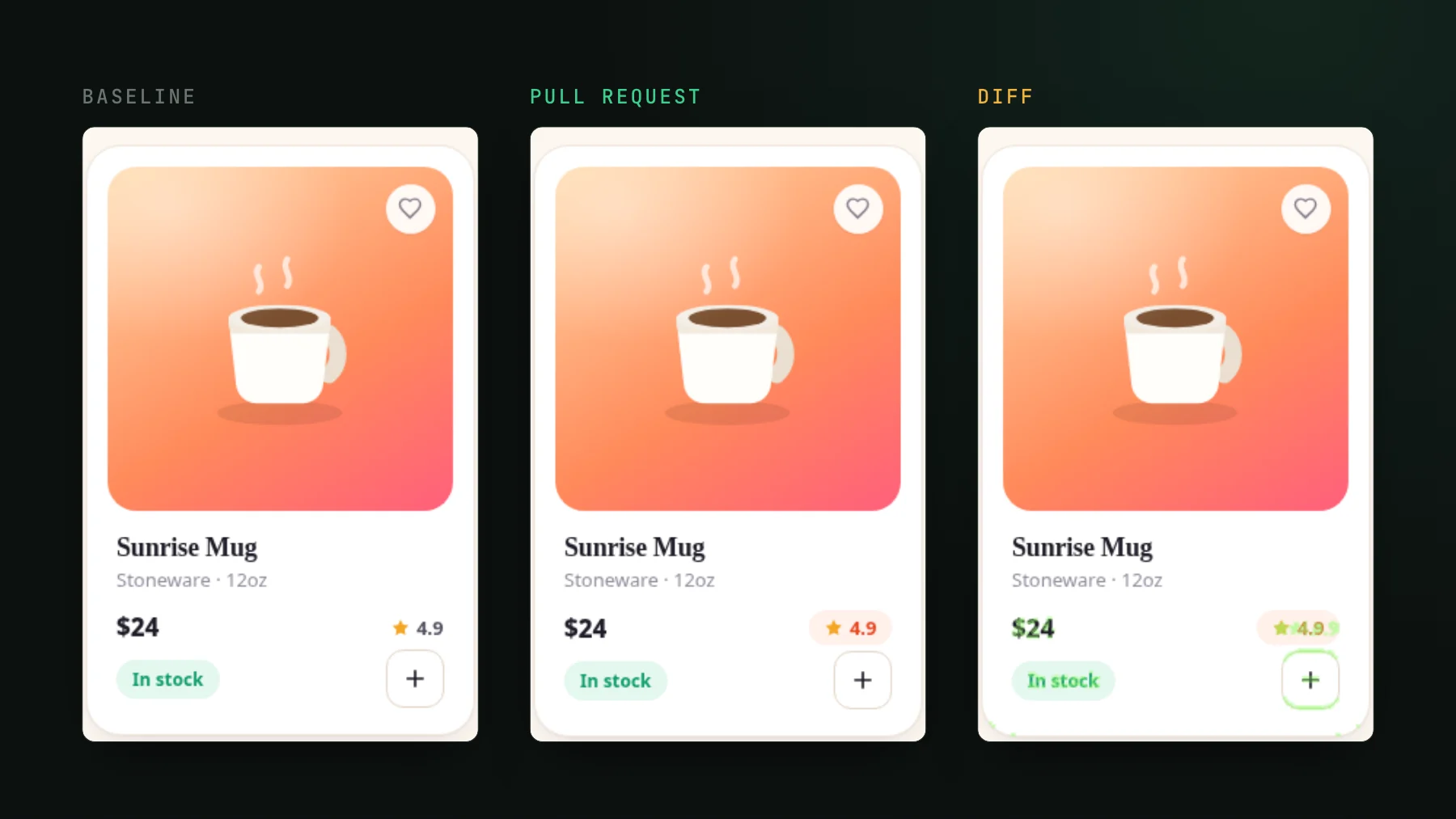
On this page
- What visual testing is
- Where visual testing sits next to unit and e2e
- The bugs assertions never catch
- Why agents make visual testing non-optional
- The screenshot is the acceptance gate now
- What the setup actually looks like
- Triage without leaving the terminal
- When visual testing is not the reach for
- Getting started
Visual testing used to be a nice-to-have you bolted on once the design system was big enough to hurt. In the agent era it is closer to a seatbelt. Agents write UI fast, touch shared components without hesitation, and then confidently report "looks great" - while the actual pixels tell a different story. Someone, or something, has to look. This is the practical guide to what visual testing is now, where it fits, and how to wire it in.
What visual testing is
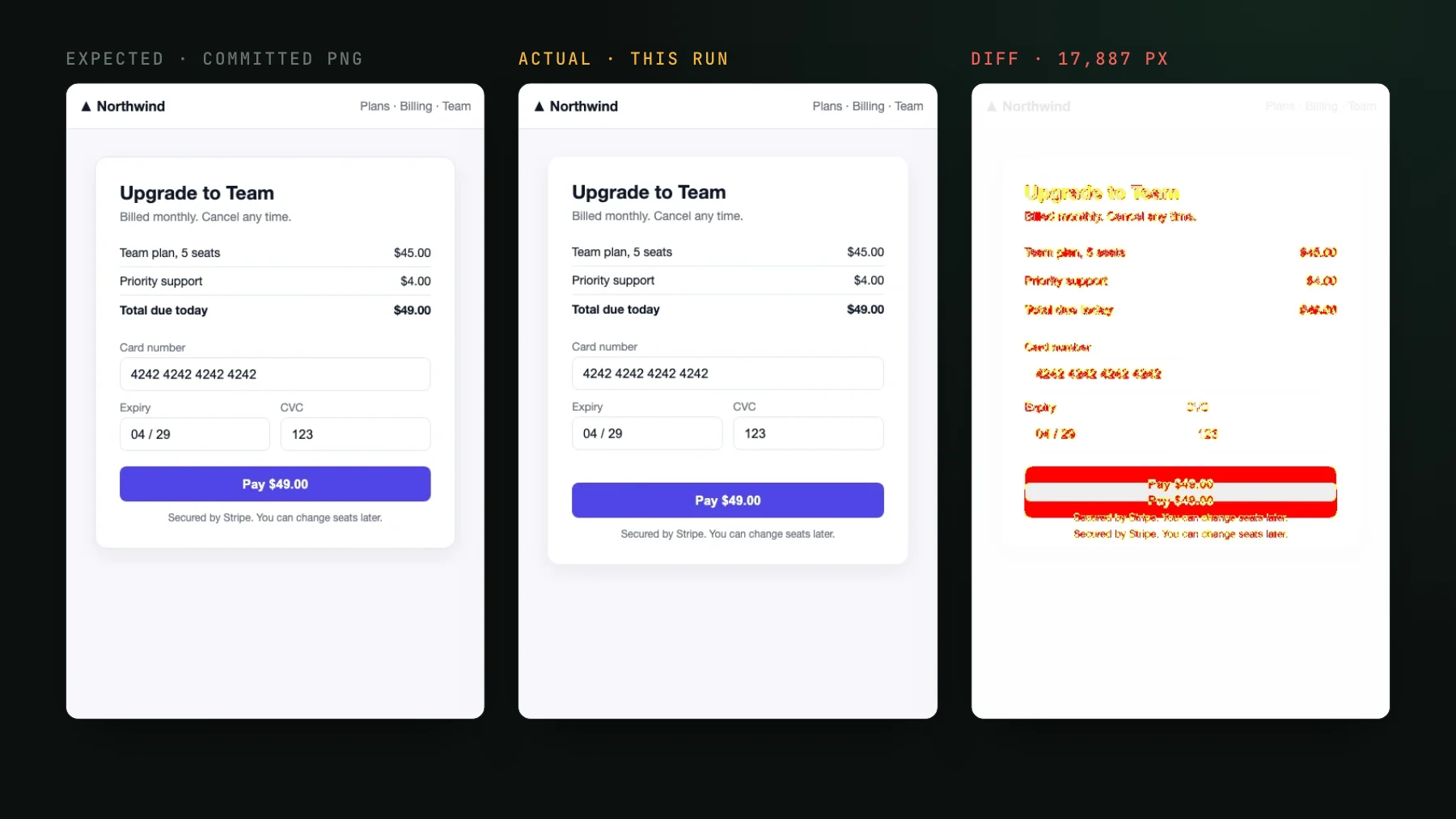
Visual testing renders your UI, screenshots it, and diffs each screenshot against a known-good baseline to catch unintended changes. It asserts the rendered pixels, not the logic behind them. If a refactor pushes a button off-screen, a token change flips text to white-on-white, or a dependency bump breaks dark mode, a visual test sees it. Your unit tests, which never render anything, stay green through all of it. For the ground-up definition, see What is visual regression testing?.
Where visual testing sits next to unit and e2e
Visual testing sits alongside your other tests and covers the one gap they structurally cannot reach. Unit tests prove logic. End-to-end tests prove flows. Neither one asserts what the screen actually looks like, which is exactly the thing a human notices first and an agent misses most.
| Test type | What it proves | What it misses |
|---|---|---|
| Unit / snapshot | Logic is correct; serialized output matches | The rendered pixels - a wrong color or a broken layout passes green |
| End-to-end | A user flow works, click to click | Appearance - a layout can be visibly broken and still click through |
| Visual | The rendered UI looks right, pixel for pixel | Behavior - it checks how it looks, not what it does |
The practical read: keep your unit tests for logic, keep a thin layer of e2e for the critical flows, and let visual testing own appearance. That last column is the whole reason it exists. A frontend lead I talked to put it plainly: their e2e suites cover user scenarios, but whether the page visually fell apart was something only manual testing ever caught.
The bugs assertions never catch
The failures visual testing is built for are the cross-cutting ones - the ones that span your whole app from a single edit:
- Shared-component and design-token changes. Edit one
Buttonor one token and the effect ripples across dozens of screens. No single unit test is watching all of them. - CSS and layout regressions. Overflow, wrapping, z-index, a collapsed flex row. Structurally invisible to logic tests.
- Theme and responsive breakage. Dark mode and narrow breakpoints are tedious to check by hand, so in practice nobody does until a user reports it.
- Dependency bumps. A minor version of a UI library quietly restyles a component, every assertion still passes, and the diff is the only thing that would have flagged it.
Why agents make visual testing non-optional
Here is what actually changed. A year ago the bottleneck was writing the UI. Now agents write it in minutes, and the bottleneck moved downstream to verifying the pixels they produced. The volume alone is the story: a solo dev I talked to runs up to three agents in parallel and ships pull requests of a thousand to three thousand changed lines as a matter of routine. The old rule that a 500-line PR gets sent back to be rewritten is simply dead - they are all large now.
And agents are confidently wrong in a specific way. They report the behavior works, because they reasoned about the behavior, while introducing visual regressions they never mention because they never looked. One case I heard: a backend developer used an agent to generate the frontend changes for a feature. The logic was fine. The visual bugs were not, and the only thing that surfaced them was a human manually opening the page.
The workaround developers reach for first is having the agent drive a browser and self-check. It works, sort of. The same solo dev told me his agent gets the visual check right about eight times out of ten. But it runs locally and it is slow: the agent spends five to ten minutes writing the code, then another ten minutes clicking through the live UI to verify it, on his machine, blocking his machine. Verification, not authoring, is now the thing that eats the clock.
The screenshot is the acceptance gate now
Move that check off the local machine and onto the pull request and the economics flip. Every PR gets a screenshot diff, rendered in the cloud so it does not block anyone's laptop, and review becomes a decision instead of a manual walkthrough. The scan is not the slow part: a project of roughly 350 stories screenshots in about four to five minutes end to end. That is fast enough to gate every PR without anyone feeling it. On this repo's own 301-story Storybook, a pull request with no visual changes went from upload to a green check in 83 seconds.
A gate like this makes change reviewable rather than blocking it. An intended UI edit becomes a diff you approve, documented in the PR instead of discovered in production. A regression becomes a red check with the before-and-after attached. Either way you are reviewing a decision, not hunting for one.
What the setup actually looks like
At a high level there are four moving parts, and most of them you already have:
- Capture targets. Either Storybook stories, Playwright or Vitest captures, or real pages. UI Verify is Storybook-independent, so if you have stories they are your tests, and if you do not, a per-route capture covers the same ground. See the Storybook quickstart or the Playwright quickstart.
- Cloud render. The screenshots are taken on the server with animations frozen and the clock stopped for determinism, so a diff means a real change and not a flaky frame. Why it runs in the cloud rather than your CI runner is covered in Why cloud render.
- An AI judge. On each build a judge separates the change you meant to make from a real regression, reading the PR description for intent. Details in The AI judge.
- Agent triage over MCP. Every build's diffs and verdicts are exposed over MCP, so the same agent that wrote the PR can pull up its own changes and accept the intended ones. See Triage visual changes from your coding agent.
Wiring it in is one command in CI. You upload your built stories or captures with your project API key, and each run diffs against the accepted baselines:
# API keys are prefixed uv_proj_
UIVERIFY_API_KEY=uv_proj_your_key npx -y uiverify upload --static-dir ./storybook-static--only-changed, only the stories the diff could reach re-render, and the check is green 83 seconds after the upload starts.Triage without leaving the terminal
This is the part that matters for an agent-heavy team. When a visual check fails, the classic loop is "PR checks failed, go find out why" - and for unit tests the agent reads the log and fixes it. Visual failures used to break that loop, because the evidence was a set of images a human had to open. Over MCP the agent gets those images and the judge's verdict directly. You tell it: check the diffs, fix anything that is a real regression, accept the rest. It does, and you only step in when it cannot. The triage skill packages that flow.
When visual testing is not the reach for
Be honest about the edges. Visual testing checks appearance, not behavior, so it is not a substitute for the e2e tests that prove a checkout actually completes. Highly dynamic surfaces - a live search feed where you do not control the order - are a poor fit for a raw page capture and are better tested against mocked, deterministic data. And this is a category with real, capable tools: Chromatic, Percy, Applitools, and Argos all ship visual review, and Percy, Applitools, and Argos have each added AI-assisted triage and MCP access. If you are deep in one of their ecosystems and it is working, that is a legitimate place to stay. Where UI Verify leans is the agent-native path: Storybook-independent capture, an AI judge on every build, and triage that closes inside the agent's own loop. For a head-to-head, see UI Verify vs Chromatic.
Getting started
If you write UI with agents, the screenshot is your acceptance gate whether you formalize it or not - the only question is whether a human catches the regression or a diff does. Pick your capture path and turn it on: the Storybook quickstart, the Playwright quickstart, or the Vitest quickstart. If you want the wiring done for you, the visual-testing setup skill scaffolds the stories and the CI in an afternoon, and it is free.
Put a screenshot on every agent PR
UI Verify is visual testing for you and your agents. It screenshots your UI on every pull request and an AI judge tells an intended change from a real regression, so you review decisions, not diffs.
Start for freeNo credit card required.
Set up visual testing
From no visual tests to a green check on every pull request.