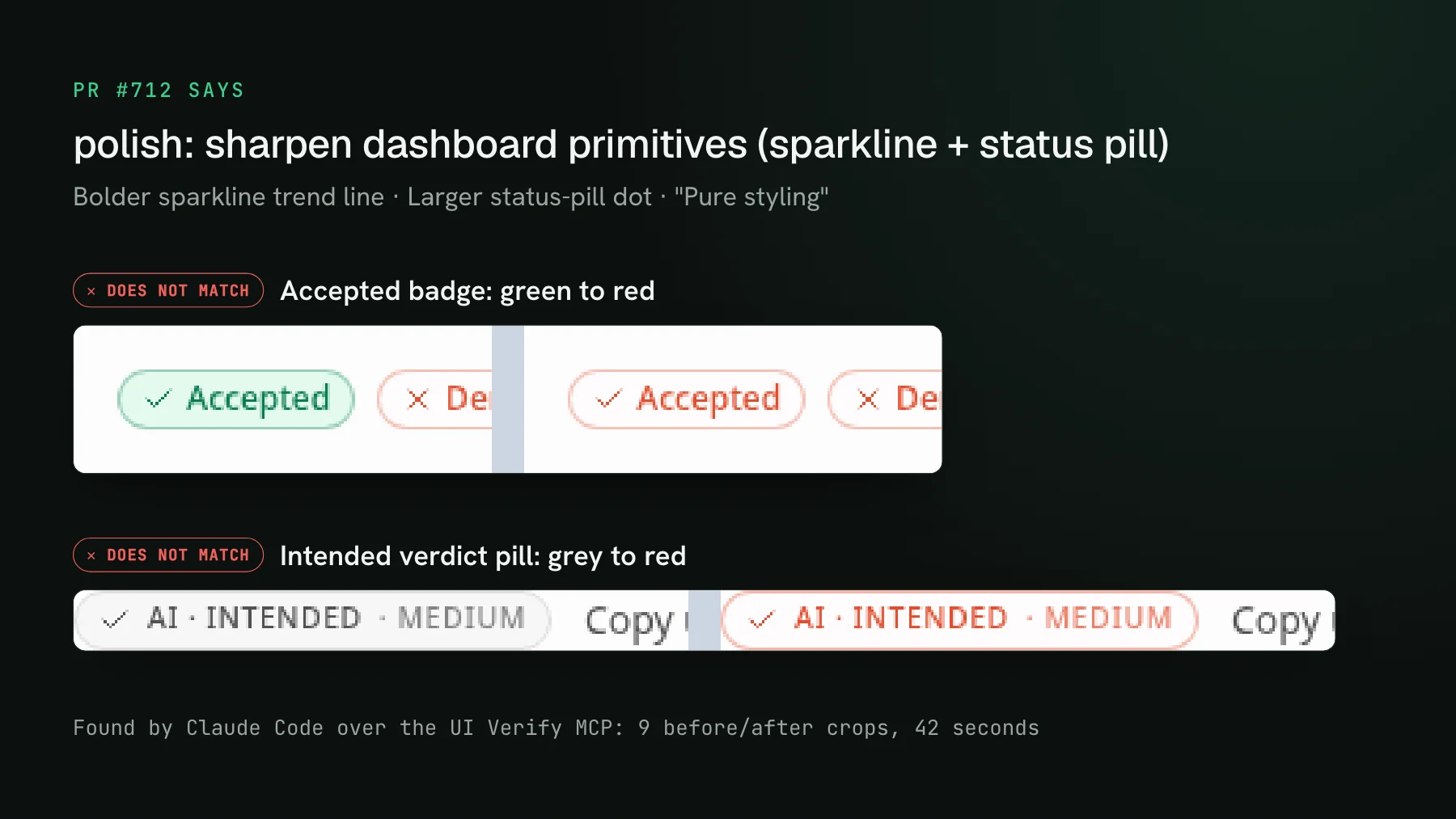
Visual testing MCP servers, compared
Visual testing MCP servers compared: Playwright MCP, Percy, Applitools, Argos, and UI Verify, so your coding agent can review its own UI changes over the Model Context Protocol.
 Igor LuchenkovBuilding UI Verify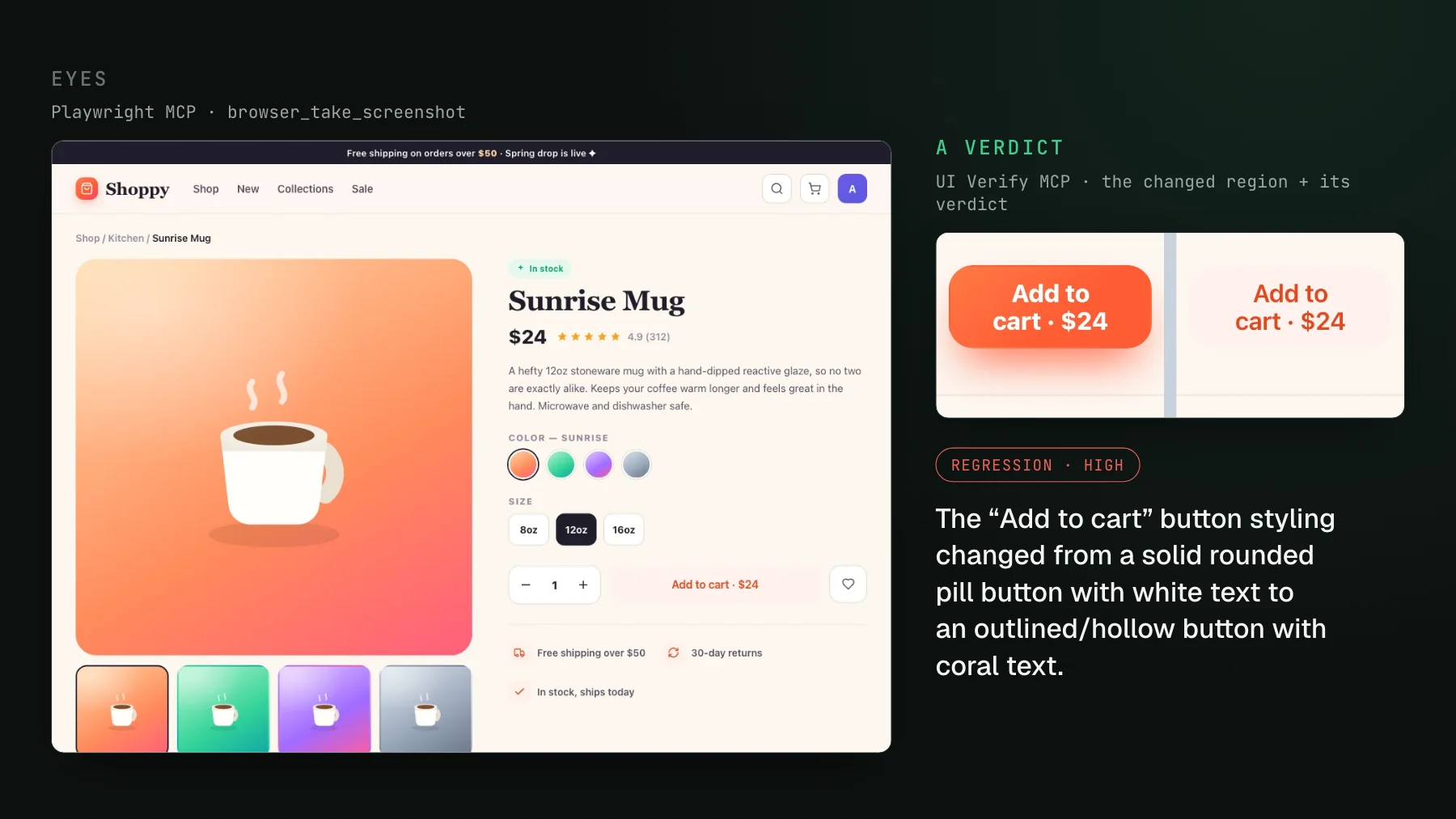
On this page
- What should you compare in a visual testing MCP server?
- Which MCP server gives your agent a real browser to look with?
- Which MCP server drives the visual testing platform you already use?
- Which MCP server gives your agent a verdict with nothing new to author?
- Which MCP server is the lightest way to let an agent see a local page?
- Visual testing MCP servers compared
- Which visual testing MCP should you use?
A visual testing MCP server exposes a visual regression build - the per-story screenshot diffs and a verdict on each - to a coding agent over the Model Context Protocol, so the agent that wrote a UI change can review its own work. The servers split two ways: Playwright MCP and visual-inspector-mcp give the agent eyes on a page, while Percy, Applitools, Argos, and UI Verify give it a verdict on each change. A verdict server is the piece that closes the one open loop in agentic coding: an agent fixes a failing test or a type error on its own, but on the UI it edits some CSS, sees nothing, and says it looks great, because it has no eyes on the result.
What should you compare in a visual testing MCP server?
Compare first what the MCP actually gives the agent: eyes or a verdict. One group gives the agent eyes: open my app, take a screenshot, hand back the pixels. That is enough for the agent to look, but the agent still has to decide, from a full-page image, whether anything is wrong. The other group gives the agent a verdict: run a real visual regression build, and hand back a cropped before-and-after diff plus a judgment on whether each change is a regression or intended. The second is what turns an agent from a rubber-stamp into a reviewer, because a vision model handed a 1440-pixel-tall page does not reliably notice that a button's padding shrank by two pixels. Sort every option below into one of those two buckets first, then compare the rest:
- Where the baseline comes from: none at all, the vendor's own platform, or the tests you already run.
- How the agent sees a change: an image inline in the tool result, or URLs it has to download before it can look.
- What an approval does: whether the agent can accept a new baseline itself, or a person authorizes the save.
- What you already run: a platform your team is standardized on is usually the cheapest place to start.
Each server below sits under the situation it fits. I build UI Verify, so its section is the builder's view; the others are described from their own docs.
Which MCP server gives your agent a real browser to look with?
Playwright MCP, the official server from the Playwright team, is the best way to give an agent a real browser: navigate, click, fill forms, resize, and take a screenshot of your running app, with a vision mode for coordinate-based interaction. It gives eyes, not a verdict, because it does not do visual regression: pointed at a product page whose Add to cart button had lost its fill, its snapshot still reports an ordinary button named Add to cart. There is no baseline, no diff, no verdict, so the agent can see the page but you build the is-this-a-regression logic yourself. It pairs well with a verdict tool rather than replacing one.
browser_snapshot of the product page from the cover. It reports a working button named "Add to cart · $24" and has nothing to compare it against, so the lost fill never shows up.Best for: giving an agent hands and eyes on a live app during development, not gating a pull request.
Which MCP server drives the visual testing platform you already use?
If you are on Percy, Applitools, or Argos, use its own MCP server: all three added one, and the useful way to compare them is what each server hands the agent and what an approval does. Percy, through the BrowserStack MCP server, returns Percy AI's written description of each changed snapshot between the latest and previous builds (fetchPercyChanges), and its approval tool approves or rejects the whole build, which sets the new baseline (managePercyBuildApproval). Applitools's Eyes MCP lets the agent inspect batch failures, accept intended changes, and reject unintended ones, but saving a baseline goes through eyes_resolve_save, a gate where a person authorizes the save, so the agent never overwrites a baseline on its own. Argos's MCP server returns base, head, and diff image URLs that the agent downloads before it can look, and approves or rejects a build through a review, which its agent-ready CLI can also do (argos review create <ref> --event approve). All three are real verdict tools with agent review over MCP.
That is the point, not a footnote: agent review over MCP is the direction the whole field is travelling, not one vendor's edge. Where these differ from UI Verify is what they were built around. They are broad, established platforms that added an MCP path onto an existing product, so they win when you are already invested in one - Percy inside BrowserStack's device cloud, Applitools for an enterprise cross-browser grid, Argos for capturing in your own CI. UI Verify is built around the agent loop itself: archive-replay so there is nothing to author, a judge that classifies each change before the agent sees it, cropped diffs shaped for a vision model, and a PR held on a regression.
Best for: teams already standardized on Percy, Applitools, or Argos who want to drive it from an agent. See the full comparisons: Percy, Applitools, and Argos.
Which MCP server gives your agent a verdict with nothing new to author?
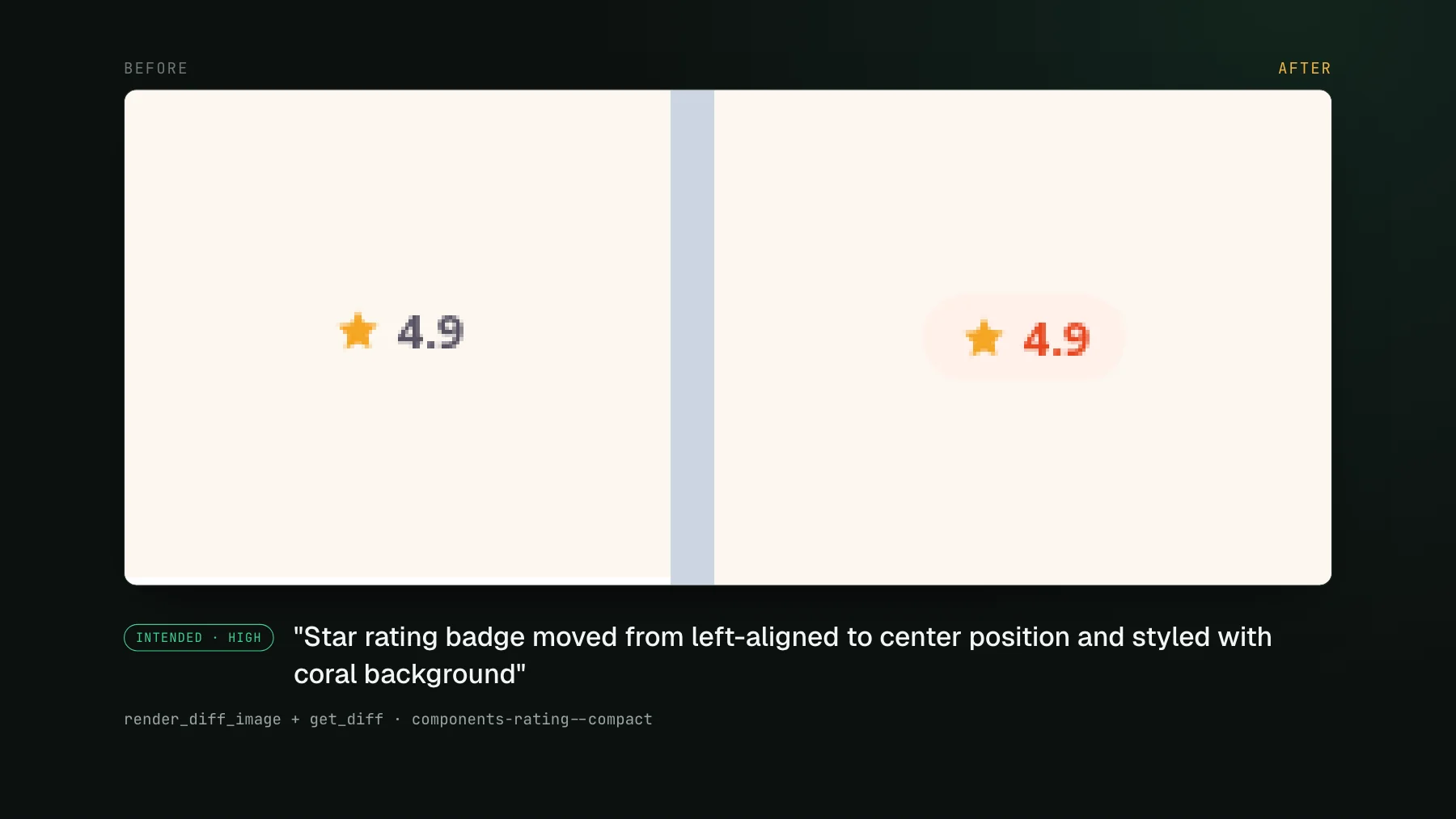
UI Verify gives one over the tests you already have: it runs a full visual regression build on every pull request and exposes it to the agent over MCP. It replays the Storybook, Playwright, and Vitest tests you already run, so there is nothing new to author, and an AI judge classifies each change before the agent ever sees it. Over MCP, render_diff_image returns the actual cropped pixels inline, in the tool result itself rather than as a URL the agent has to download, so the agent's vision model looks at the change directly, get_diff returns the judge's verdict per story plus baseline and candidate URLs, review_diff structures the triage, and accept_build accepts the intended baselines. The agent runs the whole review in the terminal and the PR is held if a real regression is found.
tools/list call: nine read tools the agent can call freely, and six write tools for accepting, denying and commenting.- A verdict, not just a screenshot: an AI judge labels each change regression or intended, with a reason, before the agent triages. See the AI judge.
- Cropped before-and-after diffs shaped for a vision model, not a full-page image the agent has to scan.
- Nothing to author: archive-replay of your existing Storybook, Playwright, and Vitest tests.
- It holds the PR until each change is reviewed, so a real regression cannot merge behind a green check.
Pricing: free for 10,000 snapshots a month, then from $89 a month for 30,000, with a larger free tier of 50,000 snapshots a month for open-source projects, self-declared at sign-up with no approval and no card (see free for open source). Best for: teams whose agents open pull requests and need the review to happen in the loop. Setup for Claude Code, Cursor and Codex is on the UI Verify MCP server page. The long-form version of this workflow is in visual testing MCP: let your agent triage the diffs, and the step-by-step is in triage with your agent.
Which MCP server is the lightest way to let an agent see a local page?
visual-inspector-mcp is the lightest option: a small open-source server that runs a persistent Chromium instance and returns screenshots the model can inspect, plus interaction, resizing, and console logs. Like Playwright MCP it gives the agent eyes on a local page without standing up a hosted platform, and like Playwright MCP it has no baselines or regression judgment. It is the minimal let-the-agent-see-my-page option.
Best for: a lightweight, local way to let an agent look at a rendered page, with no hosted service.
Visual testing MCP servers compared
| MCP server | Gives the agent | Baseline | Verdict on each change | Best for |
|---|---|---|---|---|
| UI Verify | A verdict | Your Storybook/Playwright/Vitest tests | AI judge; the check holds the PR | Agents opening pull requests |
| Percy / Applitools / Argos | A verdict | Their own platform | Yes, review over MCP | Teams already on one of them |
| Playwright MCP | Eyes | None | No, build it yourself | A browser for the agent |
| visual-inspector-mcp | Eyes | None | No, build it yourself | Local, lightweight looking |
Which visual testing MCP should you use?
It depends on whether the agent only has to look or has to gate a pull request. If you only need the agent to look at a running app while it works, a browser MCP - Playwright MCP or visual-inspector-mcp - is the simplest thing and it is free. If you need the agent to gate a pull request, you want a verdict tool: Percy, Applitools, or Argos when you are already on one of them and just want to drive it from an agent, or UI Verify when you want the review built around the agent loop, with the PR held on a regression over the tests you already run. The common thread is the direction of travel: once agents write the UI, the reviewer has to reach the change the same way the author did, programmatically and in context.
Give your agent eyes on the diff
UI Verify screenshots your UI on every pull request, an AI judge tells an intended change from a real regression, and your coding agent reads the verdict and accepts baselines over MCP - without leaving the terminal. Free for 10,000 snapshots a month, and 50,000 for open-source projects.
Start for freeNo credit card required.
Triage a build from your agent
Bucket real regressions vs noise and accept baselines, over MCP.