Visual testing MCP: let your agent triage the diffs
Visual testing over MCP hands your agent the real diff, so it tells a regression from an intended change and closes the loop before you open a dashboard.
 Igor LuchenkovBuilding UI Verify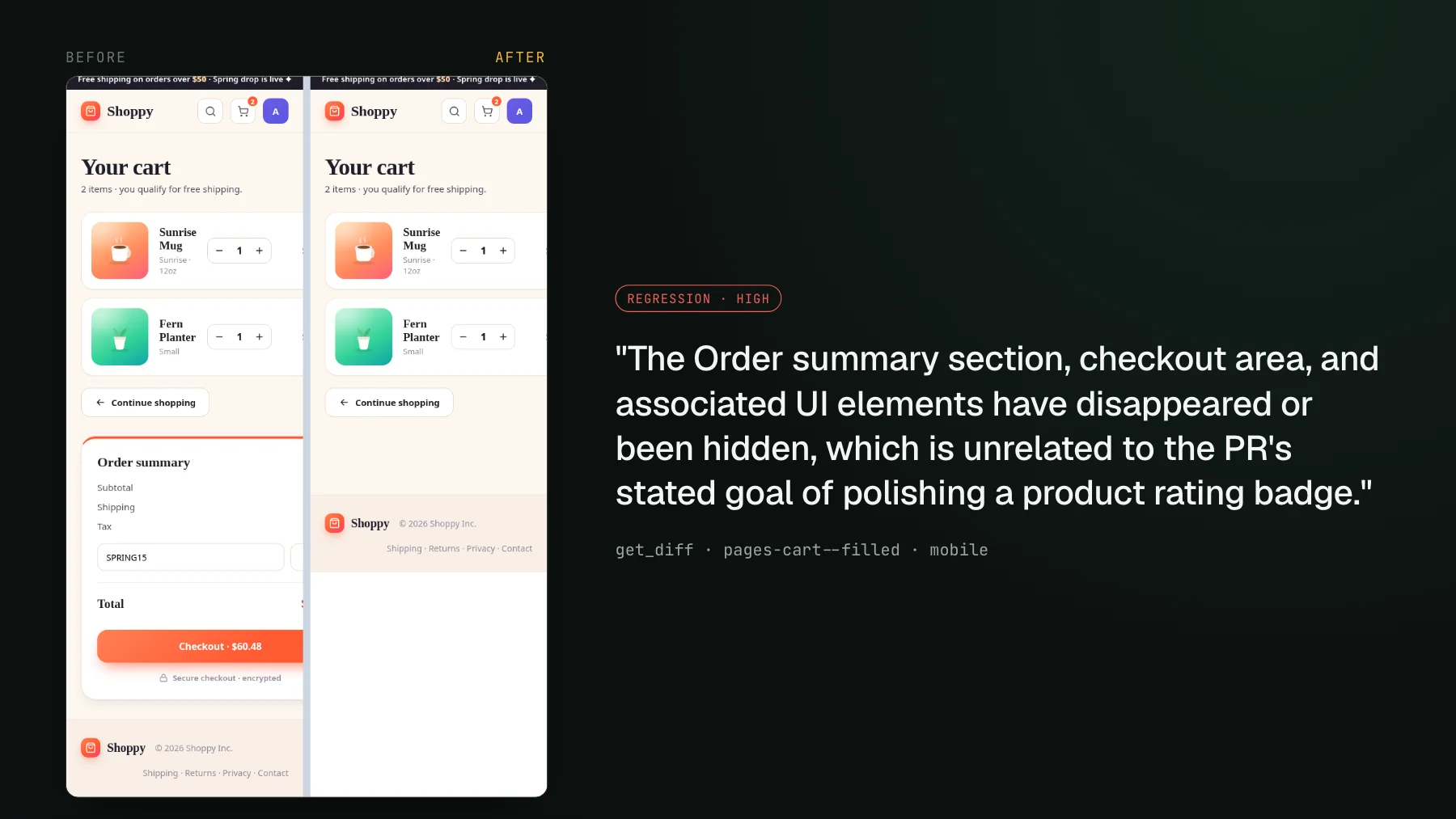
On this page
Give a coding agent a failing test and it fixes itself. Give it a stack trace, a type error, a red CI log, and it reads the signal, reasons about the cause, and corrects. That feedback loop is why agents feel genuinely autonomous on the backend. On the UI it falls apart. The agent edits some CSS, sees nothing, and tells you it "looks great" - because it has no eyes on the result. A blind reviewer rubber-stamps everything, and an agent reviewing its own UI change with no picture of it is exactly that.
Visual testing over MCP is the fix. It means exposing a visual regression build - the per-story screenshot diffs plus an AI judge's verdict on each one - to a coding agent through the Model Context Protocol, so the agent that wrote the pull request can pull each diff into its own context, classify it as an intended change or a real regression against what it set out to do, fix the regressions, accept the intended ones as new baselines, and post a summary. The missing piece was never a smarter model. It was eyes on the actual diff.
Why UI agents are blind
Teams running agents at volume keep arriving at the same workaround: engineers who built the ugly version of this by hand, standing up their own server just to get a rendered image in front of the agent, because you cannot hand a raw PNG to an agent through a pull request and image handling in the PR itself is painful. They end up maintaining, by hand, the exact review surface that visual testing over MCP exists to give you. Visual testing in the agent era walks through one of those hand-rolled loops in detail.
Another engineer described his North Star unprompted: install it, it runs my whole environment, screenshots every component, tells me on my PR what broke, and I never have to touch it. He wanted visual testing to behave like the AI code-review tool his team already trusts - the one that just works, least amount of touch, tell me what is breaking, I am not going to notice it otherwise. Both were describing the same gap. The agent can write the UI. It cannot see whether it broke the UI. So it ships, and a human finds the regression later.
The diff the agent pulls is cropped to what moved
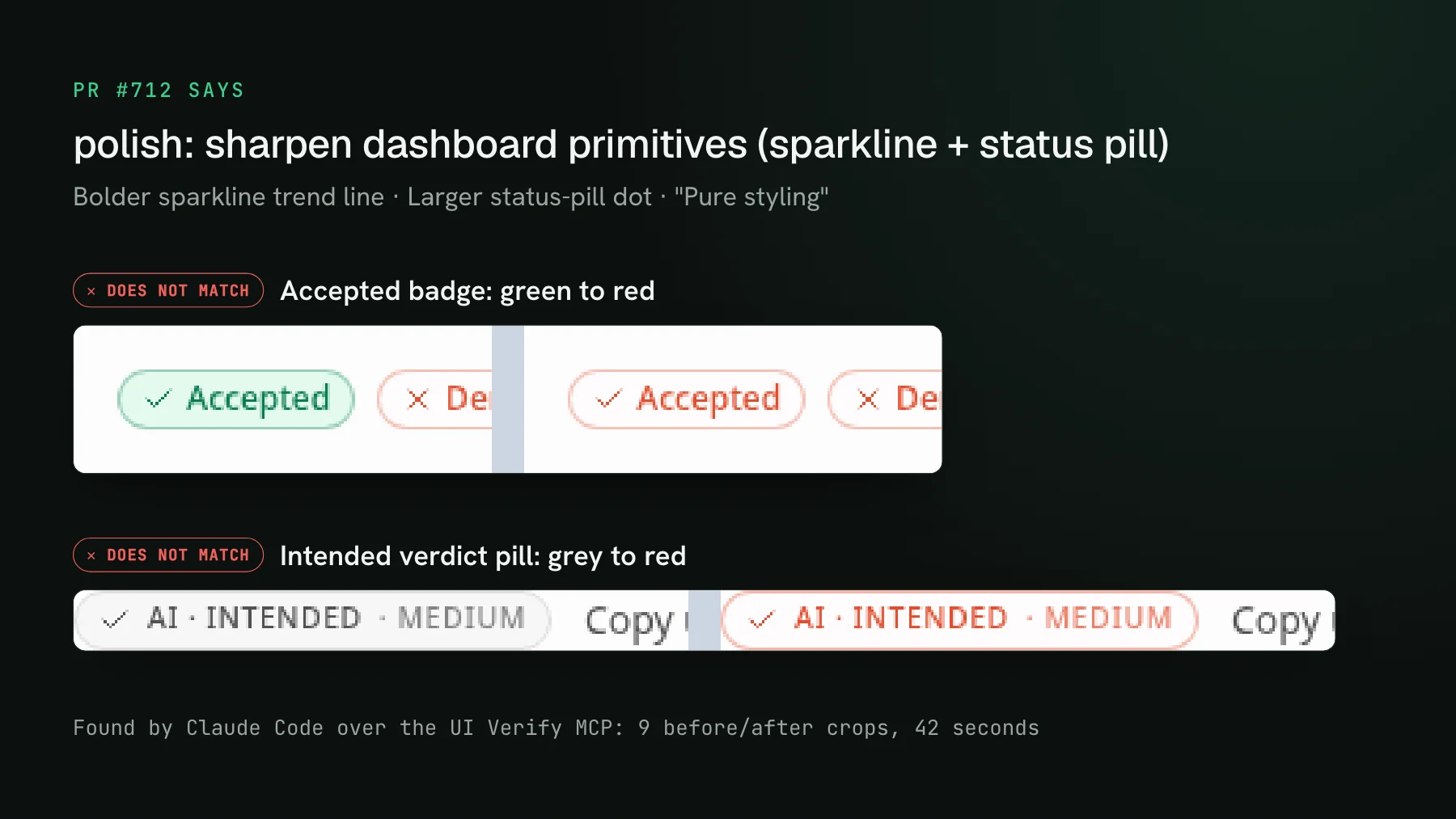
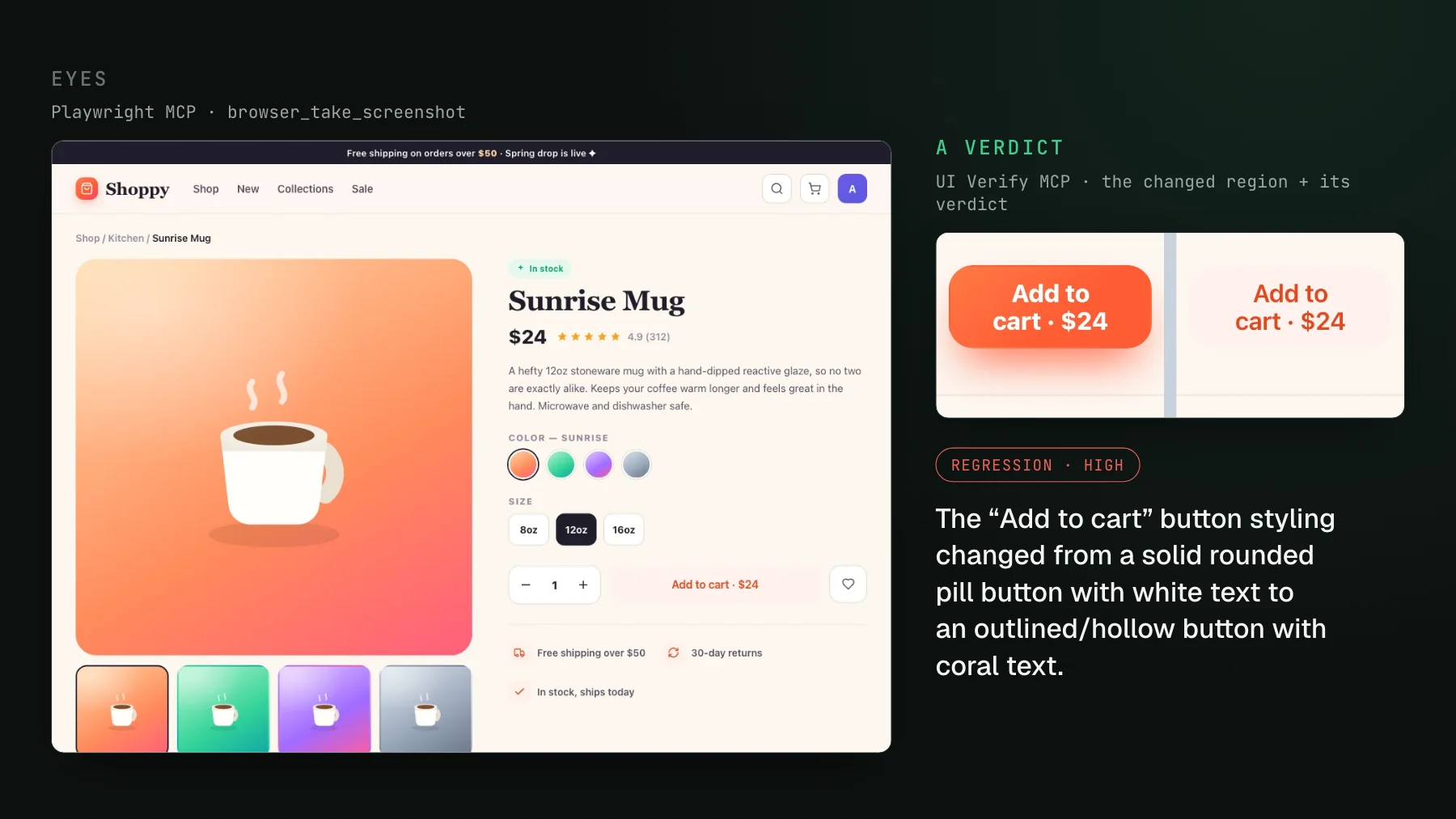
The diffs these tools return are not full-page screenshots. Each is cropped to the region that actually moved, baseline and candidate side by side, because a vision model handed a 1440-pixel-tall page does not reliably notice that a button's padding shrank by two pixels. That granularity is the difference between an agent that reviews and one that rubber-stamps. Here the point is narrower: the tools below hand the agent that crop, not the page.
The tools the agent calls
Connecting the MCP is one command with your project key (prefixed uv_proj_) already filled in from your project setup page. Once it is connected, the agent has a small set of tools that map onto exactly the loop above:
list_build_stories  { status: "changed" }              -> the stories that moved this build
render_diff_image   { storyId, which: "before_after" } -> before/after, cropped to the change, inline pixels
get_diff            { storyId }                         -> the AI judge's verdict + reasoning + image URLs
accept_build        { ... }                             -> promote the intended changes to new baselines
render_diff_image returns the actual pixels inline, so the agent's vision model looks at the crop directly rather than at a URL it cannot open. get_diff returns the AI judge's verdict for each story plus presigned URLs for the baseline, candidate, and diff images - the URLs are what the agent links into a pull-request comment. On a build that passed, list_build_stories with status: "unchanged" lets the agent confirm a component still matches its baseline even when nothing moved. The step-by-step version of all of this, with the exact commands, lives in Triage visual changes from your coding agent.
render_diff_image also warns that a person left an open note on the cart story, and list_comments returns it before the agent can accept anything.The closed loop
Put together, the agent runs the whole review where it already works, in the terminal, without you in the middle:
- The agent opens the pull request and the visual check renders every affected story in the cloud.
- It lists the build's changed stories over MCP and pulls the cropped before/after for each.
- It classifies each change as intended or a regression against its own PR intent, reading the AI judge's verdict alongside its own look at the pixels.
- It fixes the real regressions, accepts the intended changes as new baselines, and posts a summary comment - so the required check flips green before a human opens anything.
This is where visual testing is going
Once agents write most of the UI, agent-native review stops being a bolt-on feature and becomes the natural shape of visual testing. When the author of a change is a machine, the reviewer has to be able to reach the change the same way - programmatically, in context, without a human ferrying screenshots between a dashboard and a terminal. The field has moved here fast: Percy, Applitools, and Argos each added an agent review path over the last year, so this is the direction of travel rather than one vendor's edge. UI Verify is built around the loop from the ground up: cloud render so the agent screenshots once and never runs your environment twice, an AI judge whose verdict travels with the diff, and cropped before/after images shaped for a vision model rather than a human's scroll.
The reason this matters is simple. Everything else in the agent loop already closes itself - tests, types, lint, CI - and the UI was the one surface that still needed a human to look. Give the agent eyes on the diff and that last open loop closes too. If you want the ready-made playbook, the triage visual changes skill packages the whole review into one command your agent runs, and Triage visual changes from your coding agent walks the flow tool by tool. Or browse all the visual-testing skills.
Let your agent close its own visual loop
UI Verify screenshots your UI on every pull request and exposes each build's diffs and an AI judge's verdicts over MCP, so the agent that wrote the PR reviews the pixels it changed - and the check goes green before you open a dashboard.
Start for freeNo credit card required.
Triage a build from your agent
Bucket real regressions vs noise and accept baselines, over MCP.