Storybook visual regression testing
UI Verify turns the Storybook stories you already have into visual regression tests. Build your Storybook and upload it: UI Verify screenshots every story in a pinned browser and diffs it against the baseline, and your coding agent sees what its change did to the UI before it opens a pull request. Every pull request is checked again.
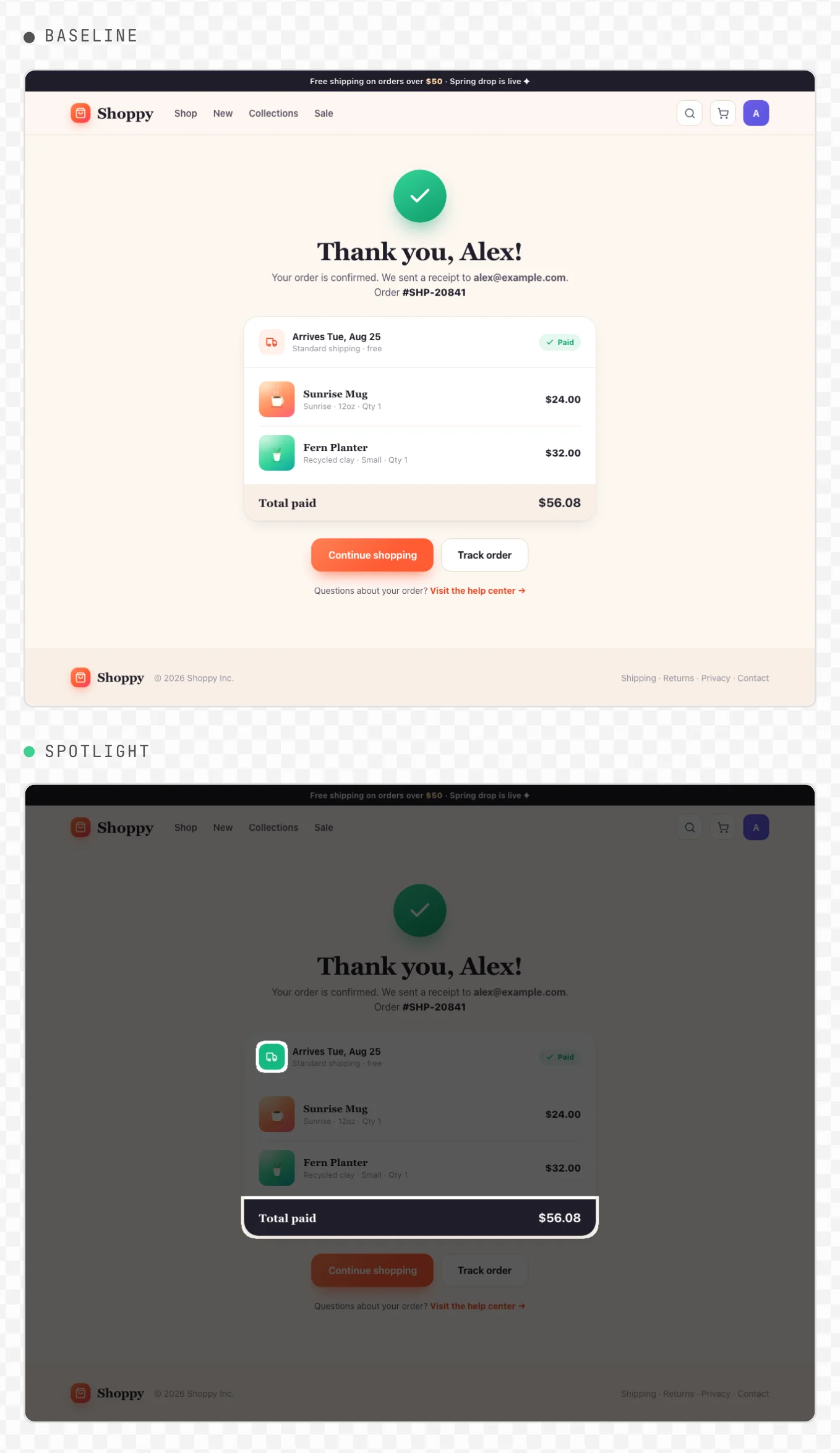
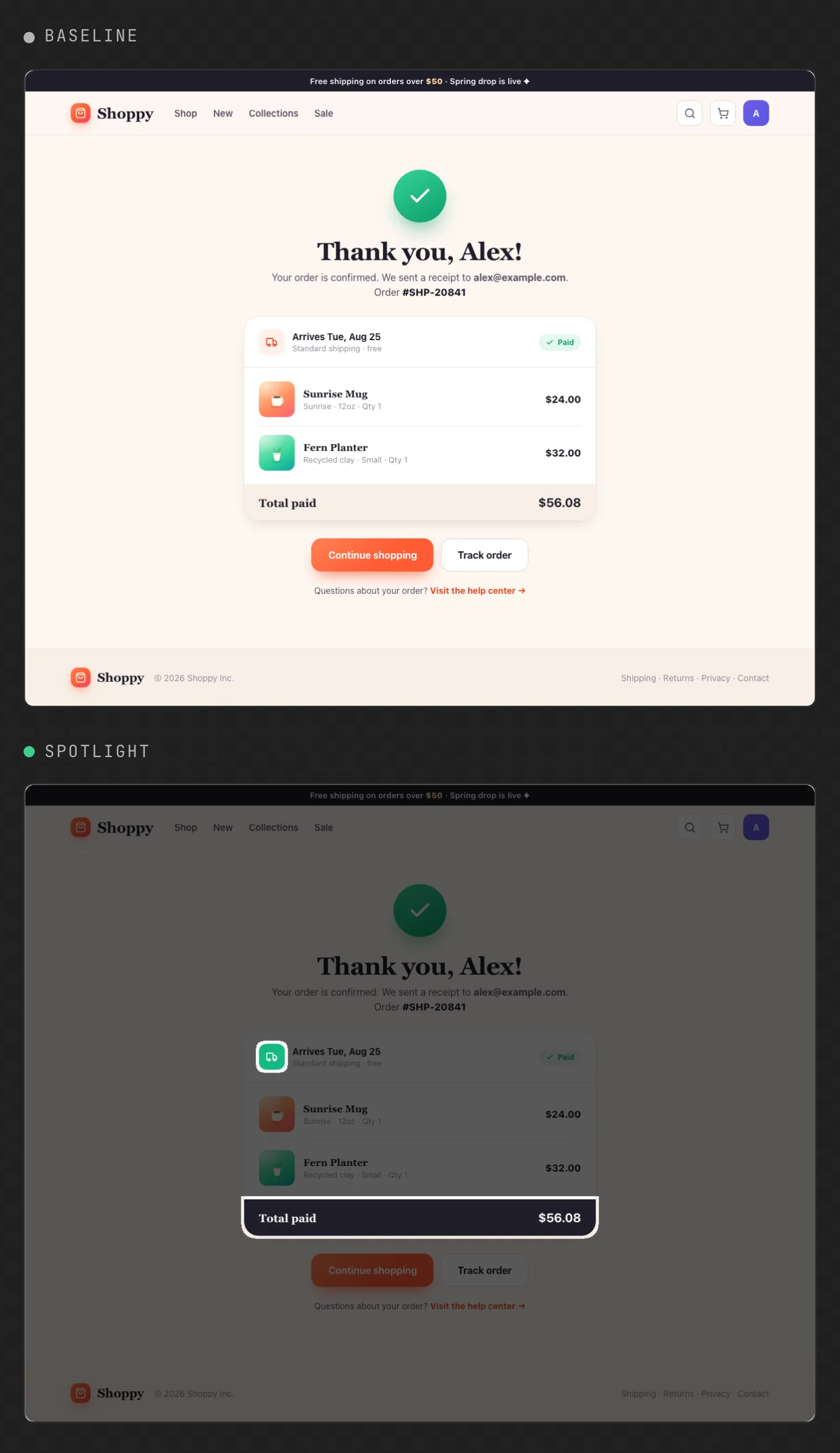
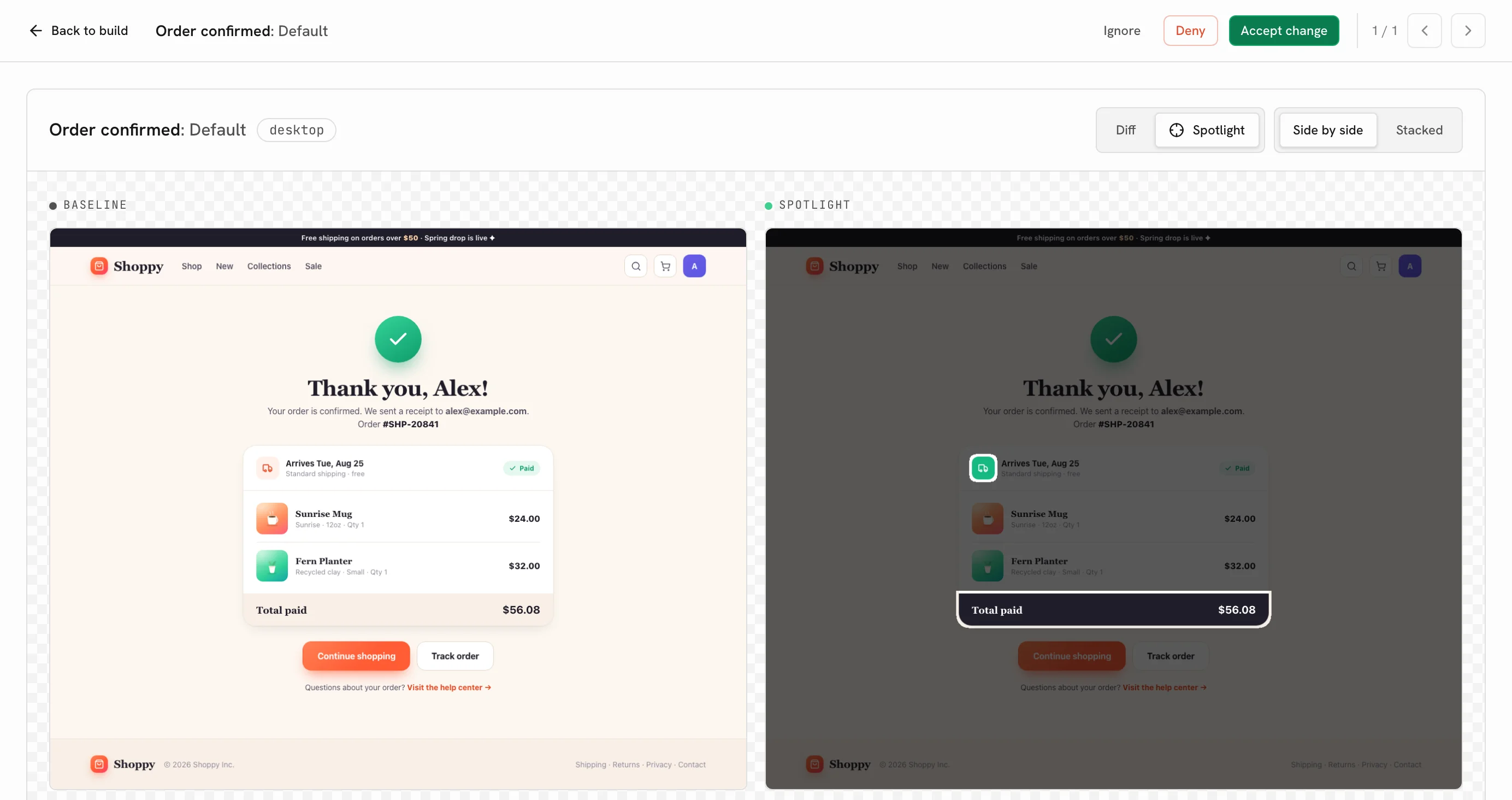
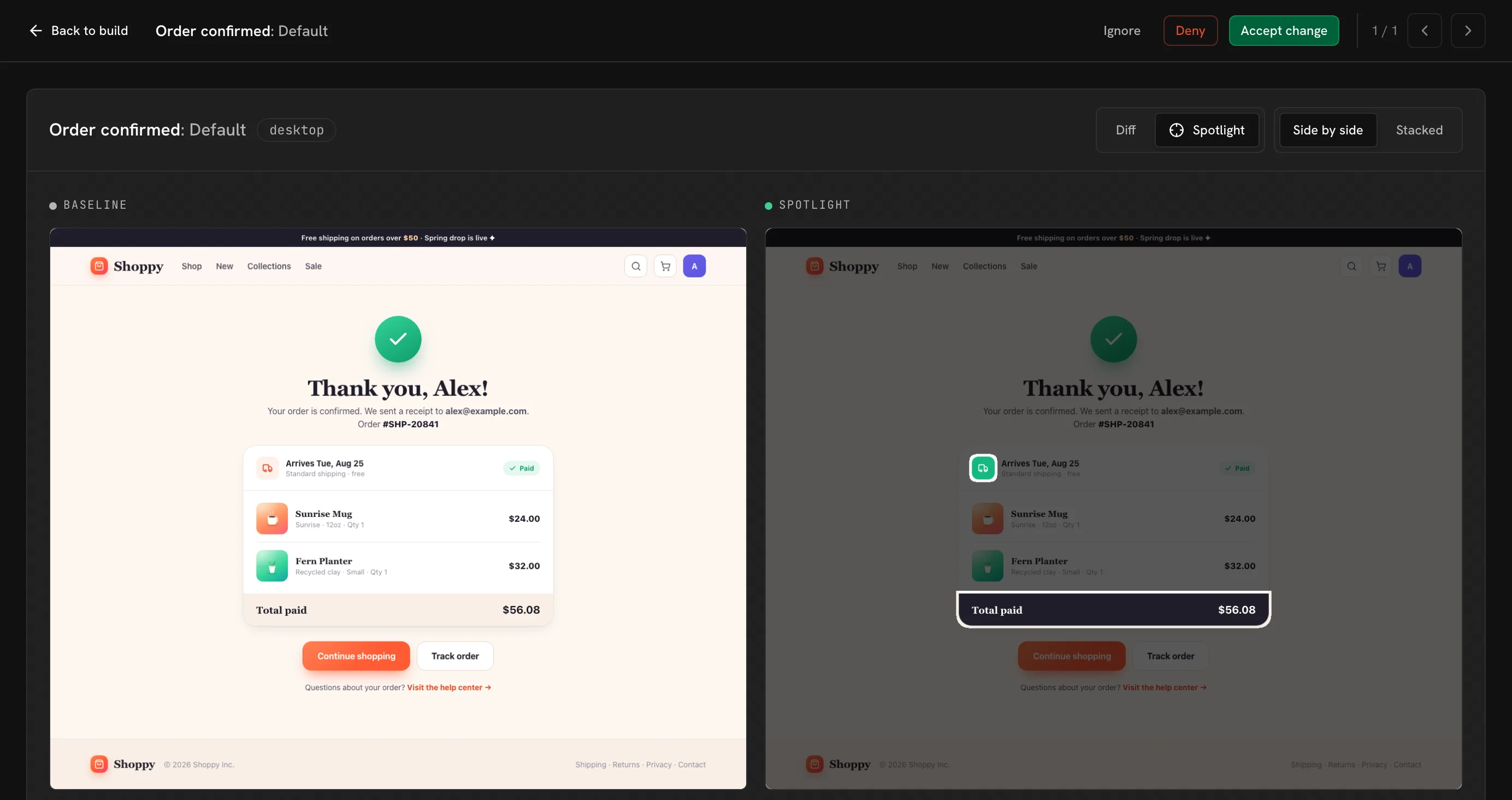
What is Storybook visual regression testing?
Storybook visual regression testing screenshots each of your stories and compares it against an approved baseline image, so a change to the pixels shows up as a diff you review. A refactor that nudges a button, a token change that breaks contrast, or a dependency bump that restyles a card all pass your unit tests; the diff catches them.
Storybook is the most deterministic place to do it. Every story is already a component in a known state, rendered in isolation with fixed args and mocked data, so you have your capture targets before you write a line of test code. Most of what is left to flake is the clock, and Flaky Storybook visual tests shows how to freeze it.
How do you set up visual testing in Storybook?
UI Verify captures the static Storybook build you already make. Setup takes a few minutes.
1. Build your Storybook
Build with --stats-json. It writes the dependency graph that lets later builds render only the stories a change affects.
npm run build-storybook -- --stats-json # outputs ./storybook-static2. Upload it
Upload ./storybook-static with your project API key. UI Verify renders every story, screenshots it, and, on the first run, flags each one as new for you to accept as its baseline.
UIVERIFY_API_KEY=your_key npx -y uiverify@1.8.0 upload --static-dir ./storybook-static3. Run it on every pull request
Run the same build and upload in CI, on pull requests and on your default branch; UI Verify renders only the stories a change affects. Accept the first default-branch build once, or add --auto-accept-changes to that upload, and it becomes the baseline every pull request diffs against. The full GitHub Actions workflow, global CSS and font setup, and the faster --test build are in the Storybook quickstart.
npm run build-storybook -- --stats-json
npx -y uiverify@1.8.0 upload --static-dir ./storybook-static
How does UI Verify compare to Chromatic and Argos?
Teams that visual-test Storybook today mostly use Chromatic, made by the Storybook team, or Argos. Storybook's own docs point visual tests at Chromatic; the free, self-hosted route is the test runner with jest-image-snapshot, which commits baselines to your repo and has no review UI. The three services differ in where the screenshot is taken, what they skip, and who reviews a change.
| UI Verify | Chromatic | Argos for Storybook | |
|---|---|---|---|
| Where the screenshot is taken | UI Verify's cloud, rendering each story from the static build you upload | Chromatic's cloud, from the Storybook you publish | Your CI, through Playwright, with the Storybook Vitest addon or the test runner |
| Where baselines live | Hosted, one per branch, resolved from git | Hosted by Chromatic, tracked along your git history | Hosted by Argos, picked from your git history |
| Updating a baseline | Accept in the dashboard or from your agent; merging advances it | Accept in Chromatic's web app or its Storybook addon | Approve the build in Argos, or merge the pull request |
| Where you review a change | A check and a comment on the pull request, and the review queue | A check on the pull request, an opt-in pull request comment, and Chromatic's web app | A commit status and a comment on the pull request, and Argos's web app |
| Browsers | Chrome, plus Firefox and Safari on every plan | Chrome, Firefox, Safari and Edge (Chrome only on the free plan) | The browser your Playwright setup runs |
| Skipping unchanged stories | On by default, from the Storybook dependency graph; carried stories bill at a fifth | TurboSnap follows the dependency graph; copied stories bill at a fifth, and a build that touches no story is free | Subset builds: you choose which stories run |
| Review from a coding agent | MCP tools return each diff and accept or reject it | Its MCP server serves component docs, not build review | MCP tools inspect diffs and approve or reject a build |
| Intended change or regression | An optional AI judge labels each change and says why | A pixel diff, judged by a reviewer | A pixel diff, judged by a reviewer or your agent |
| Price | Free for 10,000 snapshots a month (50,000 for open source); paid plans include more, then per snapshot | Per snapshot (story x browser x mode), with a free tier | Per screenshot, at a lower rate for Storybook, with a free plan for personal repositories |
Chromatic and UI Verify both render your stories in their own cloud from the build you upload, so your CI only builds Storybook. Argos runs the stories in your CI with Playwright and uploads the screenshots. For the full comparisons, including pricing at your volume, see UI Verify vs Chromatic and UI Verify vs Argos.
What does UI Verify add to Storybook?
- Your coding agent checks its own UI work. While it edits, the agent rebuilds Storybook, uploads it with
uiverify check, and reads the diffs over MCP, so it sees what its change did to the UI before it opens a pull request. See Check visual changes mid-edit. - Every pull request is checked again. UI Verify posts a check and a comment with the diff on the pull request, and a change waits in the review queue until you, or your agent, accept or reject it.
- Only what changed re-renders. UI Verify re-renders the stories your pull request affects and carries the rest forward at a fifth of the price of a render. It is on by default for a build made with
--stats-json; see skip unchanged. - Your Chromatic settings carry over. UI Verify reads
parameters.chromatic(disableSnapshot,delay,modesand viewports) as well as its ownparameters.uiVerify, so switching is a CI change. See Storybook parameters. - Chrome, Firefox and Safari. Chrome always renders, and a project can add Firefox and Safari, each with its own baselines.
- Interaction tests run first. A story's
playfunction runs before the capture, so the snapshot shows the settled, interacted state. See interaction tests. - A hosted Storybook for every build. Each build's Storybook is browsable at a stable per-branch URL you can share. See hosted Storybook.
- Flaky changes stay out of the way, and an AI judge if you want one. A change that does not reproduce on a re-render is marked flaky, and the optional AI judge labels each real change an intended change or a likely regression, with the reason.
When is Chromatic or Argos the better choice?
Chromatic is the better choice if you need accessibility checks in the same run (it diffs axe violations against a baseline), Microsoft Edge, or its designer sign-off step, UI Review, with its own pull request check. Its Visual Tests addon also lets you run and accept snapshots from inside Storybook.
Argos fits if you want an open-source tool, host your code on GitLab, or prefer to take the screenshots in your own CI. And if you want no service at all, Storybook's test runner with jest-image-snapshot diffs stories on your machine, with the baselines committed to your repo. UI Verify fits when you want your coding agent to review its own UI changes, Firefox and Safari on the free tier, an AI judge on the pull request, and to keep the parameters.chromatic config you already have.
Frequently asked questions
Does UI Verify read my Chromatic parameters?
Yes. disableSnapshot, delay, modes and viewports under parameters.chromatic work unchanged. Ignored regions are the one exception: put `data-uiverify-ignore` on the elements data-chromatic="ignore" matched.
Which browsers does UI Verify render stories in?
Chrome always, and Firefox and Safari when you turn them on in the project's settings. Each extra browser renders every story again with its own baselines, so it adds a full set of snapshots.
Do play functions run before the screenshot?
Yes. A story's play function runs first and must pass, and the snapshot captures the settled result. See interaction tests.
Why do Storybook visual tests flake?
Mostly the clock: a component that reads the current time renders different pixels on every run. UI Verify already holds animations, fonts and randomness still. Flaky Storybook visual tests shows how to freeze Date in one decorator.
How much does Storybook visual testing with UI Verify cost?
It is free for 10,000 snapshots a month, and 50,000 a month for open-source projects. A story counts once for every mode and browser it renders in, and the stories your pull request does not touch are carried forward at a fifth of that price instead of re-rendered. See snapshot billing and fewer, denser stories.
Can my coding agent set it up?
Yes. The Set up visual testing skill wires the build and CI, and Deterministic Storybook stories is the determinism checklist it applies. The Storybook quickstart also opens with a prompt you can paste into your agent.
Guides and posts
--test build.Flaky Storybook visual testsFreeze the clock first, then everything else.Storybook visual testing without ChromaticMoving a Storybook suite off Chromatic, step by step.Reduce snapshots and costGallery stories cut a component's snapshot count with the same coverage.Deterministic Storybook stories skillThe checklist your coding agent applies to your stories.UI Verify vs ChromaticPricing and features side by side.Visual-test your Storybook today
Build, upload once, and your next pull request is checked. Free for 10,000 snapshots a month, 50,000 for open source.