Claude Code MCP servers for frontend work, by job
The Claude Code MCP servers worth adding for frontend work, grouped by job, with each vendor's install command, project scope, and measured context cost.
 Igor LuchenkovBuilding UI Verify
On this page
- How we chose
- How do you add an MCP server to Claude Code?
- Do many MCP servers fill Claude Code's context?
- To drive a browser: Playwright MCP
- To find out why it is broken or slow: Chrome DevTools MCP
- To use your own components: Storybook MCP
- To read the design: Figma MCP server
- To check library docs: Context7
- To check what a change did to the UI: UI Verify
- A starting .mcp.json for a frontend repository
The question "which MCP servers should I add to Claude Code" usually hides a more specific one. How does my agent click through the app? Why is the page slow, and what is in the console? Which of our components should it use? What did the designer mean in that frame? Which version of the library API is current? Did the change it just made break how anything looks? Each of those is a different job, and for frontend work there is a server built for each.
This roundup lists the Claude Code MCP servers we would add to a frontend repository, one per job, with the install command from each vendor's own documentation, checked on 2026-11-02 against Claude Code 2.1.316. It is not ranked: pick by the job you have. Before the list, the three things that decide how well any server works in practice.
How we chose
- Maintained by the people who own the tool (Microsoft for Playwright, Google's Chrome DevTools team, Storybook, Figma), or a widely used open-source project, so the server tracks the tool's changes.
- Answers a question your agent cannot answer from the code alone: what the browser does, what the design says, what a library's current API is.
- Installs into Claude Code with one documented command and works from a committed
.mcp.json, so the whole team gets the same setup.
How do you add an MCP server to Claude Code?
With claude mcp add. A remote server takes --transport http and a URL; a local one takes a name, then a double dash, then the command that starts it, so Claude Code's flags never mix with the server's. Where the result is stored depends on scope. local, the default, is just you in this project. user is you in every project. project writes a .mcp.json at the repository root that you commit. SSE transport is deprecated in Claude Code's docs; use HTTP for remote servers.
Project scope is what we recommend for a team, with one step most guides skip. Claude Code asks before it uses servers from a .mcp.json, so on a fresh clone every server shows as pending until you start an interactive session and approve them. Servers that log in with OAuth then wait again for a browser login through /mcp. In claude -p and SDK runs, project servers load without asking, which is worth knowing before you commit one.
Do many MCP servers fill Claude Code's context?
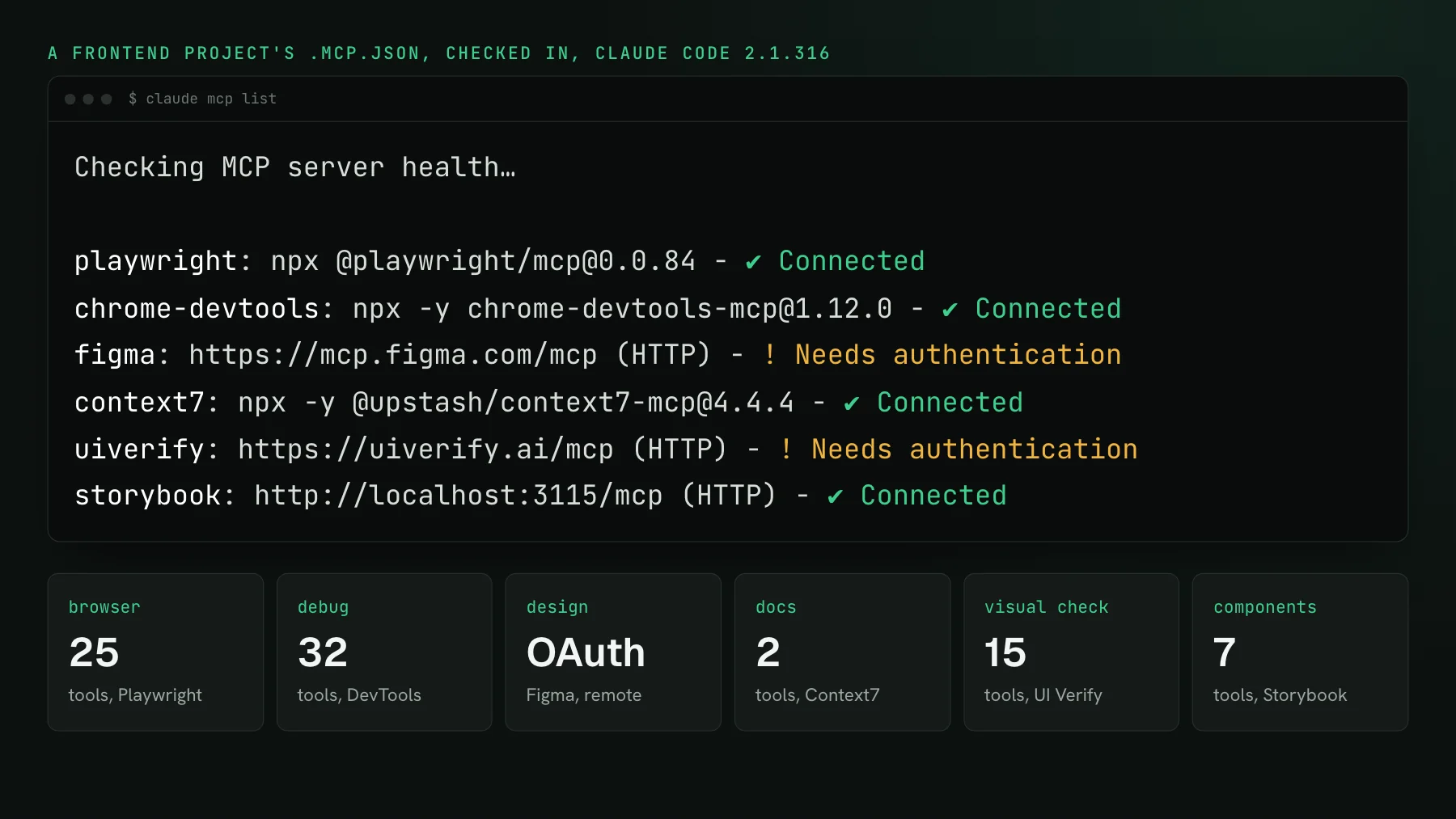
Less than most roundups say, because Claude Code now defers tool definitions by default. Tool search loads only tool names and server instructions at the start of a session and fetches a tool's full definition when the agent reaches for it. We connected five of these servers in one session, 81 tools between them. Claude Code's /context put their definitions at 44,300 tokens, all deferred, and the session started at 18,100 tokens in total. With ENABLE_TOOL_SEARCH=false the same session started at 82,700.
So the advice to keep three to six servers "or you burn context" is mostly about clients without deferred loading. In Claude Code the cost arrives when a tool is used, and the size of a server's output matters more than the size of its tool list. Tool count is also a poor guide to definition size: Context7's two tools came to 1,250 tokens each, and Storybook's seven cost two thirds as much as Playwright's 25.
To drive a browser: Playwright MCP
Playwright MCP, from Microsoft, gives the agent a real browser and describes each page as an accessibility snapshot it can act on: 25 tools by default in version 0.0.84, across Chrome, Firefox, WebKit, and Edge. It is the server for reproducing a bug, reaching a state behind a login, or checking that a flow works. Install: claude mcp add playwright npx @playwright/mcp@latest. Our Playwright MCP guide covers the flags, what a snapshot costs per page, and the one kind of change a snapshot cannot see.
To find out why it is broken or slow: Chrome DevTools MCP
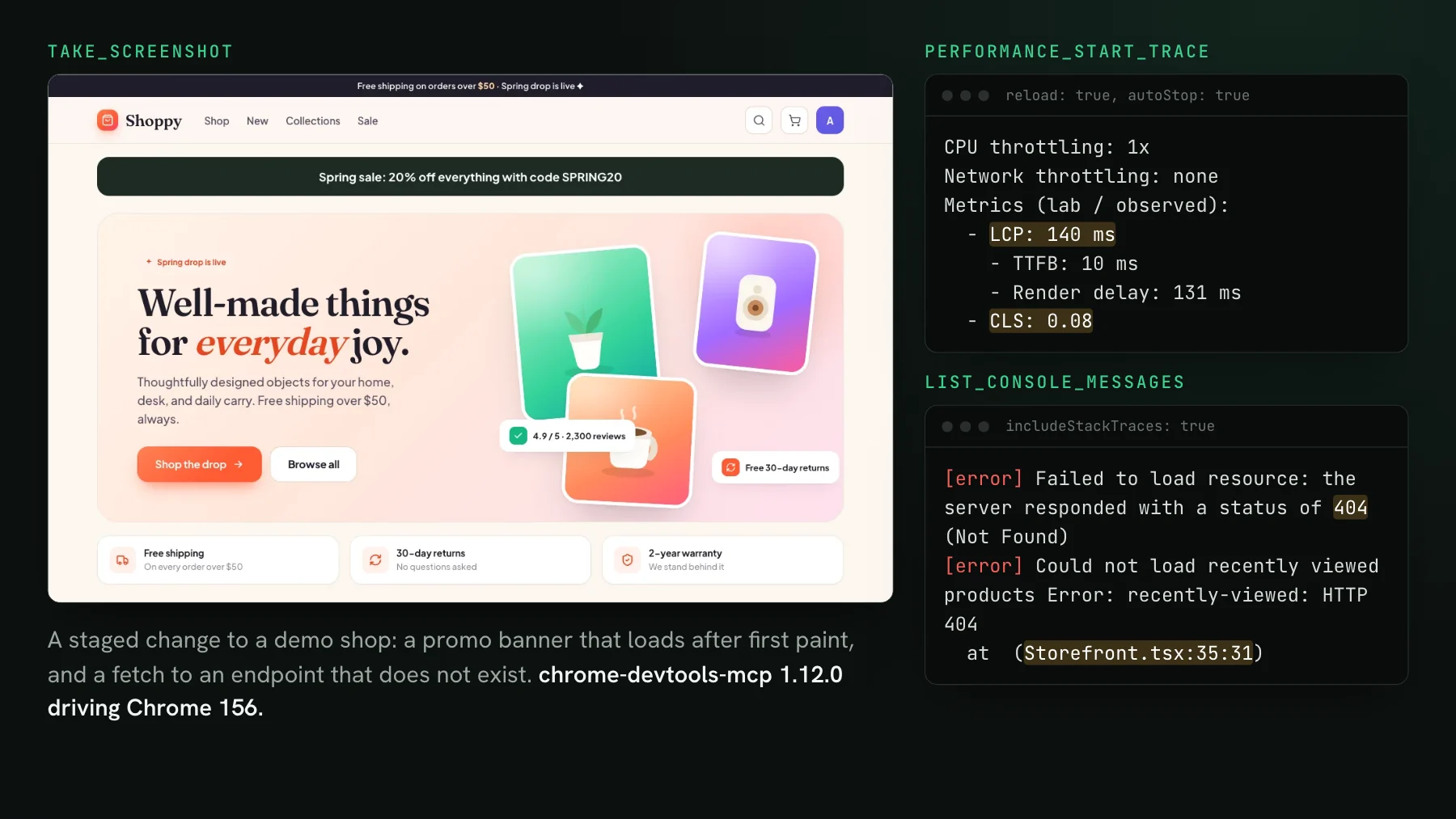
Chrome DevTools MCP, from the Chrome DevTools team, gives the agent performance traces with Core Web Vitals and insights, console messages with source-mapped stacks, network request details, and Lighthouse: 32 tools by default in 1.12.0. Reach for it when the question is why a page loads slowly, why a request fails, or why an element shifts. Install: claude mcp add chrome-devtools --scope user npx chrome-devtools-mcp@latest, or the project's Claude Code plugin. We ran it on a real change in Chrome DevTools MCP: what it shows your coding agent.
To use your own components: Storybook MCP
Storybook MCP is an addon, @storybook/addon-mcp, that serves your component library to the agent from the running Storybook dev server: which components exist, their props and documentation, and their stories. It stops the agent from inventing a button your design system already has. Add it with npx storybook add @storybook/addon-mcp, then point Claude Code at the dev server: claude mcp add --scope project --transport http storybook http://localhost:6006/mcp. On a fresh Storybook 10.6.5 it exposed 7 tools. Storybook's docs mark the AI features as a preview whose API may change. We cover what it changes for agent work in Storybook MCP: your components as agent context.
To read the design: Figma MCP server
The Figma MCP server lets the agent read frames, variables, components, and annotations from your Figma files, and the remote server can also write to the canvas. Figma documents a Claude Code plugin (claude plugin install figma@claude-plugins-official) or a manual add: claude mcp add --transport http figma https://mcp.figma.com/mcp, followed by a browser login. Figma's docs listed 41 tools on 2026-11-02. The desktop server variant requires a Dev or Full seat on a paid plan.
The pattern that works best combines it with your component library. A frontend team at a large financial company described their setup: their in-house UI library ships a Markdown file that tells the agent which component to use for what, designers leave notes directly in Figma frames, and the Figma server is what carries those notes into the agent's context.
To check library docs: Context7
Context7, from Upstash, fetches current documentation for a library on demand, so the agent writes against the version you actually have rather than the one in its training data. It has two tools: one resolves a library name, the other queries its docs. Install locally with claude mcp add --scope user context7 -- npx -y @upstash/context7-mcp --api-key YOUR_API_KEY, or use the hosted endpoint over HTTP with the key in a header. The key is recommended for rate limits; listing the tools worked without one.
To check what a change did to the UI: UI Verify
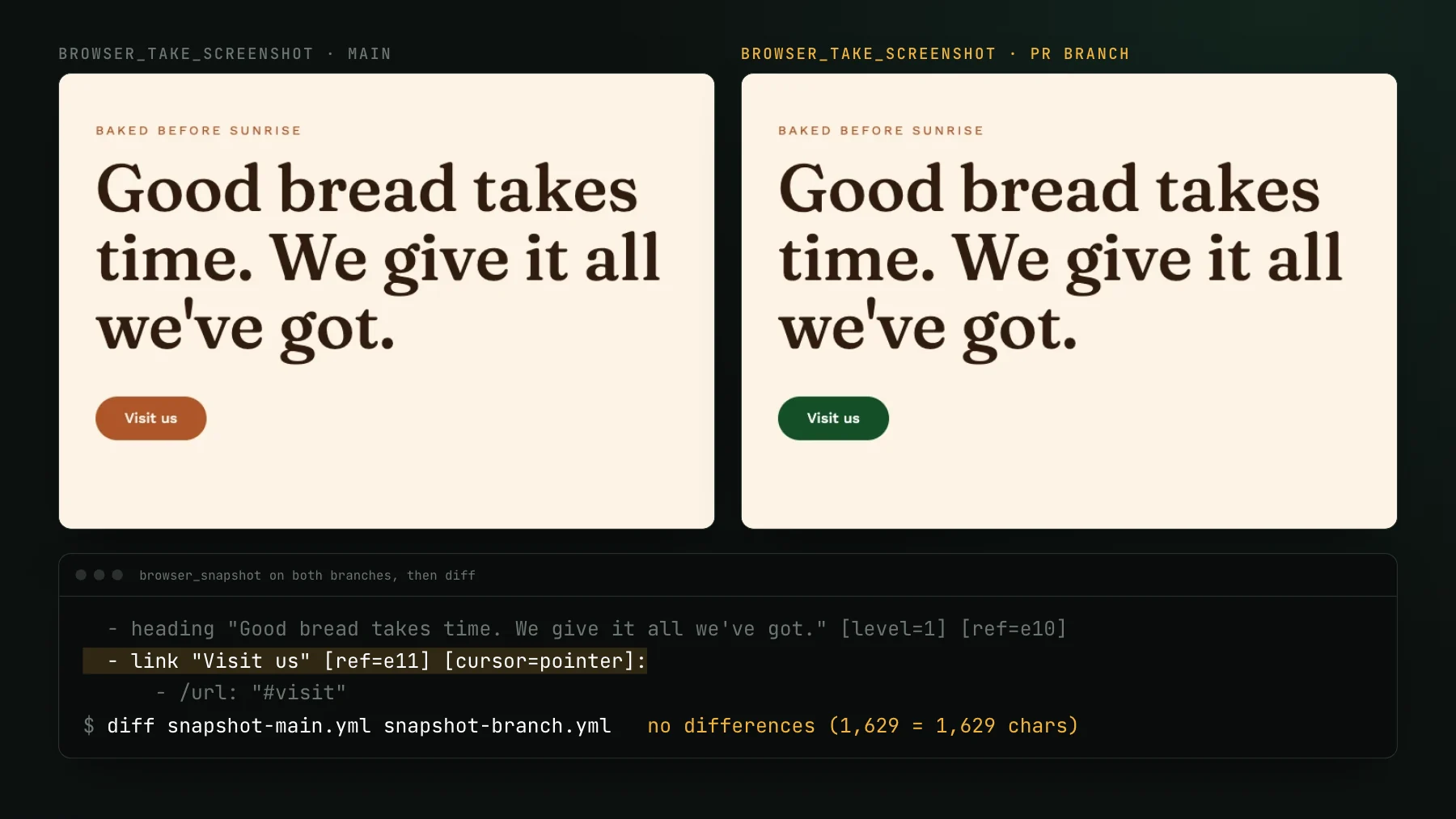
The servers above show the agent the page, the design, and the components as they are. A visual testing server shows it what a change did compared to the approved version. UI Verify is visual regression testing for coding agents: it captures your Storybook stories and your Playwright, Vitest, or Bun tests on every pull request, diffs them against the baseline, and serves each change to the agent through its MCP server, cropped to the region that moved. Install: claude mcp add --scope project --transport http uiverify https://uiverify.ai/mcp, then log in once through /mcp; the config holds no key, so it is safe to commit.
Its definitions are among the larger ones in our chart, about 11,900 tokens for 15 tools, because each tool documents how builds and stories are selected; with tool search they cost nothing until used. The tool reference lists them. Argos, Percy, and Applitools also run MCP servers for their visual tests; we compared them in visual testing MCP servers, compared. The server itself costs nothing extra, and the free plan includes 10,000 snapshots a month, 50,000 for open-source projects.
A starting .mcp.json for a frontend repository
{
  "mcpServers": {
    "playwright": { "command": "npx", "args": ["@playwright/mcp@0.0.84", "--headless", "--isolated"] },
    "chrome-devtools": { "command": "npx", "args": ["-y", "chrome-devtools-mcp@1.12.0"] },
    "storybook": { "type": "http", "url": "http://localhost:6006/mcp" },
    "figma": { "type": "http", "url": "https://mcp.figma.com/mcp" },
    "uiverify": { "type": "http", "url": "https://uiverify.ai/mcp" }
  }
}
Context7 needs a key, so it fits better in user scope than in a committed file; .mcp.json supports ${VAR} expansion if you would rather keep it in the project. Start with the servers for the jobs you actually have. If your agent mostly builds UI from designs, Figma and Storybook pay off first. If it mostly fixes bugs, Playwright and DevTools do. Whichever you pick, give it a way to see what its change did before it reports the task done.
Add the before and after to your agent's toolkit
The UI Verify MCP server gives Claude Code each visual change your tests caught, cropped before and after, so the agent can check its own UI work. Free to start.
Start for freeNo credit card required.
Triage a build from your agent
Bucket real regressions vs noise and accept baselines, over MCP.