Why Vitest screenshot baselines drift in CI
Vitest's toMatchScreenshot diffs against a committed PNG. It passes on your Mac and fails on the Linux CI runner, because pixels rasterize per OS. The fixes.
 Igor LuchenkovBuilding UI Verify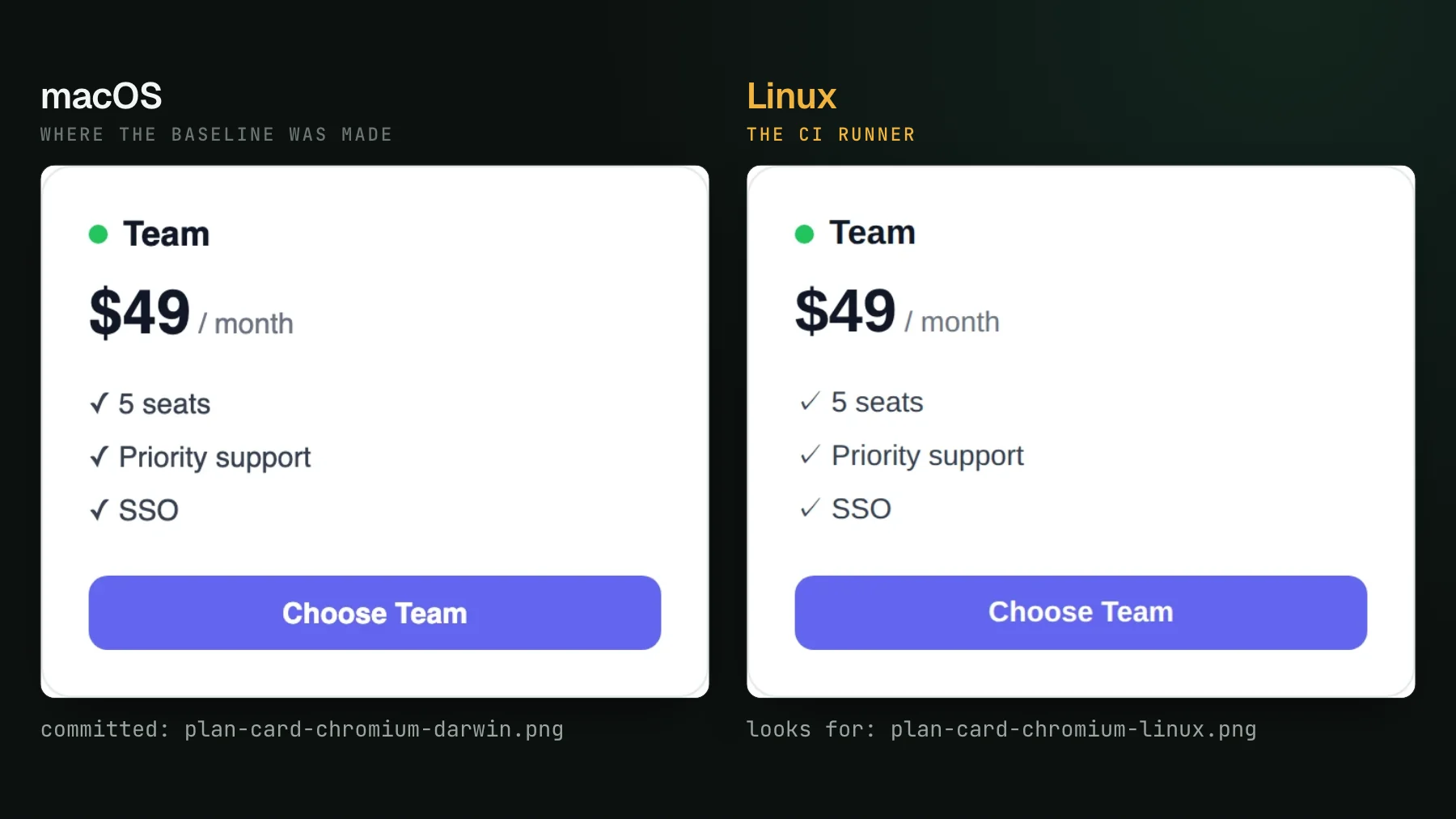
On this page
Vitest browser mode has a genuinely useful trick: it renders your component in a real browser, and it can screenshot that rendered component and diff it against a committed image. For a single component you look at often, this is a clean local check with nothing extra to install beyond the runner you already have. I use it, and nothing below is a knock on the comparison itself. The question this post answers is where that model stops being enough, and the first crack shows up the moment the test leaves your laptop.
What toMatchScreenshot does
A Vitest browser-mode screenshot test renders a component through a real browser provider (Playwright or WebDriverIO driving Chromium), captures the rendered pixels with Vitest 4's built-in toMatchScreenshot assertion, and compares them against a baseline PNG committed under __screenshots__/ the first time the test ran. If the new render differs from the committed image past a threshold, the test fails. It is the component-level analog of Playwright's page screenshot comparison, and it inherits the same head start Storybook gives you: an isolated component with fixed props renders close to deterministically, so there is little live state to move between runs. For how it compares to UI Verify and Chromatic on every axis, not only CI drift, see Vitest visual regression testing.
Because the component is isolated, most of the classic flake sources are already off the table, and the ones that remain live inside your own app: the clock, live data, and infinite animations. That list is short and well understood, and it is the whole subject of deterministic Vitest captures. Determinism, though, is only half the story. Even a perfectly deterministic component runs into a problem that has nothing to do with your code and everything to do with where the pixels are drawn.
Where committed baselines drift: your Mac vs the CI Linux box
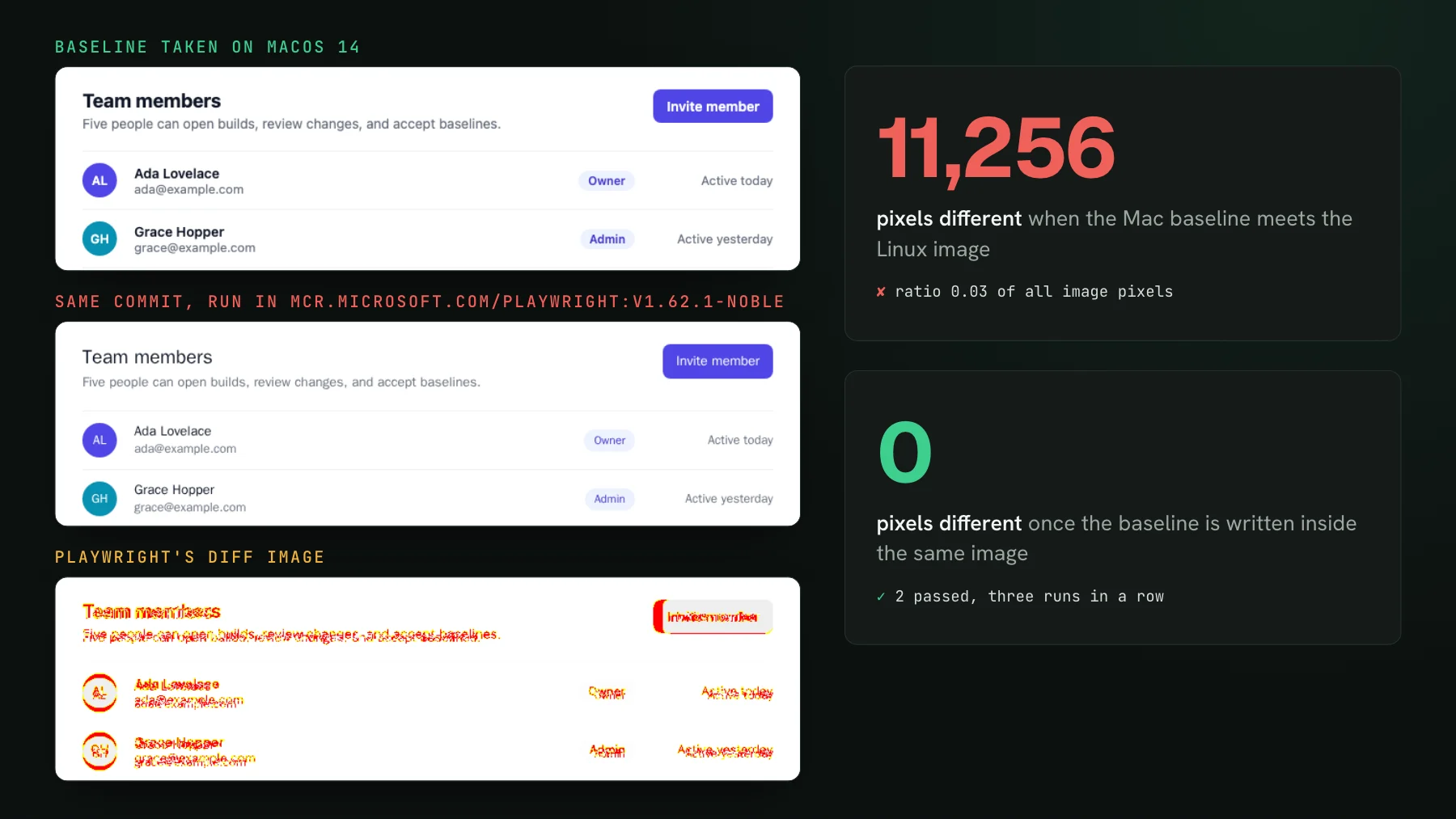
A screenshot is rasterized by whatever machine runs the test, and two operating systems do not rasterize the same DOM into the same pixels. Font hinting, subpixel antialiasing on text and vector edges, and the underlying graphics stack differ between macOS and Linux, so the same component renders slightly different pixels on your Mac and on the Linux container your CI runs. A baseline captured on your machine is therefore compared against a render from a different machine the instant the test runs in CI, and it can fail even though nothing in the component changed. In our run below, an unchanged pricing card came back 4,182 pixels different on Linux, from a different check-mark glyph and text rendering. The diff is real pixels, but the cause is the operating system, not a regression.
There are workarounds, and teams that keep committed screenshots end up adopting one. You commit a separate baseline image per operating system, so the Mac render and the Linux render each have their own reference. Or you force every capture to happen inside one fixed Docker image, so your local run rasterizes the same way CI does. Both close the gap. Both are overhead you now own: more baseline PNGs in the repo, or a container everyone has to render through to update a snapshot. That maintenance is what the committed-image model costs you once a second machine enters the picture.
The other limits of the built-in model
The raster mismatch is the sharpest edge, but a few structural properties of committing screenshots and diffing them in your runner add up as the suite and the team grow:
- Baselines live in your repo. Every accepted screenshot is a binary PNG committed to git. They bloat the history, they collide in merges, and an intended UI change becomes a diff full of unreadable image blobs in the pull request.
- Every run re-renders everything. The comparison re-screenshots the components in the test path on each CI run, so a one-line change pays to re-render components it never touched. There is no built-in notion of carrying an unchanged component forward.
- There is no verdict. A failed comparison tells you pixels moved, not whether the change was intended. Someone still has to open the images and decide, and at agent PR volume that review step is where the coverage quietly turns into a rubber stamp.
- Review happens in the log, not the PR. The result is a red assertion and a diff image on disk in the CI run, so you are back to finding it, opening it, and judging it by hand.
Replay one archive in one fixed environment
The way out of the raster problem is to stop rasterizing wherever the test happens to run. Instead of screenshotting on your Mac and again on CI, @uiverify/vitest archives each browser-mode test's final DOM and the stylesheets, fonts and images it uses, and UI Verify replays that archive and diffs it server-side in one fixed environment. The same archive produces the same pixels no matter whose machine recorded it, so there is no Mac-versus-Linux baseline to reconcile and no per-OS image to maintain. Your tests still run in your CI; the pixel render moves to one place that never changes.
Moving the render off your runner also lets the rest of the loop change shape:
- Baselines are hosted, not committed. No screenshot PNGs in git, no binary blobs in the diff, one baseline per branch kept in the service.
- Only changed components re-render. You still run your whole Vitest suite in CI on every push, that is what records the archives and it is cheap, but with skip-unchanged UI Verify re-renders and re-bills only the components your change actually affected and carries the rest forward. With the built-in assertion, running a test is the render and the diff, so a one-line change pays to re-screenshot components it never touched.
- The diff lands in the pull request. Expected, actual, and the highlighted diff render per changed component in the check, so you read the change where the decision happens instead of digging in a CI log.
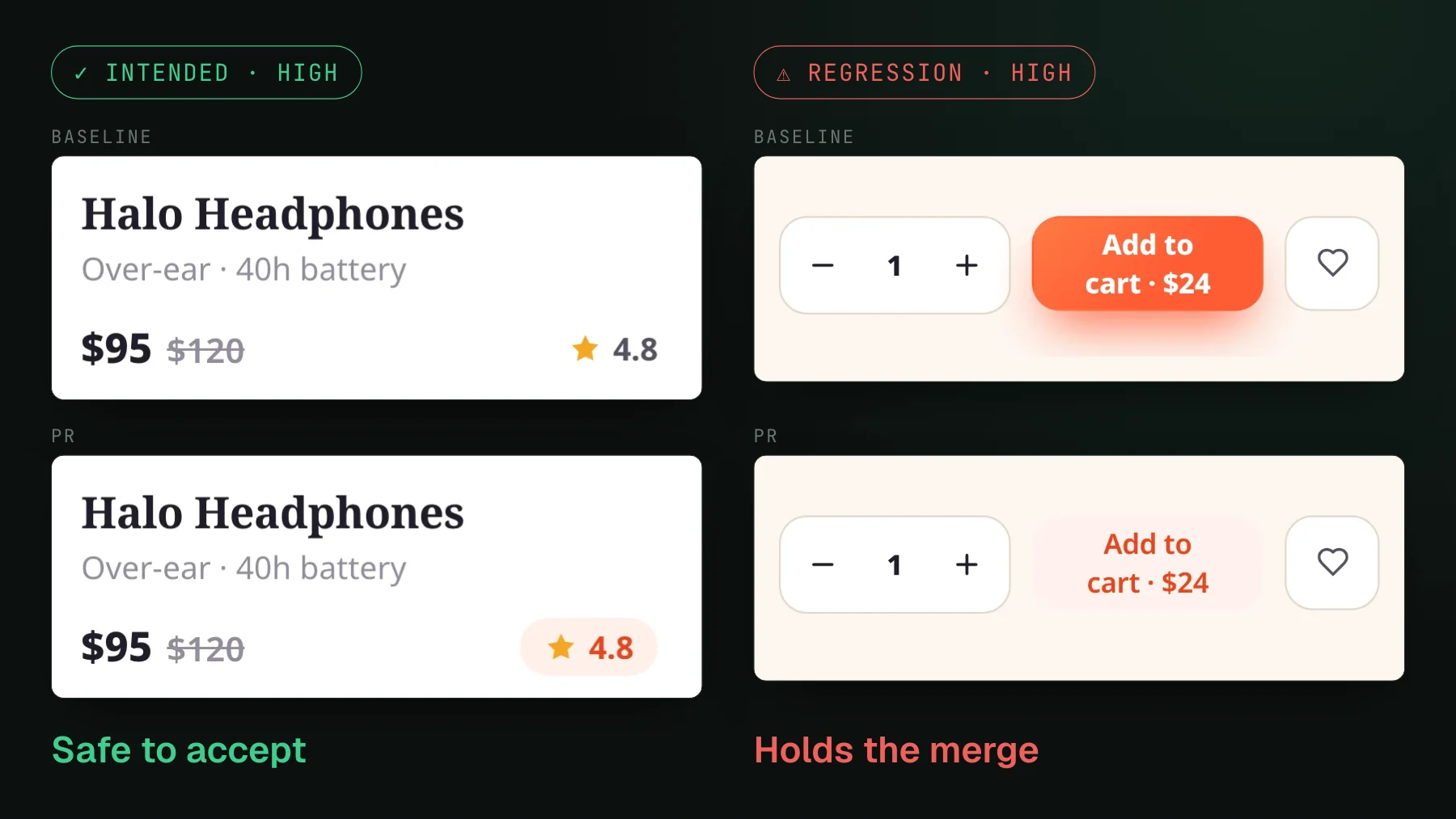
- An AI judge takes the first pass, and your agent can triage. Each change is labeled an intended change or a likely regression with a reason, and the per-component diffs and verdicts are exposed over MCP, so the same agent that wrote the PR reviews the pixels and accepts the intended ones.
Keep your Vitest tests, move the render
You do not rewrite anything to get here. UI Verify plugs into the browser-mode tests you already have as a single plugin in your Vitest config, and each passing test archives its final DOM automatically. The specs, the render helpers, the waits that drive a component to its settled state all stay exactly as they are; the same determinism work applies, and the deterministic captures guide walks through it. What changes is only where the pixels are drawn and where you review them.
So the deciding question is simple: do your screenshots ever cross a machine boundary? On one laptop for one component, Vitest's comparison is fine and you should use it. The day your baseline is captured on a Mac and checked on a Linux runner, or the day nobody has time to eyeball every diff, replaying one archive in one environment and reading the verdict in the PR is the version that keeps working. Grab the Vitest visual testing skill to wire it up, or browse all the visual-testing skills.
Screenshots that match across machines
UI Verify replays your Vitest browser tests in one fixed environment, so the same pixels render no matter whose machine recorded them. Baselines stay off your repo, and an AI judge triages the diff on the pull request. Point it at your project with a uv_proj_ key.
Start for freeNo credit card required.
Deterministic Vitest captures
Stop component-test diffs that flake without a real change.