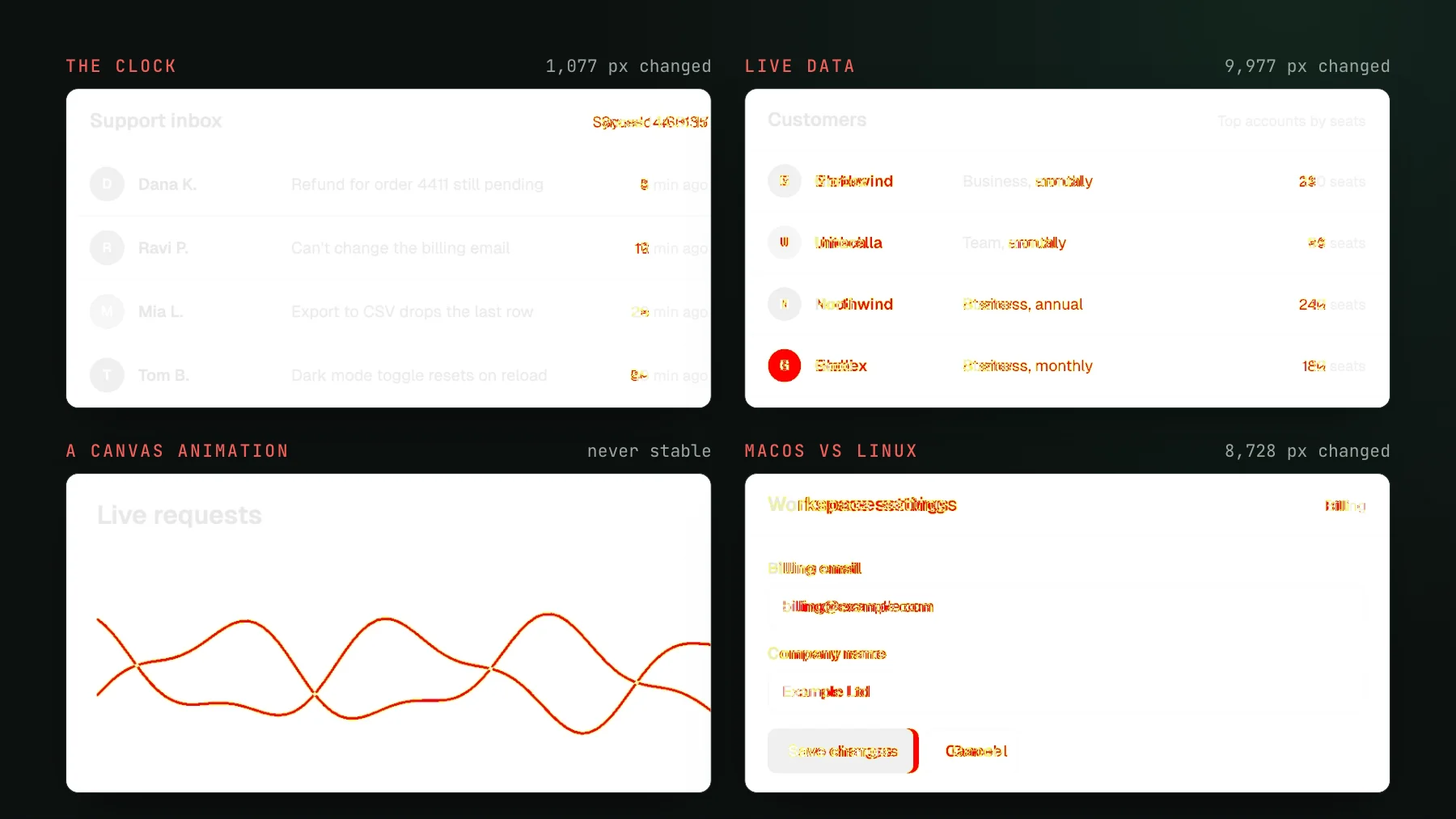
Vitest visual testing: kill flaky component diffs
Vitest browser-mode visual tests flake on live data, not the clock first. Freeze the data, settle the render before you capture, and your component diffs stop lying.
 Igor LuchenkovBuilding UI Verify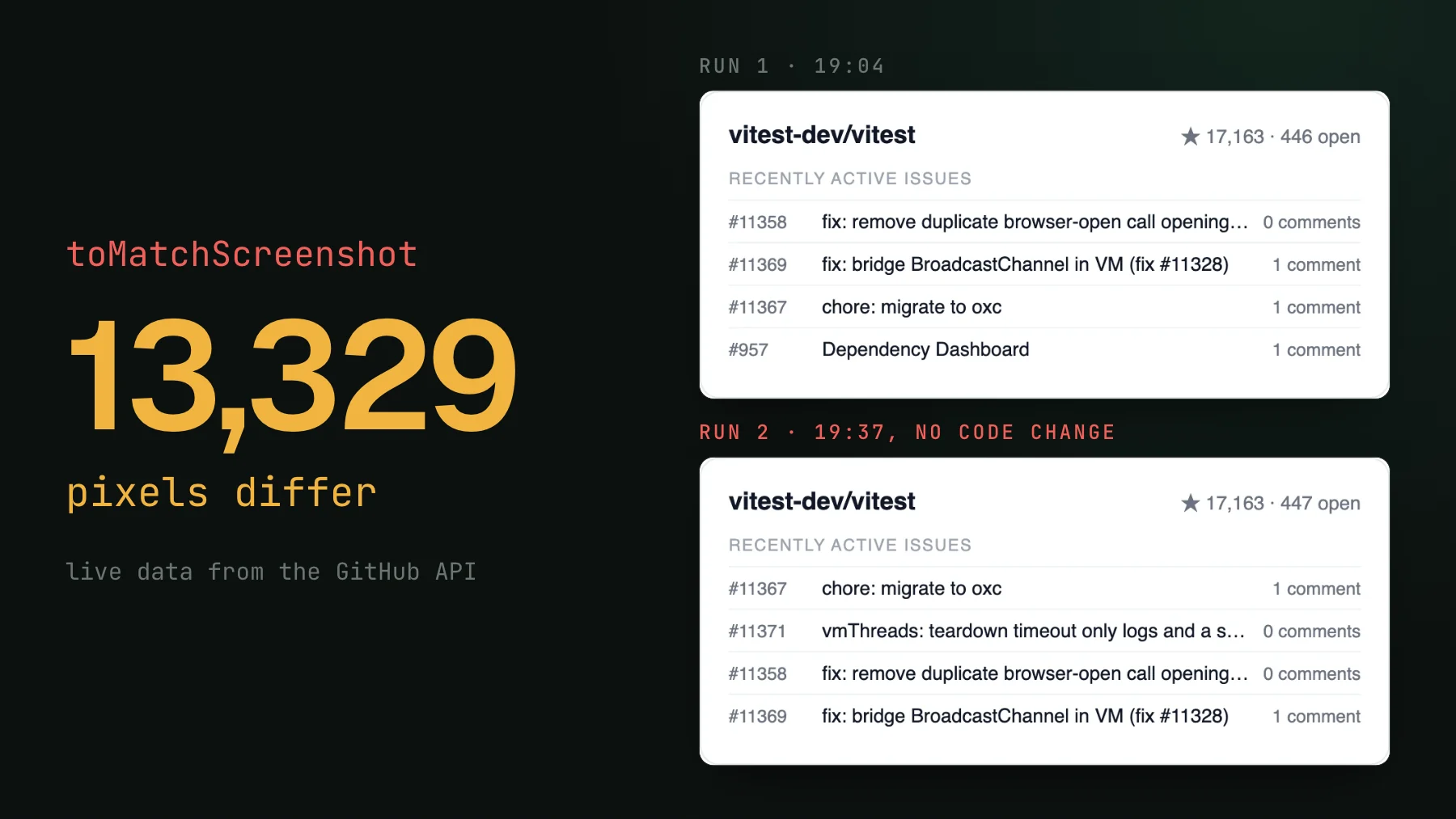
On this page
Vitest is a good place to do visual testing, and for the same reason Storybook is: a browser-mode component test renders one component in isolation, with no page scroll, no analytics or consent scripts, no lazy-load-on-scroll races. Component isolation removes most of the flake before you write a line of setup. So when a component comes back changed on a pull request that touched nothing near it, the culprit is almost always one of two things the test does not pin for you. The first is live data. The second is capturing the component before it has finished rendering. Fix those two and your Vitest diffs stop lying.
What Vitest visual testing is
Vitest visual testing runs your browser-mode component tests, archives what each test rendered, and diffs that render against a saved baseline, so a change in the rendered pixels fails the build. With @uiverify/vitest the integration is one plugin in vitest.config and no per-test code: uiverifyPlugin() archives every browser-mode test's final DOM plus the stylesheets, fonts and images that DOM uses, then UI Verify re-renders and pixel-diffs that archive server-side. The first run records a baseline per test; every run after compares against it and flags what moved for a human, or a coding agent, to judge. The full setup is a few minutes in the Vitest quickstart.
The promise of testing a component in Vitest rather than against a live app is the same as in Storybook: the input is pinned. You render the component with props you control, so in theory the same test renders the same pixels forever. In practice two inputs escape that isolation, and they are the reason a team concludes Vitest visual tests are flaky.
Freeze the data first, not the clock
This is the one that differs from Storybook advice and from real-page advice, so it is worth stating plainly: in a Vitest suite the highest-yield determinism step is freezing the data, and you should do it first. A component fed live or dynamic data is flaky by construction. Star counts, follower counts, a contributor list, a set of tiles, a set of timestamps - each of those moves between runs, so the diff lights up with no code change. A repo card we fed from the live GitHub API came back 13,329 pixels different 33 minutes later. Give every component static fixtures and the entire class disappears at the source: static data cannot churn run to run, so there is nothing to diff.
- Counts. Stars, followers, downloads, and any total pulled from a live fetch. Pass literal numbers instead.
- Lists of people or items. A contributor or author list needs fixed names and fixed avatar URLs, in a fixed order. A live
trendingsort reorders every run. - Tiles and rows. A grid whose order comes from the backend shuffles between runs. Pin the set and the order.
- Timestamps. Any
posted 2 minutes agoor absolute date rendered from the current moment. Freeze these together with the clock (below).
There are two ways to inject the fixtures, both fine. Pass them as props when the component takes its data as props, or mock the data module the component imports when it fetches internally. The rule is only that no test hits a real backend.
// (a) pass fixtures as props - simplest, when the component takes its data as props
await render(<LibraryTile name="ktor" stars={12873} platforms={["jvm", "js", "native"]} />);

// (b) or mock the component's data module to return the fixture, when it fetches
//     internally instead of taking props
A frontend lead raised the obvious objection the moment he saw component screenshots: what about dynamic content, a list whose order you do not control, a result you cannot predict? On a live page that is a genuine problem. In a Vitest browser-mode test it dissolves, because you supply the data. You mock every input, so there is nothing dynamic left to move between runs.
The Vitest-specific trap: capture before the component settled
The auto-snapshot fires at the end of a passing test, and takeSnapshot() fires the moment you call it. If the component is still resolving a promise, running a transition, or has not rendered its data yet, you archive a half-rendered frame, and a half-rendered frame is different from run to run depending on how far it got. Drive the component to its final state first: await your render helper, wait for the content to appear, then let the test end or call takeSnapshot(). Your render and your waits are the determinism surface, the same way a Playwright test's navigation and assertions are.
import { render } from "vitest-browser-react"; // or your framework's browser render helper
import { takeSnapshot } from "@uiverify/vitest";

test("user card", async () => {
  const screen = await render(<UserCard id="u_1" />); // render() is async - await it
  await screen.getByText("Ada Lovelace").query(); // wait for the settled state, THEN archive
  await takeSnapshot();
});await render() and you archive the skeleton; wait for a piece of real content first and you archive the card.@uiverify/vitest tests in this exact shape: render(<Page/>), then await expect.element(...).toBeVisible(), then await takeSnapshot(), with all data static.Freeze the clock
The one thing the capturer deliberately does not do for you. Any component that reads the clock - a relative timestamp, a date defaulting to today, a chart's day axis - drifts every run. Pin it with Vitest's fake timers before you render, and reset them after, so one test's clock never leaks into the next.
import { beforeEach, afterEach, vi } from "vitest";

beforeEach(() => {
  vi.useFakeTimers();
  vi.setSystemTime(new Date("2020-01-01T00:00:00Z"));
});
afterEach(() => vi.useRealTimers());
What the capturer already handles, so do not hand-fix it
The list below is neutralized for you on every capture. Reaching for these by hand is wasted effort, and in the case of animations a near-zero duration actively makes things worse:
- CSS animations and transitions are killed at render, and the Web Animations API is disabled.
prefers-reduced-motion: reduceis emulated, so freezing an infinite animation isanimation: noneunder that media query - never a near-zeroanimation-durationoranimation-iteration-count: 1, which leaves the element on its own compositor layer and still flakes under render load. - `Math.random` is seeded before your app code runs, so a shuffled order or a generated id is stable.
- Web fonts and `<img>` loading are waited for, so a late font swap or an image that paints a beat later does not change the frame.
- Finite JS animations are captured at their settled final frame. And unlike a real page, a browser-mode test has no SSR, so there is no server-rendered random pick to reconcile with the client.
One canvas per component, not N tests
Every visual tool renders and bills per snapshot, so the number of snapshots is the cost and also the noise surface. Render every variant and state of a component in a single grid and take one snapshot: it is cheaper, and you eyeball the whole component's surface at once. Keep each component in its own test file so skip unchanged carries the untouched ones forward, and add a path filter so the visual job only runs on pull requests that can change the UI. This is the Vitest version of the same story-count discipline in how I cut my Chromatic bill 10x.
What still slips through: flake detection
Even a component with static data and a frozen clock can occasionally come back changed for a reason that is not real: a sub-pixel reflow, a font that swapped a beat late, an animation frame that escaped the freeze. UI Verify catches what is left by re-rendering the changed component a few more times against the same commit. If those independent renders disagree with each other - same code, different pixels - the change cannot be a code change, so it is marked flaky, kept out of your main review queue, and never promoted to a baseline on its own. The mechanics are in automatic flake detection.
Detection is the safety net; determinism is the fix. A component that flakes every build is telling you about a real moving input, and the cheaper answer is to pin it at capture time. For Vitest that is data first, then the clock, then the settle. It is the same job as the Storybook version in kill flaky Storybook diffs, only the lever that matters most is different: there it is the clock, here it is the data. Grab the Vitest determinism skill and let your agent apply it to your suite.
Deterministic Vitest diffs on every PR
UI Verify screenshots your Vitest browser-mode components on every pull request with animations, fonts, and flake handled for you, and an AI judge tells an intended change from a real regression - so you review decisions, not diffs.
Start for freeNo credit card required.
Deterministic Vitest captures
Stop component-test diffs that flake without a real change.