Visual regression will not match your Figma
Visual regression catches drift from your last accepted screenshot, not whether the UI matches the Figma. Why fidelity to the mockup is a separate loop, and what we tried.
 Igor LuchenkovBuilding UI Verify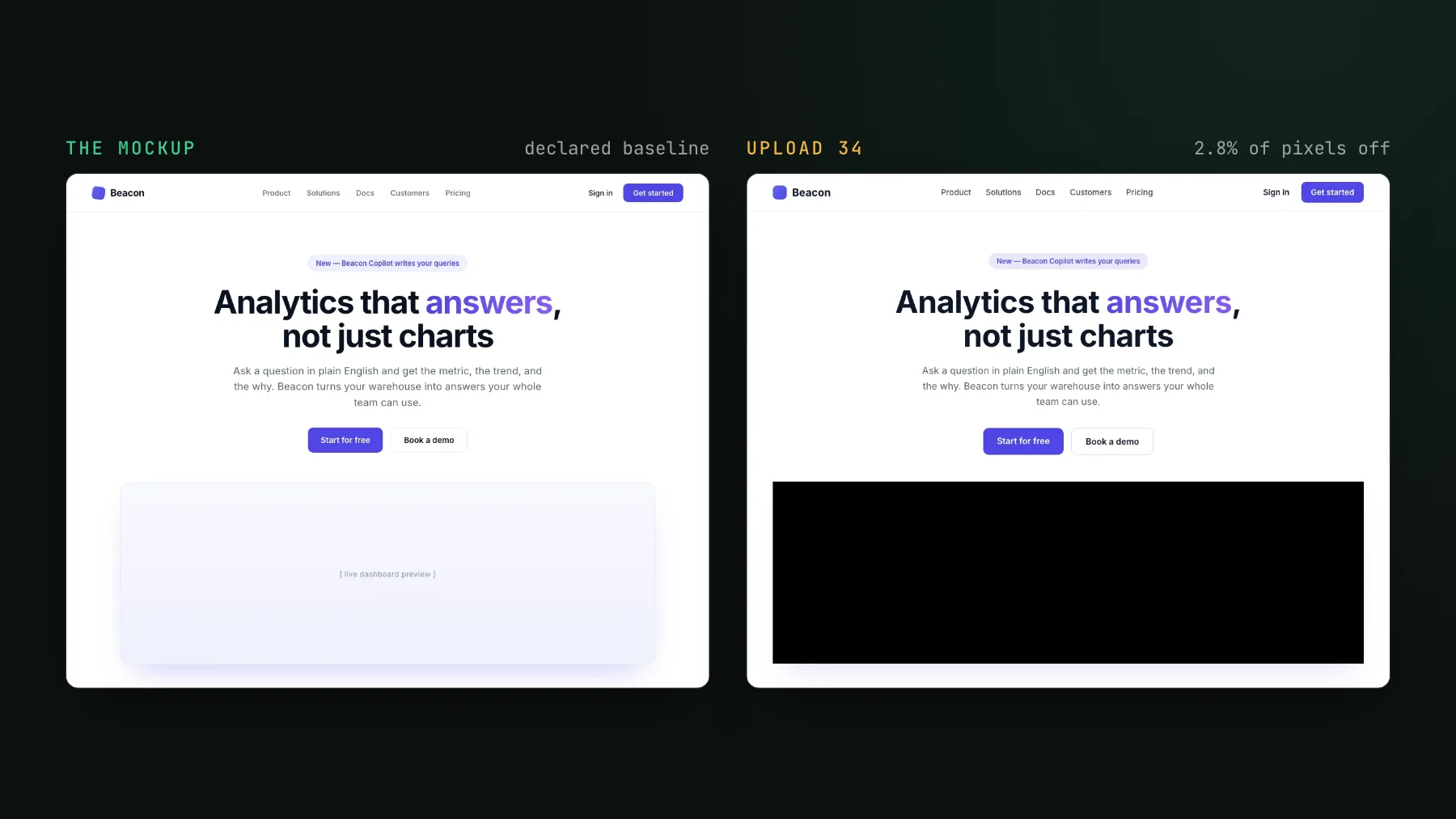
On this page
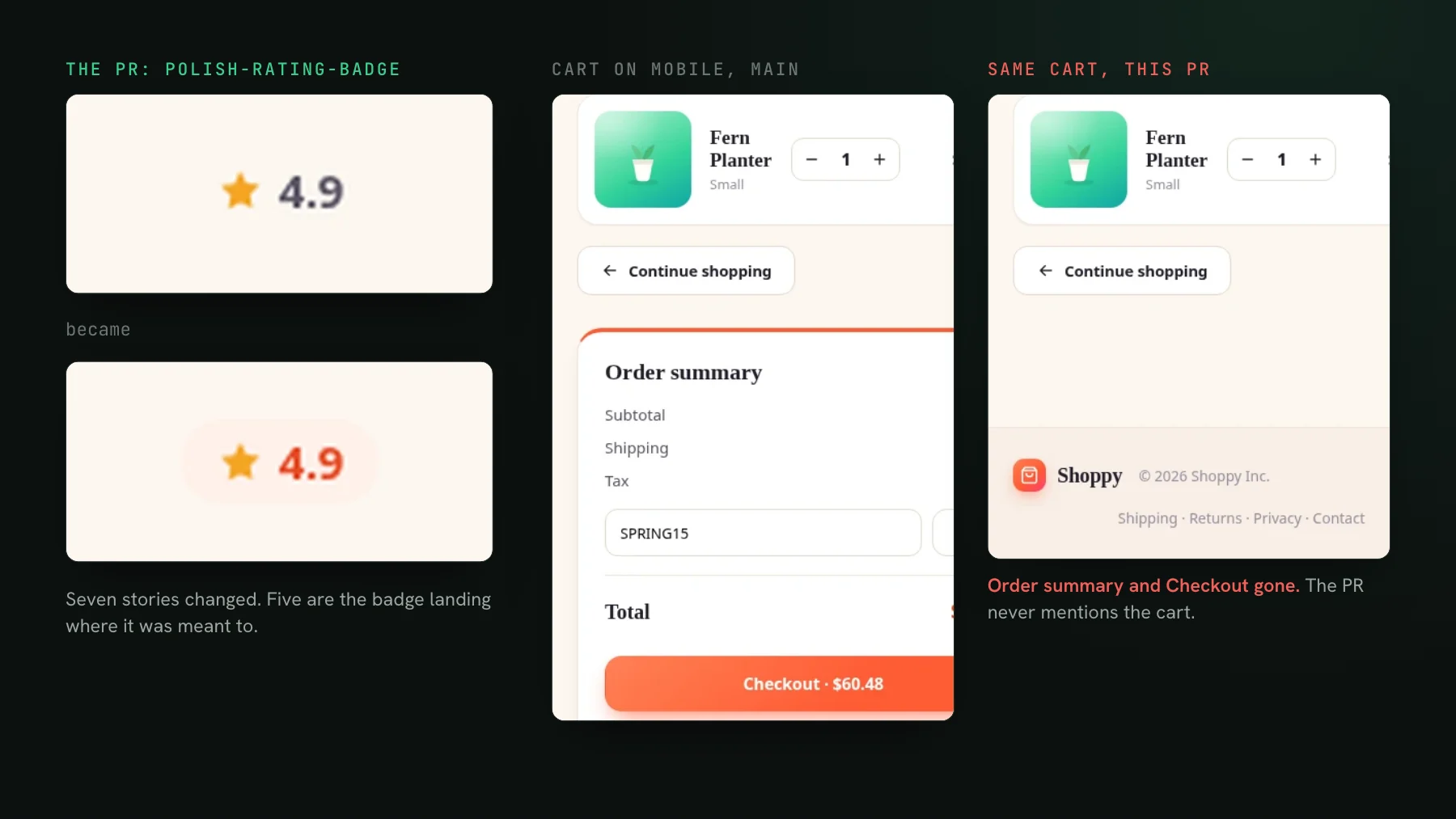
Visual regression testing catches drift from the last screenshot you accepted, not whether the UI matches the Figma. The two get conflated constantly, and the confusion leads people to expect a regression tool to fail a build because a button is four pixels off the mockup. It will not, and it should not. I know because comparing against Figma was the single most requested feature in our first months, we prototyped it, and we shelved it.
Two different pains
The complaint from teams building greenfield UI with agents has the word regression nowhere in it: it rarely breaks outside the scope. Much more often the agent makes changes that were supposed to look different. It creates a card, and the card does not look like the mockup. That is forward fidelity: does the new thing match the design. Where pixel-perfect is a hard requirement across several breakpoints, it gets checked by overlaying a Figma export on the page with a Chrome plugin and looking. Ask the same team how they know an agent's change did not break an existing page, and a common answer is that they do not find out at all. Storybook exists, the design system exists, and the screenshot testing never got finished.
Those are two loops. One asks "is this right?" once, when it is built. The other asks "did this change?" on every pull request, forever. A regression tool answers only the second.
Does the diff check against Figma?
Not by default. The baseline is your own last accepted screenshot, not the design file, and for a story that declares nothing, no step in the pipeline ever sees Figma. UI Verify renders your components, diffs them against the accepted baseline, and the AI judge decides whether a diff was intended or a regression by reading the pull request. Intended versus regression is the entire scope. If a button is the wrong shade of blue but has been the wrong shade since the day you accepted it, every build passes clean.
Can a baseline enshrine a bug?
Yes, and this is the part people miss. Anyone whose real pain is agents producing ugly new UI rather than breaking old UI names the trap immediately: you create a new baseline, and the baseline is itself already problematic, so the tool takes as its reference something that does not look good. Build your own baseline by capturing a finished app and the same thing happens: it will have problems in it, and the problems keep going until a manager finds them.
A baseline is a running memory of your decisions, not a claim about correctness. It also turns out to be more durable than the design. In a real product the Figma screens are rarely the source of truth, because something changed in the meantime. And every homegrown Figma-to-screenshot heatmap I have seen ran into the same precondition, which was not code at all: the design team had to migrate onto tokens first, which took one team well over a year of persuading designers and the business. The comparison only became trustworthy after that.
What we tried, what we shelved, and what shipped
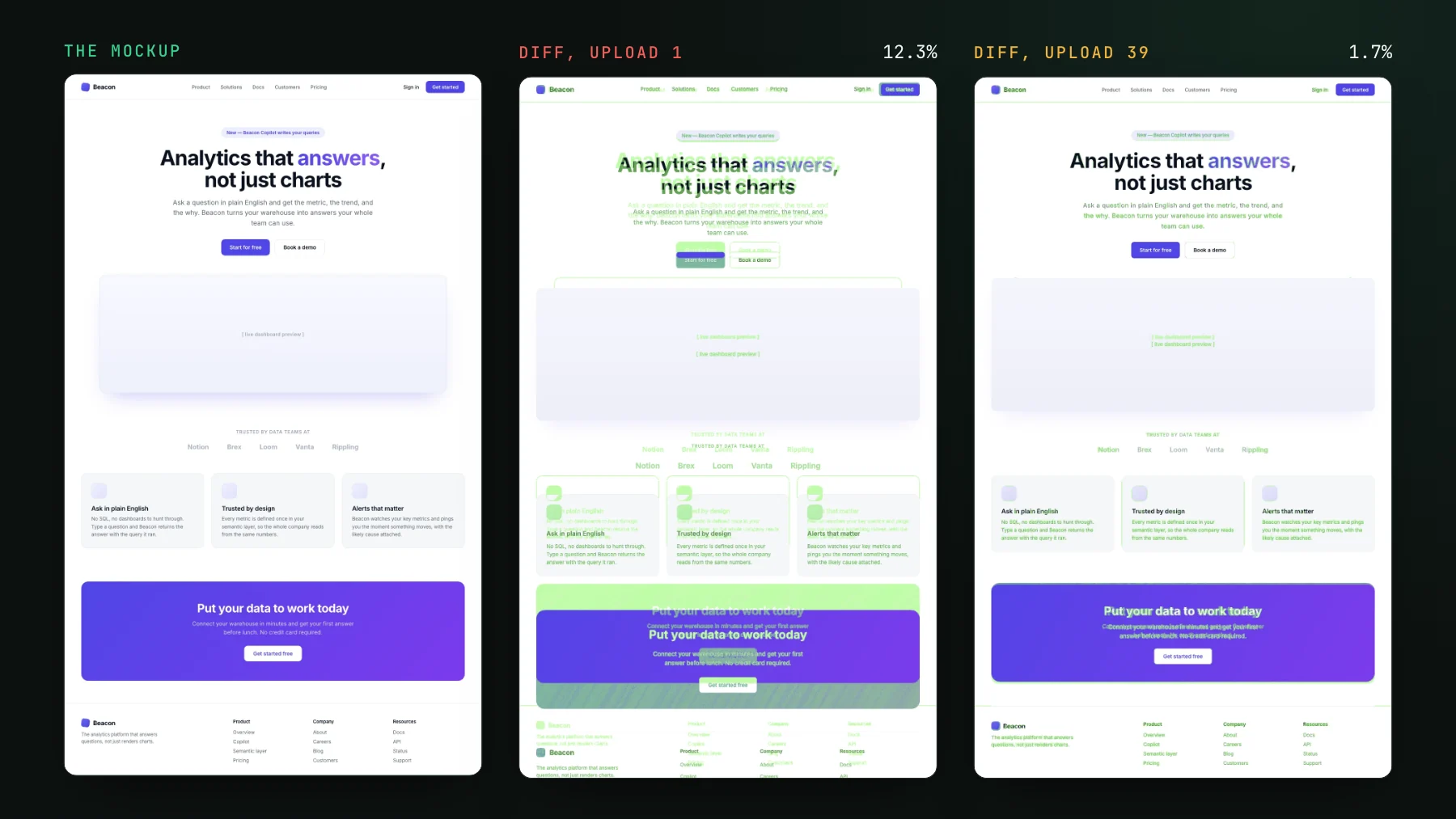
That much demand is a lot of signal, so we built a Figma property comparison and measured it. It is archived. The short version: a mockup-versus-build comparison inherits every limitation the homegrown one has. Figma frames go stale, placeholder content differs from real content so block heights drift, and the design side has to be on tokens for the numbers to mean anything. Pixel-perfect against a design is a time sink I have personally lost weeks to. At my day job we have one designer for about fifteen engineers, and the designer fixes spacing in the code himself rather than commenting on it in Figma. What survived is narrower, and it shipped: a Storybook story can declare an exported mockup as its baseline (parameters.uiVerify.baselineImage), a coding agent converges the render against it, and once you accept, your own render becomes the reference and the mockup steps aside. How to implement a Figma design with a coding agent walks through that loop step by step.
data-uiverify-ignore blanks it on the render and the mockup alike, so it never counts toward the diff.Where fidelity actually lives
Design fidelity is an authoring-time loop, and four things do that job:
- Design review by a person. A designer or reviewer compares the built UI against the mockup and signs off. This is judgment, and it does not automate into a pixel diff.
- Tokens enforced at generation time. If spacing, colour, and type come from design tokens, the component is correct by construction rather than checked after the fact. This is also the only thing that ever made the homegrown Figma diffs work.
- A design baseline while you build. Declare the exported frame on the story and converge the render against it before the first accept. The Figma to code page shows the loop.
- A deliberate accept. When you accept a screenshot, that is the moment to confirm it matches the design. The making UI changes skill treats the accept as a decision, not a rubber stamp.
The two loops fit together once you stop asking one to do the other's job. Fidelity is a human, authoring-time gate: you get it right when you build it and confirm it when you accept the baseline. Regression is the always-on net underneath: once a screen is accepted, the net catches any later change you did not intend. If you want a tool that fails your build when the UI drifts from Figma, visual regression is the wrong layer. It protects the state you approved, which is exactly what you need when a coding agent is refactoring components at speed. For whether that net is worth setting up at all, see do you need visual regression testing; for how baselines move across branches, see baselines.
Set up the always-on net
UI Verify catches when a change was not intended and holds the PR until you accept it. Get visual regression running in a few minutes.
Start for freeNo credit card required.
Making UI changes
The playbook your agent reads before it touches any UI.