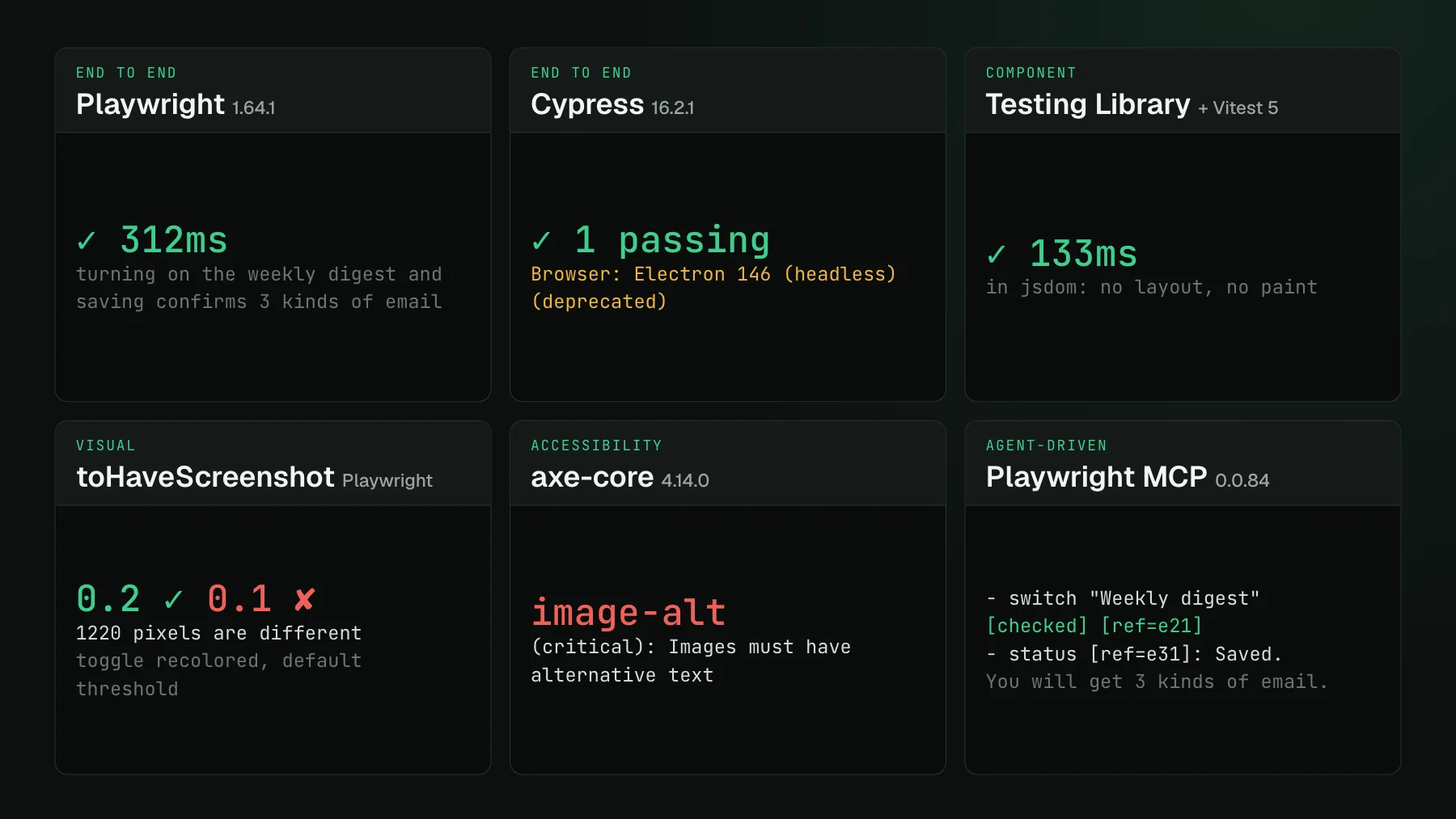
Playwright vs Cypress: the same 15 tests, timed
Playwright vs Cypress, measured: the same 15 tests in both, timings serial and parallel, browsers, install size, and what each does with a screenshot.
 Igor LuchenkovBuilding UI Verify
On this page
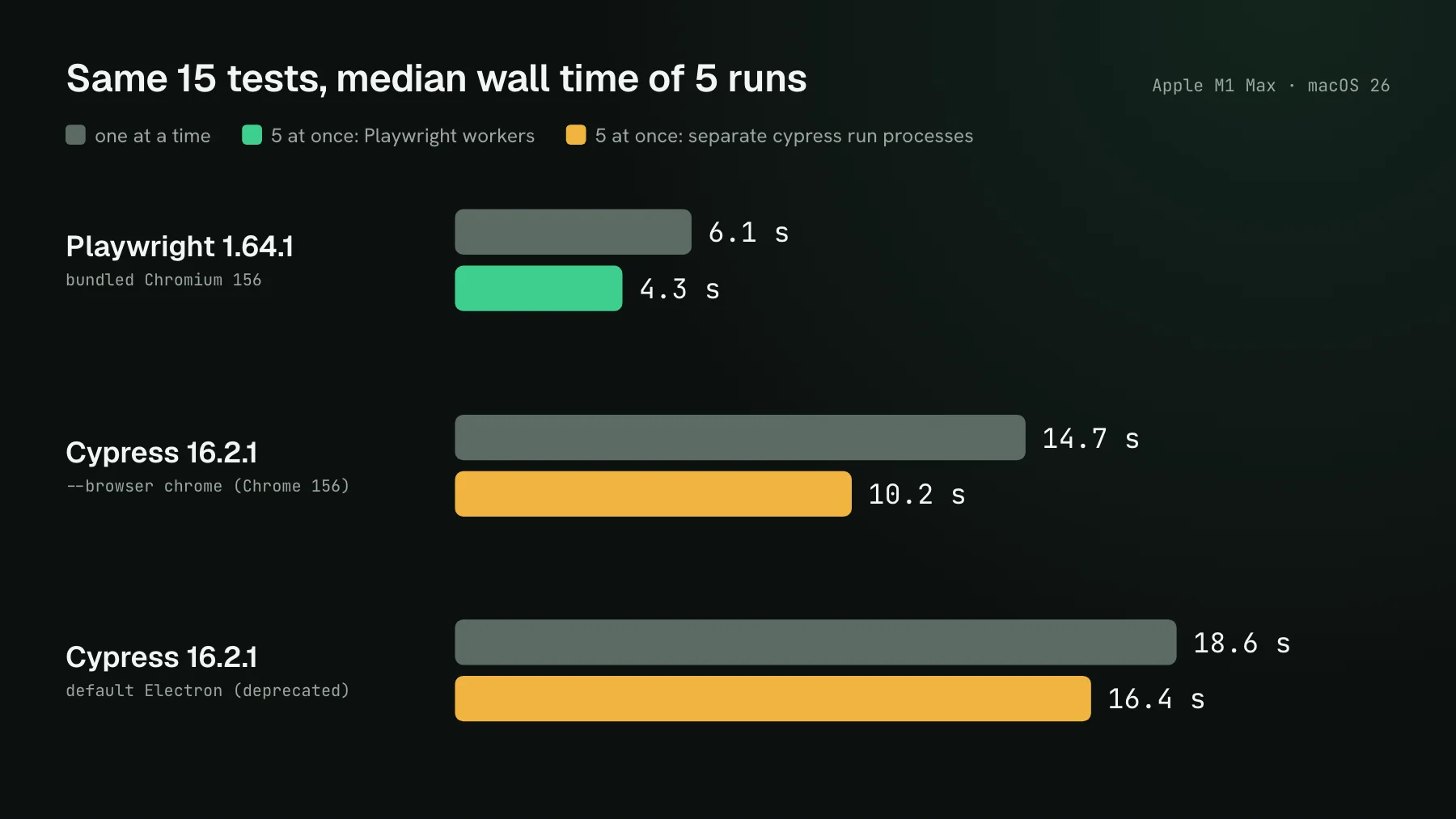
Playwright ran our 15-test suite in a median of 6.1 seconds. Cypress, driving Chrome, took 14.7, and by its own clock only about 5 of those seconds were spent inside tests. The rest went to launching the browser and loading each spec file. That gap is the biggest practical difference between the two tools on a small suite, and it comes from how each one is built rather than from how fast either runs a click.
Playwright and Cypress are both open-source end-to-end testing frameworks for web apps: they open a real browser, drive your app the way a user would, and assert on the result. We wrote the same 15 tests in five files for each, against a small shop app with a product grid, filters, a cart, checkout, and login, and ran them on 2026-11-02 with Playwright 1.64.1 and Cypress 16.2.1 on an Apple M1 Max. The laptop was shared with other jobs, so each timed run waited for the load to drop, and we report the median of five. Read the ratios more than the seconds.
How do Playwright and Cypress differ in architecture?
Cypress runs your test code inside the browser, in the same run loop as your app, with a Node server process working alongside it. Its docs list the consequences plainly: tests are JavaScript or TypeScript only, and one test controls one browser. Playwright runs your test in Node and drives the browser from outside over a protocol, with each test in a fresh browser context that is cheap to create and isolated from the others. Playwright also has official Python, Java, and .NET bindings.
You can see the difference in the code. A Playwright test is ordinary async code: await page.getByRole('button', { name: 'Add to cart' }).click(). A Cypress test chains commands that Cypress queues and runs in order: cy.contains('button', 'Add to cart').click(). Both wait for elements automatically and retry assertions, Cypress for 4 seconds by default and Playwright for 5.
Is Playwright faster than Cypress?
For whole-suite time, yes, by about two and a half times in our runs. Inside a single test the two were close: the cart test took 488 milliseconds in Playwright and 305 in Cypress. The difference is everything around the tests. Cypress reported about 5 seconds of test time in a 14.7-second Chrome run, because it starts the browser and reloads between spec files. Playwright keeps its browser running and opens a new context per test, so its whole run took 6.1 seconds one test at a time.
Parallel runs widen the gap. Playwright runs files across workers out of the box, half your CPU cores by default, and five workers brought it to 4.3 seconds. Cypress's built-in --parallel goes through Cypress Cloud, so for a local comparison we started five separate cypress run --spec processes at once; that took 10.2 seconds, because each process pays the full startup. Cypress's default browser is slower still: with its bundled Electron the serial run took 18.6 seconds, and Cypress 16 has deprecated Electron as a test browser, printing a warning on every default run.
Which browsers do Playwright and Cypress support?
Playwright downloads its own Chromium, Firefox, and WebKit builds and can also drive branded Chrome and Edge; one config ran our suite on all three engines, 45 tests, all passing. Cypress drives the Chrome-family browsers and Firefox you have installed, plus WebKit behind an experimental flag. Cypress's WebKit support uses Playwright's WebKit build under the hood: it worked with the playwright-webkit version Cypress 16.2.1 pins (1.61.0), and on our machine the browser never connected with the latest one, so install the version your Cypress expects.
Multiple tabs and origins differ too. Playwright handles several pages per context and popups as ordinary events. Cypress controls one browser at a time, offers a beta plugin for testing several tabs in Chromium browsers, and binds each test to one site unless you wrap cross-origin steps in cy.origin(). Many comparisons still quote an old line from the Cypress docs saying it will never support multiple tabs; that line is gone, and the plugin is the current answer.
Is Cypress parallelization free?
Partly. Cypress's own parallelization requires recording runs to Cypress Cloud. The free Starter plan includes parallelization, within a monthly allowance of recorded test results, and paid plans raise the allowance. So the common claim that parallel runs are paywalled is out of date; the accurate version is that they go through Cypress Cloud and count against a results allowance. Playwright's workers, sharding across machines with --shard, and report merging are all in the open-source package.
Installing each one
From empty caches, Playwright installed 3 npm packages in 2.4 seconds, then downloaded its Chromium in 18 seconds, 580 MB including the separate headless shell. Cypress installed 171 npm packages and its 643 MB desktop app in 57 seconds. Both land around 600 MB before the first test; Playwright adds about 600 MB more if you also install Firefox and WebKit. In CI, npx playwright install --only-shell chromium skips the headed build.
What does each do with a screenshot?
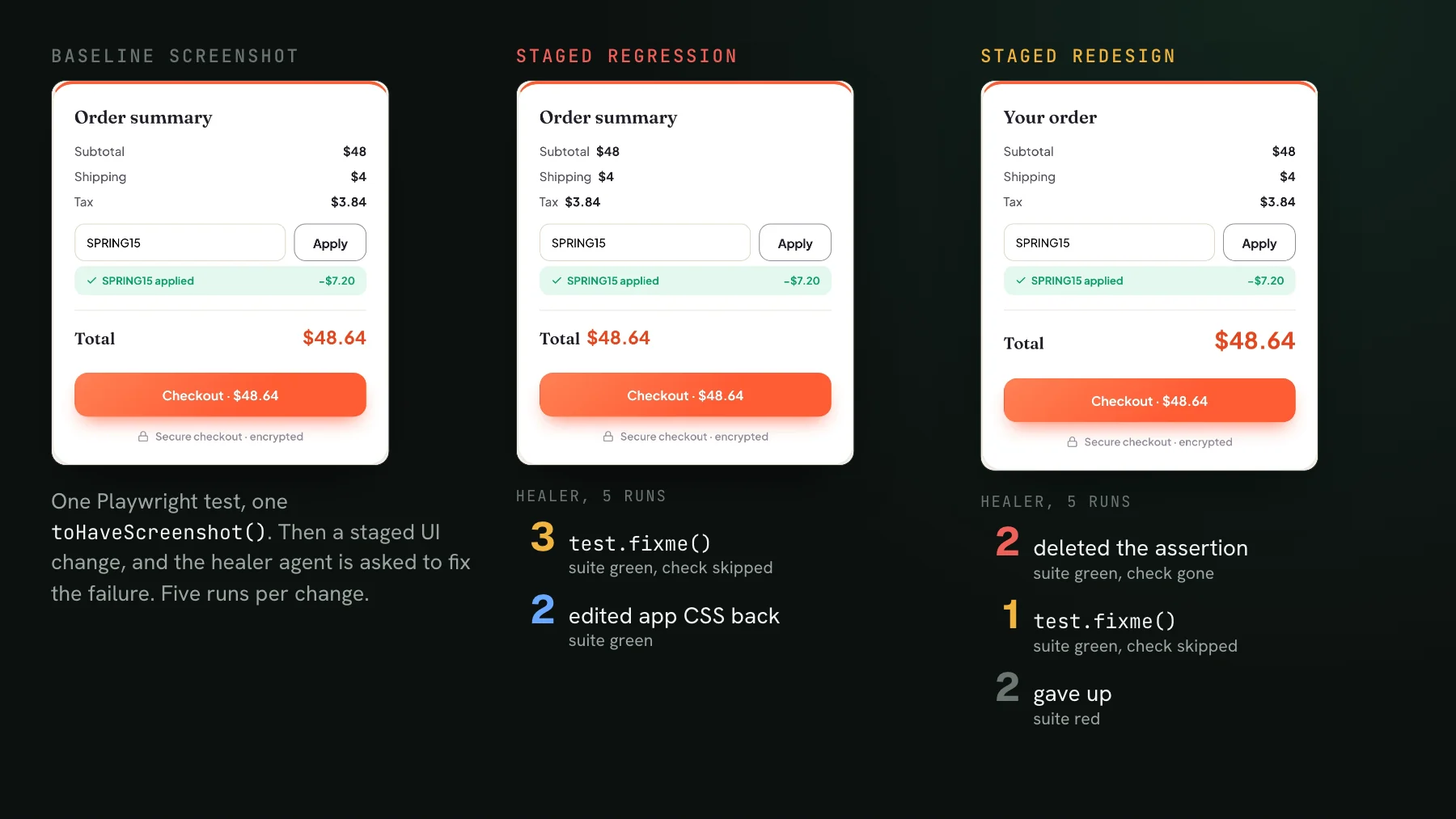
Playwright compares it; Cypress saves it. We staged a one-line CSS change that turned every price on the shop page white on a white card. In both tools the test asserted the first price had the text "$29" and passed that check, because the price was still in the DOM with the right text. Then Playwright's built-in toHaveScreenshot() compared the page against its baseline and failed on 466 pixels. The Cypress test passed: cy.screenshot() captures an image and, as the Cypress docs say, does not compare it.
For visual checks in Cypress you add a plugin or a service; our guide to Cypress visual regression testing compares the plugins and their pitfalls. Playwright's built-in assertion works out of the box, with baselines stored per browser and operating system in your repository.
When is Cypress the better choice?
When your team values its interactive runner and is all-in on JavaScript. Cypress's app shows every command with time-travel snapshots in the browser as you write, which many developers find the fastest way to build a test. Its component testing has been stable since 2022 across React, Vue, Svelte, Angular, and Next. Cypress Cloud bundles recording, flake analytics, and paid add-ons for accessibility and UI coverage. If your suite already runs well on Cypress, those are good reasons to stay. Playwright has caught up on several of them: its own component testing is no longer experimental, and its UI mode and trace viewer cover much of the interactive debugging.
Which should you choose?
- New project, or you want WebKit, multiple tabs, or Python, Java, or .NET: Playwright.
- CI time and parallel runs matter and you want them free and local: Playwright.
- Team loves Cypress's runner, suite is JavaScript, and a recorded-results allowance is fine: Cypress.
- You need screenshot comparison built in: Playwright, or Cypress with a plugin or service.
Either way, the visual layer can live outside the runner. UI Verify, our visual regression testing tool for coding agents, captures the pages your Playwright tests open with a one-line import swap, renders them in one pinned browser, and shows each change on the pull request, where your coding agent can also read it over MCP. Cypress has no UI Verify plugin; you upload the PNGs cy.screenshot() writes as a custom screenshots project instead.
The Playwright quickstart covers the import path and the custom screenshots quickstart covers Cypress uploads. You get 10,000 snapshots a month free, or 50,000 if your project is open source.
Add visual review to your end-to-end suite
UI Verify captures the pages your Playwright tests open with one import, or takes Cypress screenshots as an upload, and shows every visual change on the pull request.
Start for freeNo credit card required.
Deterministic Playwright captures
Stop real-page diffs that flake without a real change.