Storybook visual testing: one story per whole page
Storybook visual testing does not have to mean a story per component. Write one story per whole page for the widest coverage at the lowest snapshot count.
 Igor LuchenkovBuilding UI Verify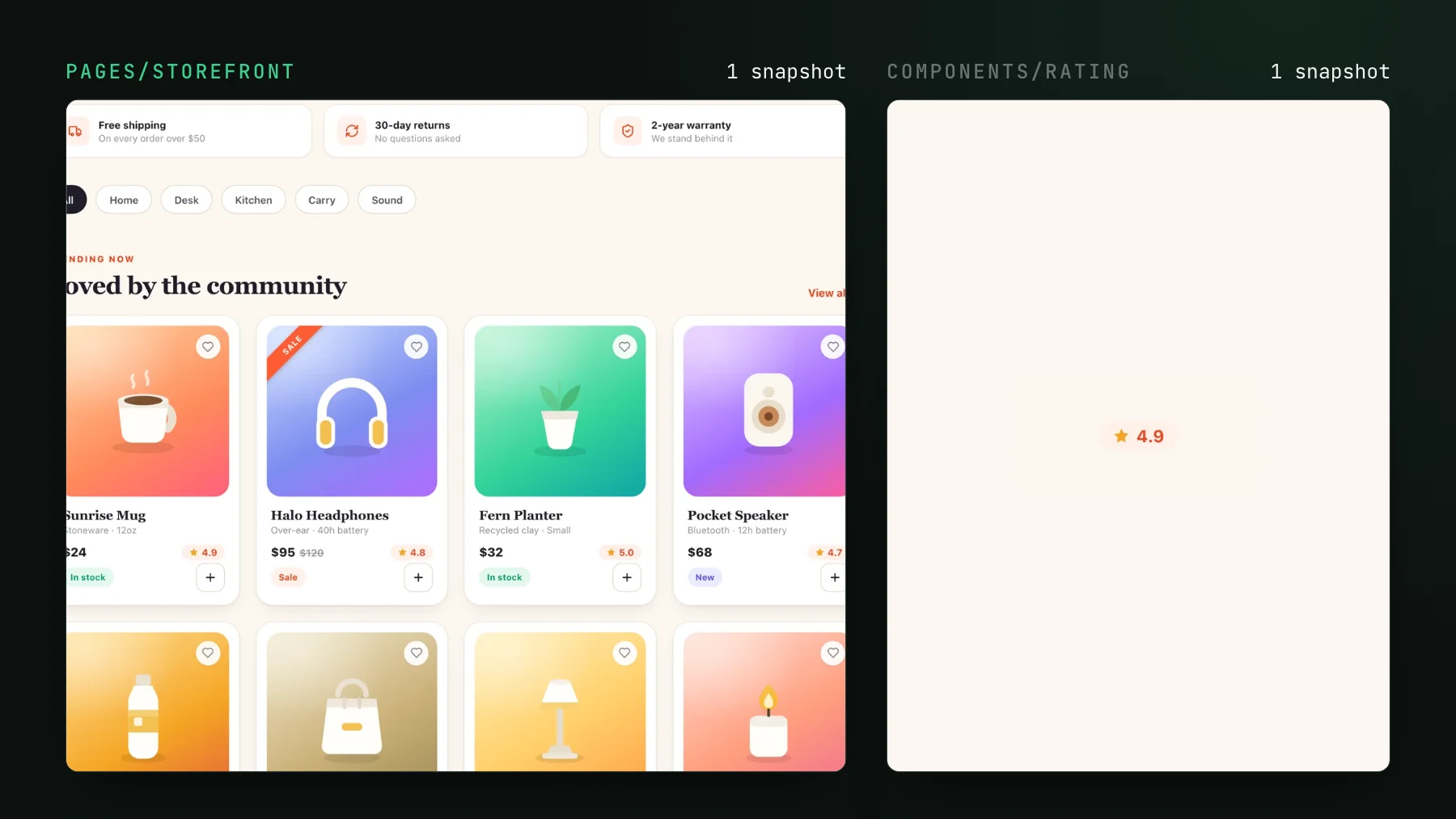
On this page
Ask most teams why they dropped Storybook and you get a version of the same answer: it turned into a second codebase. A story per button, a story per input, a story per card, each one drifting from the component it was supposed to mirror. The maintenance tax got big enough that people stopped writing stories, and once coverage went patchy the whole thing read as dead weight. Our own dashboard's Storybook went the other way: 176 of its 291 stories are whole pages.
Here is the thing almost nobody tries first: a Storybook story does not have to be a component. It can be a whole page. You compose the real page, feed it fixed data, and render it as one story. That single story screenshots the header, the layout, the empty states, the way three components sit next to each other, all in one shot. It is the widest visual coverage you can get for the least code, and it is the pattern I reach for before I write a single per-component story.
Why a story per atom is a maintenance tax
The per-atom approach has a real appeal: isolate every component, document every prop, screenshot every variant. For a design system that is genuinely reused across products, that is the right call and I still do it. But for an app's own screens it inverts the effort. You write and maintain hundreds of stories that each prove one component renders in a vacuum, and the bugs that actually ship are almost never a component in a vacuum.
The regressions that reach users live in the seams: a card that pushes the sidebar three pixels once its data is real, a heading that collides with a badge at a certain length, a grid that reflows wrong when one section is empty. A per-atom story renders each of those pieces alone, so it sees none of it. In our Shoppy demo, a CSS change meant to polish the rating badge also squeezed the cart's checkout grid on phones, and the Order summary disappeared. No component story renders the checkout at that width, so only the cart page story caught it. You paid the maintenance cost of hundreds of stories and still missed the class of bug you most wanted to catch.
A page-level story is a deterministic e2e test that isolates the diff to your PR
Think of a page-level story as the good half of an end-to-end test with the flaky half removed. A real e2e run boots a server, seeds a database, drives a browser, and takes 40 minutes to tell you something broke, and half the time the something is the test. A page story renders the exact same page against fixed fixtures, in isolation, in milliseconds. Feed it deterministic data and you get deterministic pixels, so when the screenshot changes it changed because your pull request changed it, not because a record in staging moved overnight.
That is the property that makes it worth doing. The diff is scoped to your diff. You render the page the way it will actually look, and the only reason the baseline moves is a change you made.
How to write one: compose, mock the data, freeze the clock
Three moves turn a page into a stable story. Compose the real page component. Mock its data at the network boundary with MSW so it never calls a live API. Freeze the clock so anything time-relative renders identically every run. Here is a dashboard page as a single story:
import { http, HttpResponse } from "msw";
import { DashboardPage } from "./DashboardPage";
import { fixtures } from "./fixtures";

export default {
  component: DashboardPage,
  parameters: {
    // Mock the page's data at the network edge: deterministic input, deterministic pixels.
    msw: {
      handlers: [
        http.get("/api/projects", () => HttpResponse.json(fixtures.projects)),
        http.get("/api/activity", () => HttpResponse.json(fixtures.activity)),
      ],
    },
  },
};

// ONE story renders the entire page: header, sidebar, grid, empty states, all in one shot.
export const Default = () => <DashboardPage />;
The one variable a page story cannot control from inside a component is the clock, so freeze it globally once. Anything that renders 2 hours ago, a chart axis, or a copyright year is otherwise a guaranteed flaky diff:
import MockDate from "mockdate";

// Every story renders as if it were this instant, so time-relative UI is stable.
MockDate.set("2026-01-01T00:00:00Z");
That is the whole recipe. Everything else about determinism, disabling infinite animations and the rest, is the same as any Storybook visual test, and the Storybook determinism skill sets it up for you. If you have not wired visual testing to your stories yet, the Storybook quickstart gets a diff check on your pull requests in a few minutes.
The tradeoff: page-level is coarser, so keep a few atom stories
One story per page is not one story for everything. The cost of collapsing a screen into a single snapshot is granularity: a change anywhere on the page flags the whole page, and you accept or reject the page as a unit. That is the right unit for a screen that evolves together. It is the wrong unit for a genuinely reusable design-system primitive, where you do want a per-component baseline you can accept in isolation.
- Page-level story for a screen or a meaningful section: the widest coverage, catches the integration and layout regressions a per-atom story never sees.
- A few atom stories for the genuinely reusable pieces, the button, the input, the design-system primitives that many pages depend on and that deserve their own baseline.
- Skip the story-per-atom sweep of components that only ever appear inside one page. The page story already covers them.
It keeps the snapshot count, and the bill, low
There is a happy side effect. Every per-snapshot tool, Chromatic, Percy, Playwright screenshots, UI Verify, bills per story, so your story count is your bill and your flake surface. A screen built from twenty components is one page-level snapshot instead of twenty. You get broader coverage and fewer billed shots at the same time, which is the rare case where the cheaper option is also the better one. For the full write-up on keeping the count down, see Reduce visual test snapshots and cost.
The reason teams abandoned Storybook was the maintenance, and the maintenance came from writing a story for every atom. Write one story per page and most of that tax disappears, while the coverage you are left with is the coverage that actually catches shipped bugs. Start with your highest-traffic screen, render it as one story, and turn on visual testing so the next layout regression fails the pull request instead of reaching a user.
Point visual testing at your pages
UI Verify is visual testing for you and your agents. It screenshots your stories on every pull request, whole pages included, and an AI judge tells an intended change from a real regression, so you review decisions, not diffs.
Start for freeNo credit card required.
Deterministic Storybook stories
Stop story diffs that come back changed without a real change.