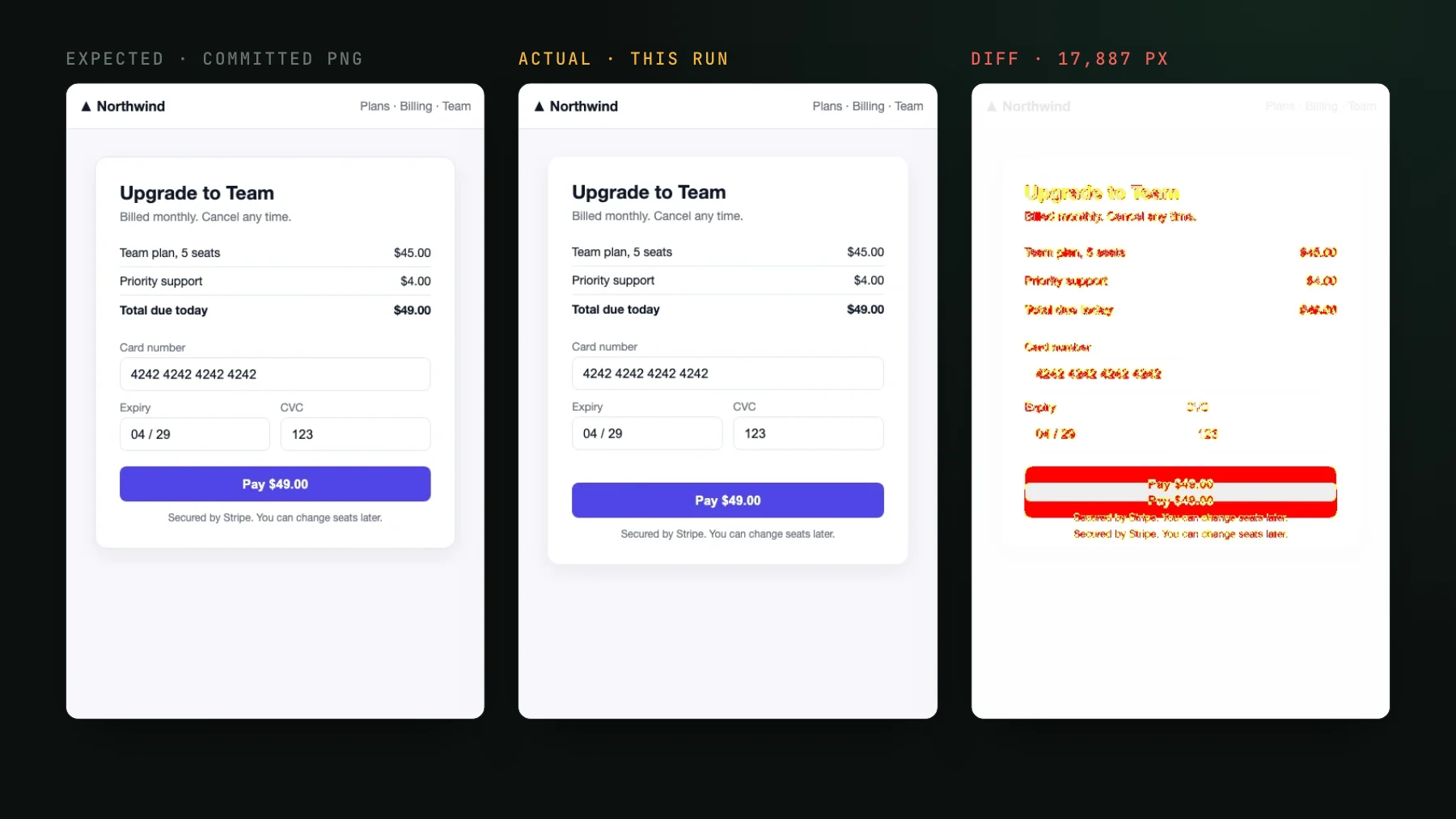
Fix flaky Playwright screenshot tests
Flaky Playwright screenshot tests are a data problem, not a rendering one. Freeze the clock, animations, and data so a diff only fires on a real change.
 Igor LuchenkovBuilding UI Verify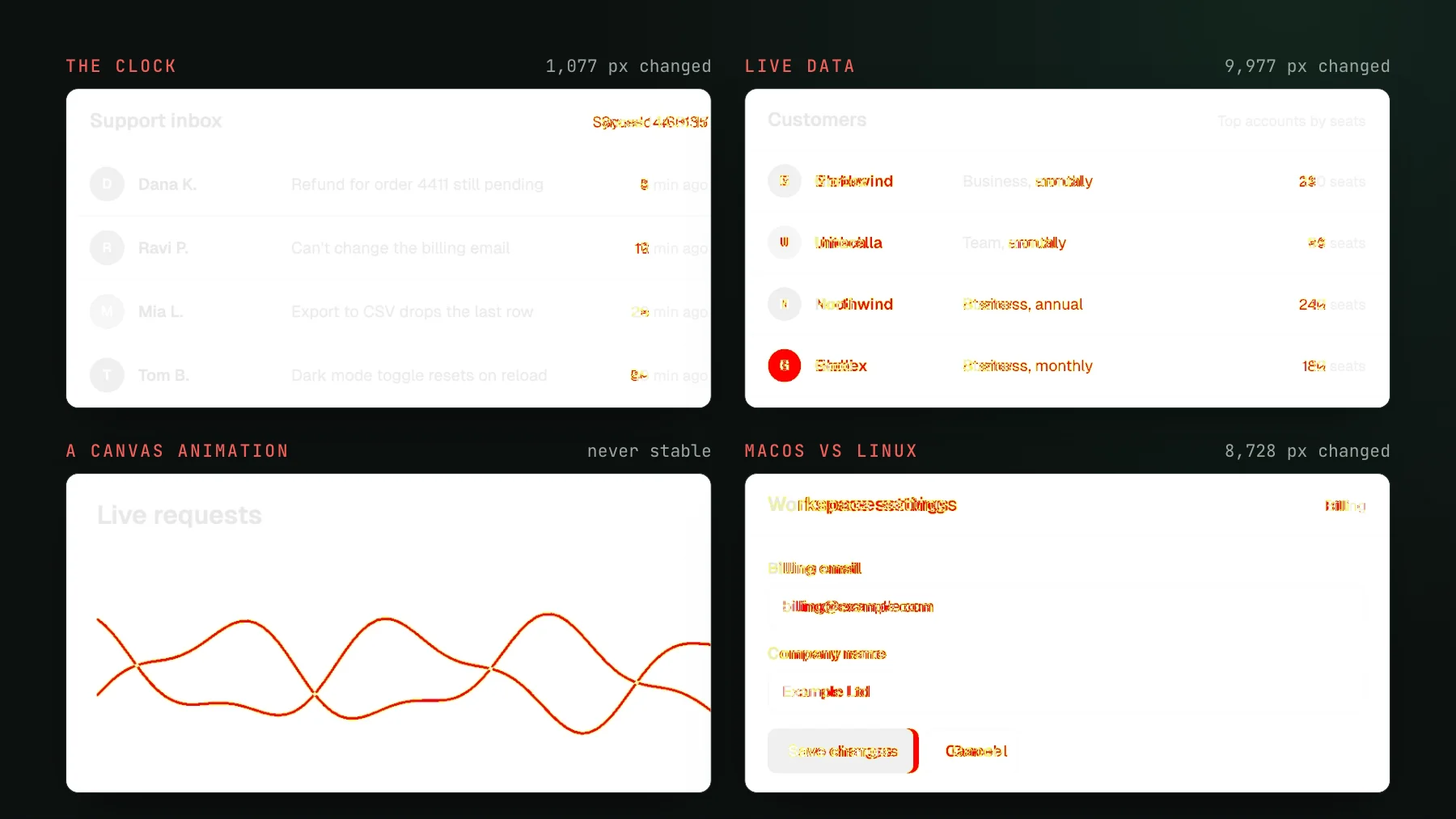
On this page
I have shipped my share of flaky Playwright screenshot tests, and for a long time I reached for the same fix everyone reaches for: bump the pixel threshold until the red goes away. It buys you about a week. Then a real regression slips through the loosened threshold, and now you have the worst of both worlds, a test that still flakes and no longer catches anything.
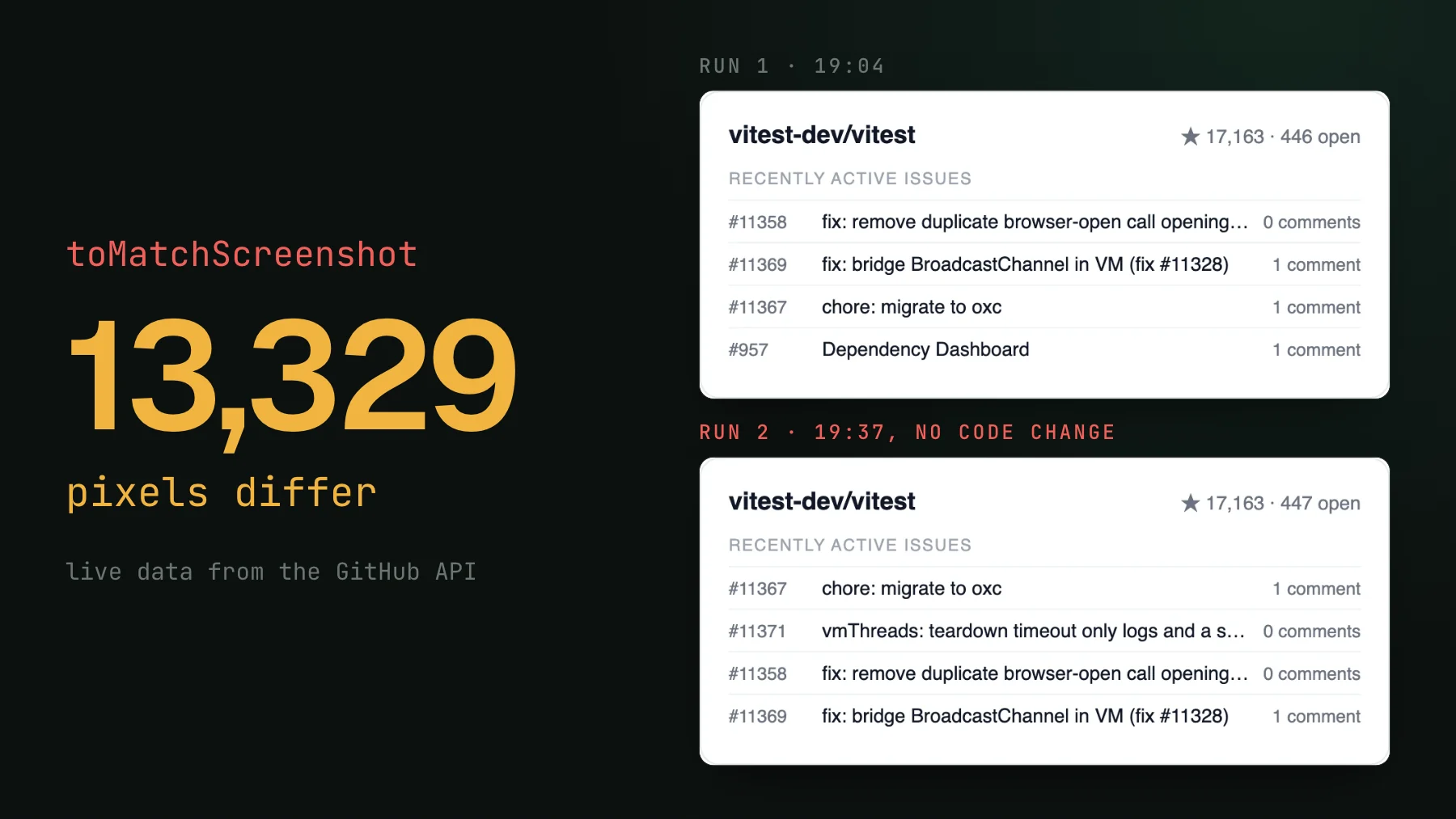
Here is the reframe that actually fixed it for me. A flaky screenshot is not a rendering problem, it is a data problem. The diff is not lying. It is faithfully reporting that the input to the render moved between two runs: the clock advanced, an animation was caught on a different frame, an API returned rows in a new order, or the CI box rasterized a font a hair differently than your laptop did. Pin the input and the diff goes quiet for good, not until the next threshold bump.
Why raw Playwright screenshots flake
toHaveScreenshot() is a pixel comparison. Playwright renders the page now, compares it against a baseline PNG captured earlier, and fails when too many pixels differ. That is what you want when the only thing that changed is your code, and the opposite of what you want when four other things changed too, none of them your code. A screenshot is a pure function of its inputs, so any input you did not pin is a coin flip the test re-tosses on every run.
The clock is the number-one source
Relative timestamps are the single most common flake I see. A "2 minutes ago" label, a new Date() in a header, an Intl format of Date.now(): each one renders a different string the moment the clock ticks, and CI is always a few seconds slower than your machine. Freeze the clock before the page renders anything and the whole class disappears in one line.
toHaveScreenshot failed on 1,077 pixels.// Flaky: "2 minutes ago" renders a different string every run
await page.goto("/inbox");
await expect(page).toHaveScreenshot();
// Stable: pin the clock BEFORE the page renders anything
await page.clock.setFixedTime(new Date("2026-01-01T12:00:00Z"));
await page.goto("/inbox");
await expect(page).toHaveScreenshot();Use page.clock.install() instead of setFixedTime when the component reads the clock over its own lifetime (a countdown, a live-updating "ago" label) and you want to control ticks. Set it once in a fixture and every test inherits a frozen clock. This one change alone kills most of the flake in a typical suite.
Freeze animations, do not shorten them
An infinite CSS or JS animation is never at the same frame twice, so a plain page.screenshot() catches it wherever it happened to be. Playwright can roll CSS animations to their end and disable transitions for you. What it cannot reach is motion that JavaScript drives, a <canvas> render loop or a charting library that animates on mount. There toHaveScreenshot keeps retaking the shot until two in a row match, and a loop that never rests fails with "Failed to take two consecutive stable screenshots". Turn that motion off in the app (the chart library's animation option, or page.emulateMedia({ reducedMotion: "reduce" }) if the app honors reduced motion), and keep a stylesheet as a backstop for CSS motion.
<canvas> chart redrawn every requestAnimationFrame. Playwright disabled all CSS animations, retook the shot six times in five seconds, found 7,654 to 8,104 different pixels each time, and timed out.// Playwright freezes CSS animations and transitions for the shot
await expect(page).toHaveScreenshot({ animations: "disabled" });
// Backstop: kill CSS motion at the source
await page.addStyleTag({
content: `*, *::before, *::after {
animation: none !important;
transition: none !important;
}`,
});One trap worth calling out: use animation: none, not a near-zero animation-duration or animation-iteration-count: 1. A shrunk-but-present animation still leaves the element promoted to its own compositor layer, whose sub-pixel raster differs run-to-run under render load, so it flakes maybe one time in a hundred, which is the worst frequency to debug. Only none de-promotes it to a resting frame deterministically. In our own capturer, 320 concurrent Linux captures of one story gave 2 distinct images at a 0.001ms duration, 2 at animation-iteration-count: 1, and 1 with animation: none.
Mock or seed the data, do not fetch it live
A component that renders whatever a real API returns this second is flaky by definition. Intercept the request and return a fixed fixture, so the render is a function of your fixture and nothing else. The same goes for any randomness the UI surfaces: seed generated ids, pin sort orders, stub Math.random.
// Flaky: the list renders whatever the API returns right now
await page.goto("/customers");

// Stable: intercept the request, return a fixed fixture
await page.route("**/api/customers", (route) =>
  route.fulfill({ json: fixtures.customers }),
);
await page.goto("/customers");
This is not a niche precaution. Anyone who has built their own visual-regression harness ends up intercepting every API response and pinning the store behind the component for the same reason: the goal is to test the display, and the only way to get a stable display is a stable input. Freeze the data per PR and the diff finally means what you want it to mean.
Capture in one fixed environment
Even with the clock, animations, and data pinned, a screenshot taken on your Mac will not match one taken on the CI Linux box. Font hinting, sub-pixel antialiasing, and the GPU raster path all differ across operating systems, so you get drift that turns a run red for no real reason. In the run below, an unchanged settings page differed by 8,728 pixels between macOS and Linux. The fix is to render every capture in the same environment: a pinned Docker image, or a hosted fleet, so the fonts, the viewport, and the raster path are identical every time.
A team I talked to ran their entire visual suite in Docker for this reason. Their Mac and a colleague's Linux box disagreed by a handful of pixels and turned nearly every run red, so they isolated the render. It works, but it is a rig you now own and maintain: the image, the browser install, and a per-OS baseline for anyone who runs it locally.
Why loosening the pixel threshold is a trap
When the flake will not stop, the tempting knob is the tolerance: maxDiffPixels, maxDiffPixelRatio, or threshold. Crank the ratio to 2-3% and the sub-pixel noise stops failing the build. It also stops failing on real regressions. A button shifted 4px, a label that now truncates, a grid column that collapsed on a breakpoint: all of those can fit comfortably under a 2-3% budget. In our demo suite, moving the Save button 4 px changed 0.24% of the screenshot, and the same test with maxDiffPixelRatio: 0.03 passed it.
// The trap: loosen until the flake stops...
await expect(page).toHaveScreenshot({ maxDiffPixelRatio: 0.03 });
// ...and now a real 4px shift sails through green too.The cleanest fix: freeze the page once, replay it
Every fix above is you hunting down one moving input at a time. There is a way to remove the whole moving-data class at once: record the page into a static archive once, then replay that same archive on every run. Archive-replay bakes the DOM and the network responses that produced it into the archive at record time, so a live API, a feature flag, or an endpoint that returns a new order each call cannot shift the picture on replay. There is nothing live left to fetch.
This is how `@uiverify/playwright` captures: you keep your existing Playwright tests, swap the import, and it records an archive that UI Verify replays and screenshots deterministically on a fixed cloud fleet, so the cross-OS baseline problem goes away with it. You still freeze the clock and animations at record time (the archived CSS re-runs on replay), but the live-data flakes are gone by construction rather than by a stylesheet you maintain. And because a human or a coding agent still has to judge the changes that remain, an AI judge tells an intended change from a real regression, so you review decisions, not diffs.
If you want the levers above applied to your suite for you, the Playwright determinism skill walks your coding agent through them one symptom at a time. The deeper how-to, with the Storybook and Vitest variants, lives in Fix flaky visual tests.
Stop babysitting flaky screenshots
UI Verify renders your Playwright captures on a fixed cloud fleet and an AI judge tells an intended change from a real regression, so a flaky diff never lands in your review as if it were one.
Start for freeNo credit card required.
Deterministic Playwright captures
Stop real-page diffs that flake without a real change.