Playwright toHaveScreenshot or archive-replay: which to pick
Built-in toHaveScreenshot with committed PNGs, or an archive of your Playwright tests rendered and diffed off your repo: what each costs, and which fits.
 Igor LuchenkovBuilding UI Verify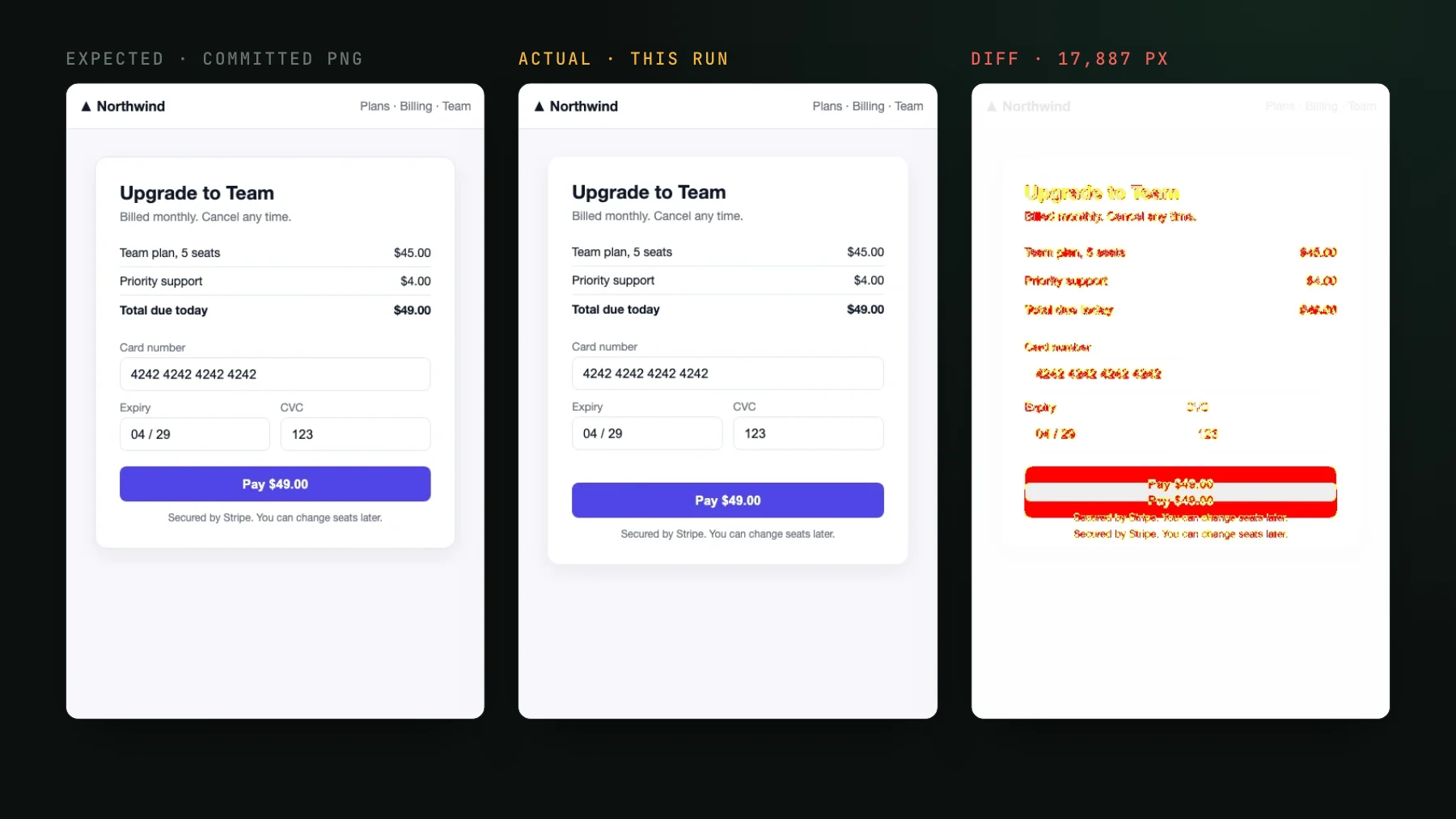
On this page
If you already drive real pages with Playwright, you are one decision away from visual testing them: catch the UI changes your assertions never look at, like a shifted button, a broken token, or a restyled card, on every pull request. The decision is which of two approaches to use, and it comes down to how big the surface is and where you want the review to happen.
What a Playwright visual test catches
A Playwright visual test screenshots the pages your Playwright tests render and diffs each image against a saved baseline, so a change in the rendered pixels fails the check even when every functional assertion still passes. A normal Playwright test asserts on the DOM: a heading exists, a button is enabled, a URL changed. None of that notices when the same button renders twenty pixels too low or a card loses its border. A visual test closes that gap by comparing the picture, not the markup, so the first run records a baseline and every run after it flags what moved for a human, or a coding agent, to judge.
The reason Playwright is a natural place to do this is that your tests already navigate to the states worth checking. The cart page, the settings modal, the empty state you set up three lines of fixtures to reach: each is a page in a known condition, which is exactly what a visual baseline needs. You are reusing the setup you already wrote rather than authoring capture targets from scratch.
Two ways to do Playwright visual testing
There are two approaches, and they differ mainly in where the work lives: in your repo and CI, or off them. Playwright ships its own visual assertion, toHaveScreenshot, which renders and diffs inside your suite against a PNG you commit. The alternative records an archive of the real pages your tests drive and hands the render, diff, and review to a service. Both compare pixels the same way; what changes is who stores the baselines and where the diff work happens.
Built-in toHaveScreenshot
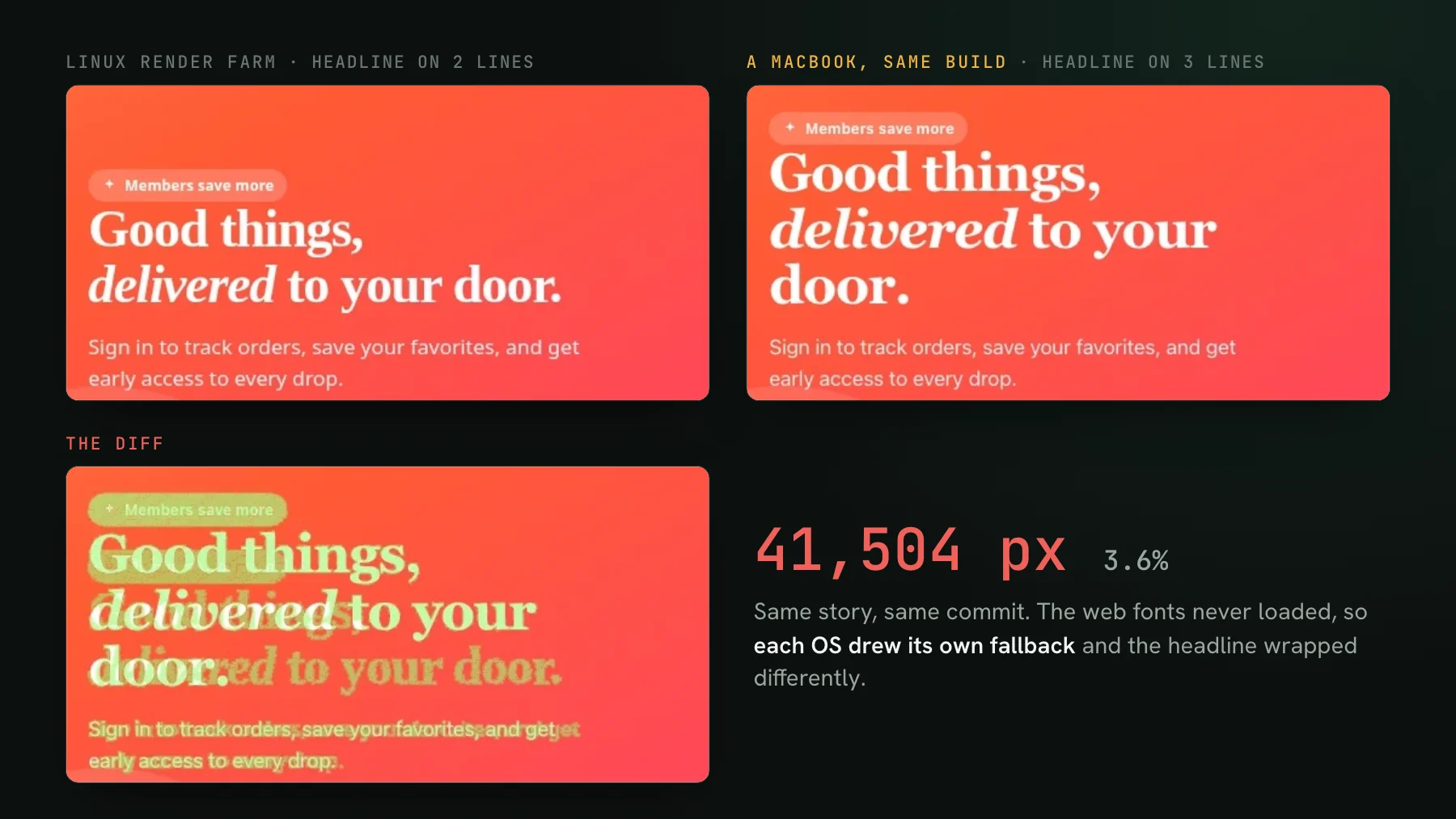
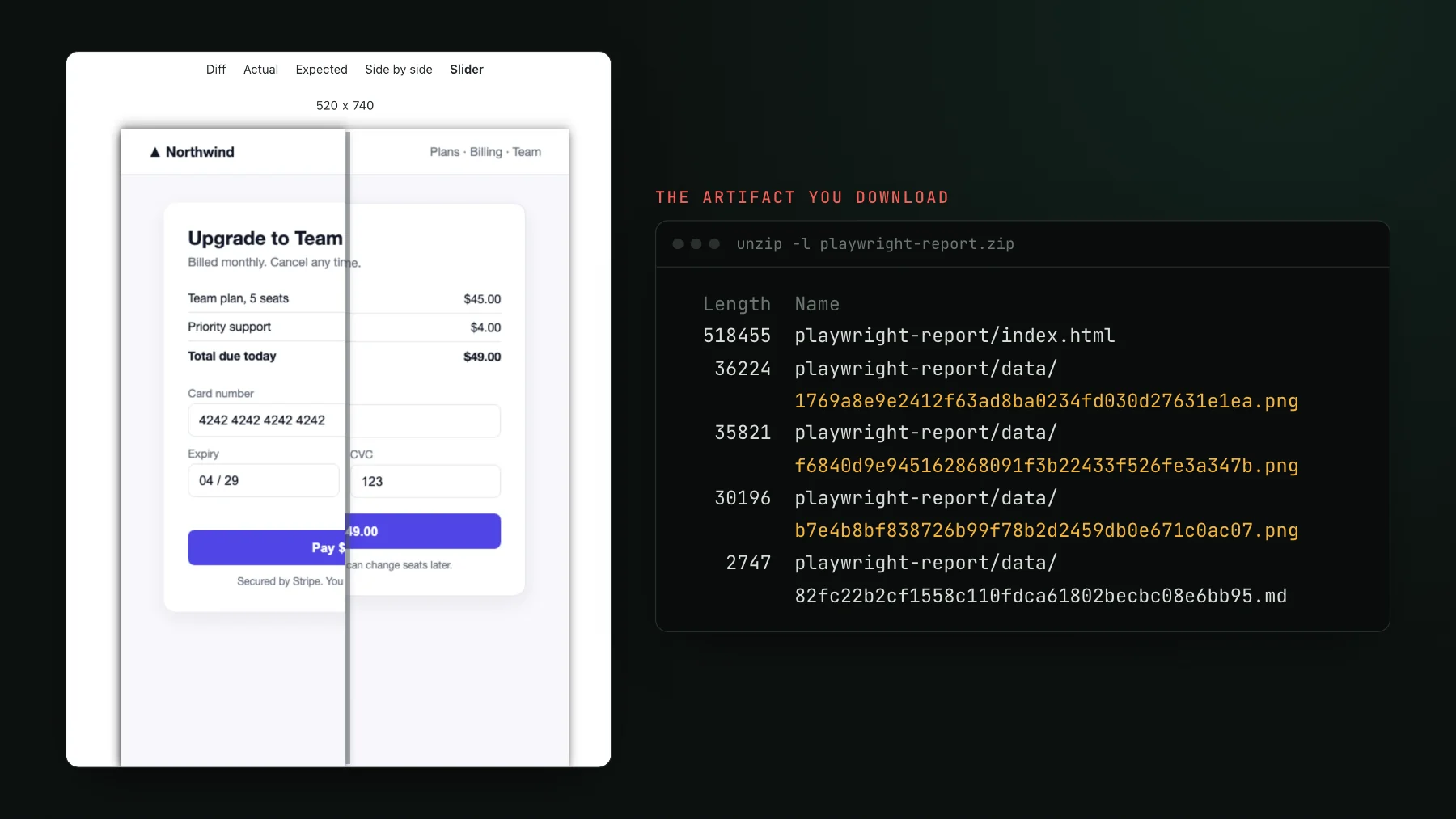
Playwright's toHaveScreenshot screenshots the page and diffs it against a baseline PNG committed next to the test. Locally it does a lot right: animations are off by default, mask hides the regions you cannot pin, threshold and maxDiffPixelRatio set your noise budget, and the HTML report stacks the expected, actual, and diff images for you. Two properties shape how it behaves once a team leans on it. The baselines are binary PNGs that live in your repo, keyed to the operating system that produced them (-chromium-darwin on a Mac, -chromium-linux on a CI box), so teams pin a Docker image to keep the two in sync. And it re-renders and re-diffs every test on every run inside your CI. The friction shows up when a check goes red in CI and the images are zipped in a build artifact you have to download to see, which is the whole subject of Stop downloading Playwright screenshot artifacts.
import { test, expect } from "@playwright/test";

test("home page", async ({ page }) => {
  await page.goto("/");
  await expect(page).toHaveScreenshot(); // diffs a committed baseline PNG
});Archive-replay with @uiverify/playwright
The archive-replay approach keeps your tests as the capture targets but moves the render, the baselines, and the review off your repo. You swap one import so every test records an archive of what its page actually rendered, then upload that archive. UI Verify replays it in a single fixed environment and diffs it there, so the pixels match no matter which machine ran the test, nothing binary lands in your repo, and the baseline is resolved from git, one per branch. On top of the diff it runs an AI judge that classifies a change as an intended change or a regression and exposes the cropped before-and-after over MCP, so your coding agent can review the pixels it changed without leaving the pull request. The full step-by-step is in the Playwright setup guide, and Playwright visual regression testing compares it with Chromatic and Argos too.
import { test, expect } from "@uiverify/playwright";

test("home page", async ({ page }) => {
  await page.goto("/");
  // final state is auto-archived; UI Verify replays and diffs it
});How the two approaches compare
| Built-in toHaveScreenshot | Archive-replay (@uiverify/playwright) | |
|---|---|---|
| Baselines | Binary PNGs committed in your repo, OS-keyed | Off-repo, one per branch, resolved from git |
| Where pixels render | Wherever the test runs; pin a Docker image to match CI | One fixed cloud environment, same pixels everywhere |
| Where you see the diff | A downloaded report artifact | A check and the diff on the pull request |
| What renders | Every test, every run, in your CI | Every captured page, every run, off your CI |
| Updating a baseline | Regenerate the PNG on the right OS and commit it | Accept in the UI; a merge advances it |
| Review help | None built in | AI judge plus agent review over MCP |
Which approach fits your team?
Reach for built-in toHaveScreenshot when the suite is small, everyone runs the same OS or you already pin a Docker image for CI, and a committed PNG per page is a cost you are happy to carry. It has no service to sign up for and no data leaving your machine, which is the right trade for a handful of critical pages or a library where the whole team shares one render environment. The archive-replay path pays off as the surface grows: when PNGs in git start bloating history and conflicting, when Mac-versus-Linux pixel drift makes baselines a chore, when re-diffing the whole suite on every run gets slow, or when you want the diff and a verdict on the pull request instead of a downloaded artifact. Team size and how much the review loop costs you decide it more than any single feature.
Both approaches depend on determinism
Neither path saves you from the one thing that makes visual tests hard: a screenshot is a pure function of its inputs, so any input you leave moving between runs turns into a diff that fires without a real change. The clock, live API data, a feature flag, an animation caught on a different frame, a font that swaps in late: each one flakes a visual test whether you diff with toHaveScreenshot or with an archive. You freeze those in the test either way. Fix flaky Playwright screenshot tests walks the reframe, and the determinism checklist is the symptom-by-symptom list of levers.
Playwright visual tests, minus the PNG upkeep
UI Verify runs Playwright's kind of screenshot comparison over an archive your tests already capture, then puts the diff and an AI verdict on the pull request. Baselines stay off your repo and off your CI.
Start for freeNo credit card required.
Deterministic Playwright captures
Stop real-page diffs that flake without a real change.