UI Verify vs Percy: which one is right for your team?
UI Verify vs Percy: Percy adds BrowserStack's cross-browser device grid; UI Verify replays your existing tests and adds an AI verdict, for less.
 Igor LuchenkovBuilding UI Verify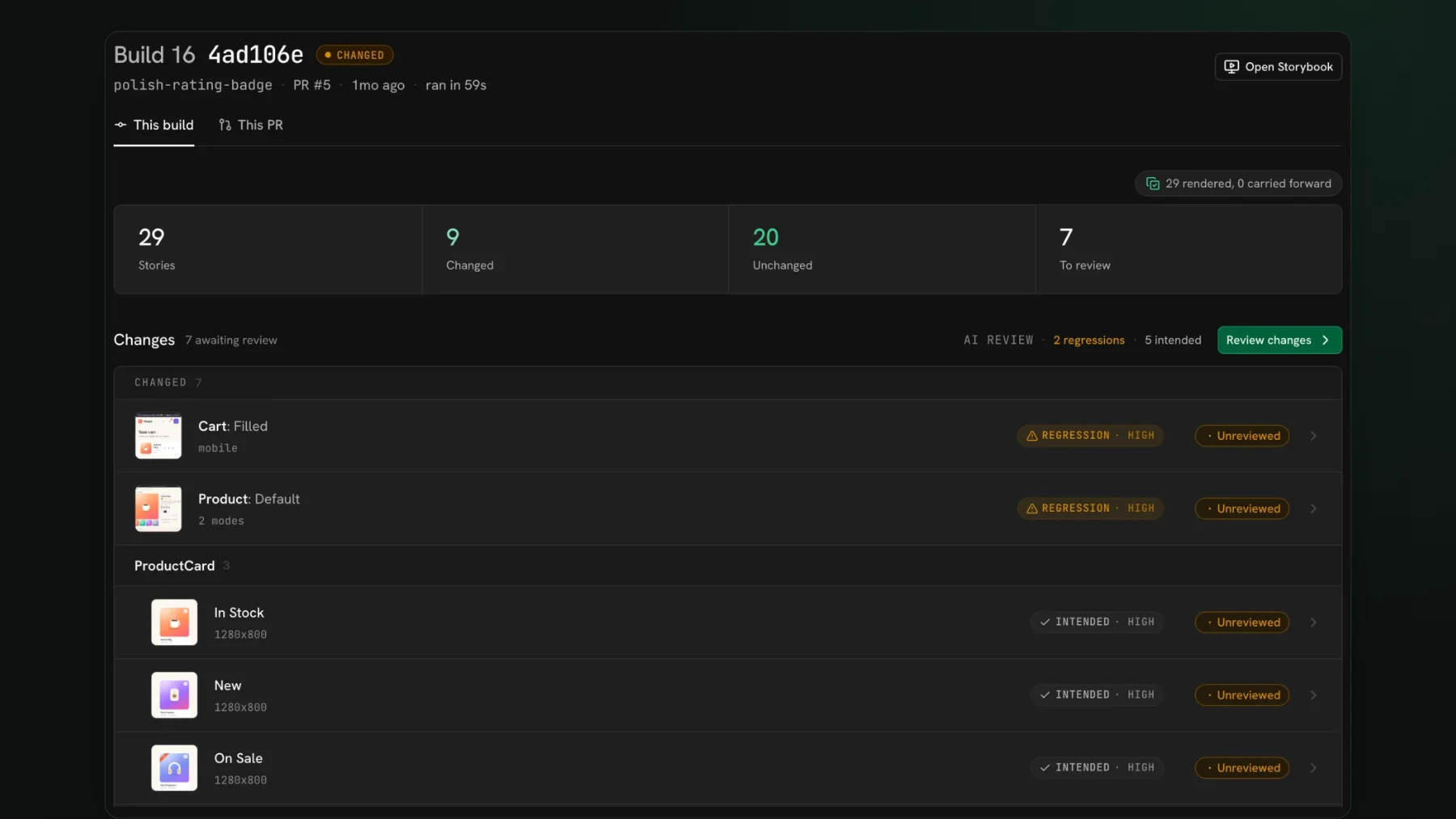
On this page
- What is Percy?
- When is Percy the right choice?
- When is UI Verify the better fit?
- You want the tool to render and stabilize your UI for you
- You want an AI verdict on every pull request, with the merge held for review
- You want a bigger free tier and a standalone service
- What differs at a glance
- How do you move from Percy to UI Verify?
Percy is the better pick if you want native app screenshots and a wide real-device matrix rendered for you, or your testing already lives in BrowserStack; UI Verify is the better pick if you want your existing Storybook, Playwright, and Vitest tests rendered and stabilized for you by a standalone service with a bigger free tier. Beyond that, choosing between UI Verify and Percy comes down to two questions: who owns the capture pipeline, and whether you want a standalone tool or a module inside a larger platform. Both render each state, diff it against a baseline, and gate the pull request, so this is not a teardown. It is an honest read on what Percy does well, when it is the right pick, and when UI Verify fits your team better. I build one of the two, so weigh this accordingly. For the point-by-point spec sheet, read UI Verify vs Percy first; this post is about the decision.
What is Percy?
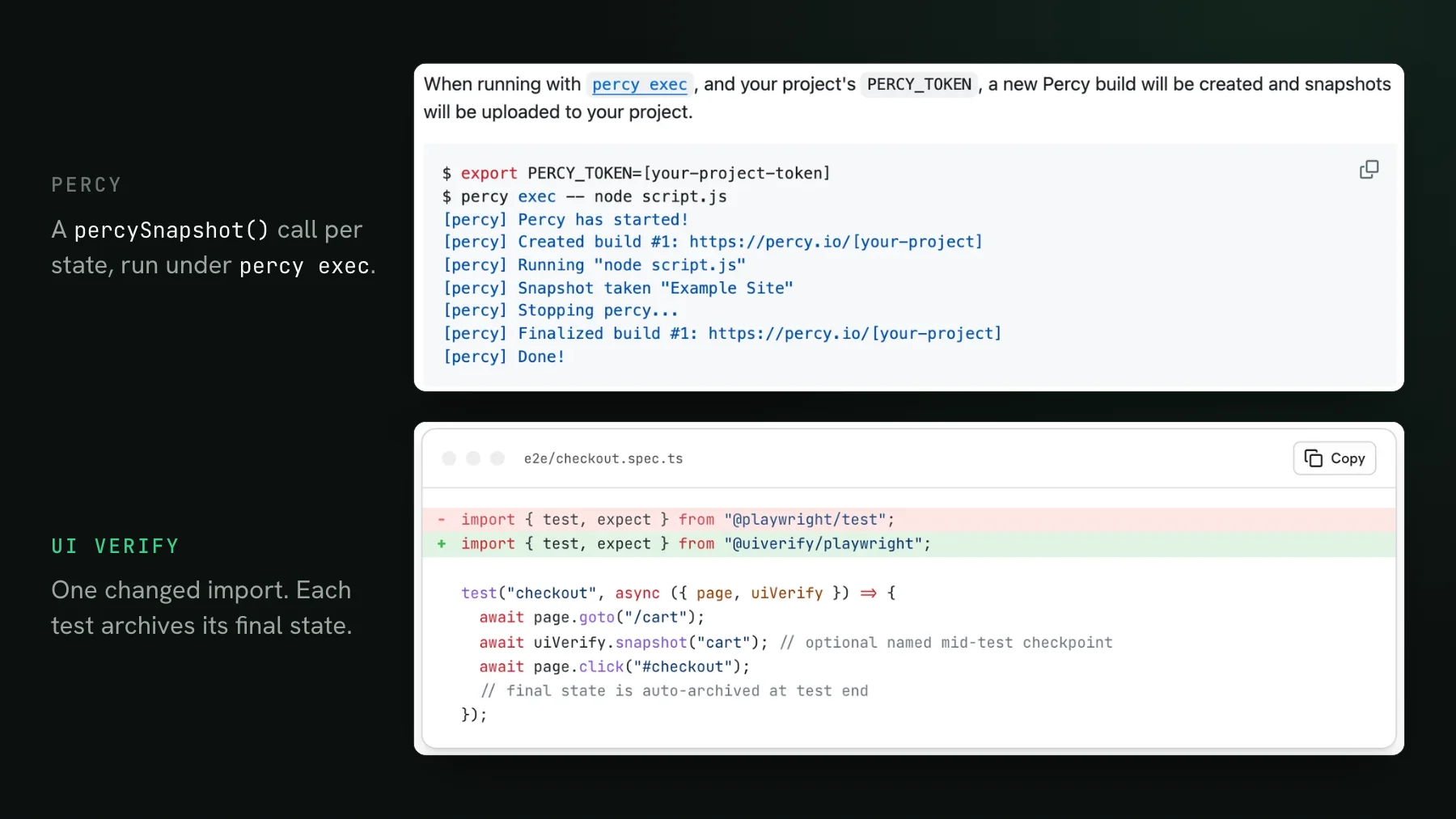
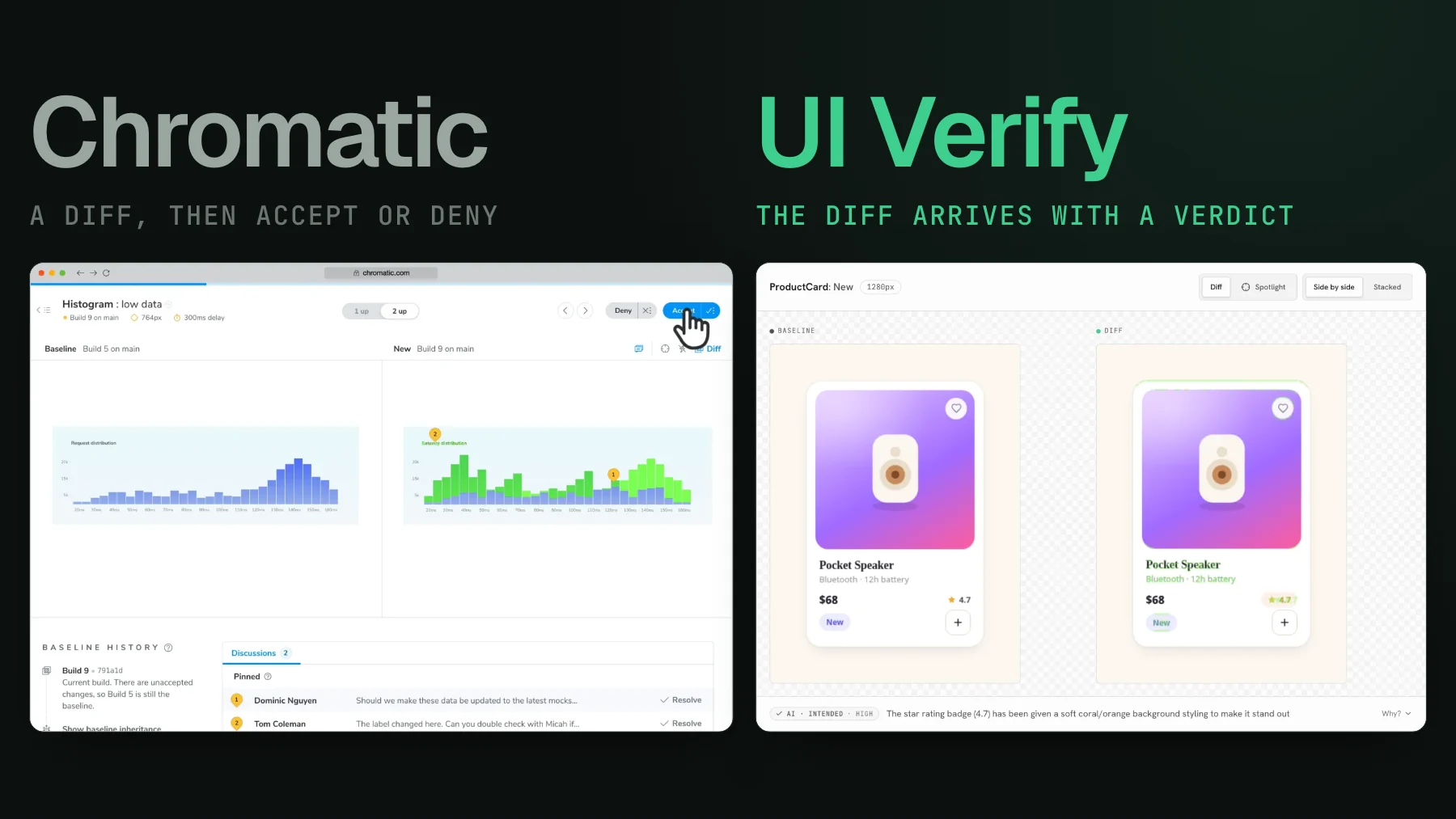
Percy is BrowserStack's visual testing module: it catches visual regressions by rendering each state, screenshotting it in a real browser, and diffing it against an approved baseline, then posting the result for review and gating the pull request. It is part of BrowserStack, so it shares that platform's billing, dashboards, and device cloud. You wire it in with the Percy CLI plus percySnapshot() or percyScreenshot() calls across your Storybook, Playwright, or Cypress tests. On paid plans Percy also ships a Visual Review Agent that labels each change likely-a-bug or likely-intended and compares it against your pull request summary, and the BrowserStack MCP can run a build and approve it from your coding agent (both docs checked 2026-10-17). That shared ground matters, because the real decision is not about which features exist; it is about who owns the render and how heavy the platform around it is.
When is Percy the right choice?
Percy is the stronger pick when you test native apps or need a wide device matrix, already live in BrowserStack, or want its established enterprise workflow (begin here, because moving without a reason is wasted effort):
- You want native apps and a wide device matrix rendered for you. App Percy (checked 2026-10-17) covers native iOS and Android visual testing, and Percy runs on BrowserStack's device cloud, so a broad matrix of real OS and browser combinations is home ground. UI Verify renders Storybook stories in Chrome, Firefox, and Safari itself, and Playwright and Vitest captures in Chrome. It does not render a native app for you, but if you already capture those screenshots (a React Native or native shot in your CI, for example), UI Verify ingests custom screenshots and diffs, judges, and reviews them the same way, so a native surface is not out of reach - see custom screenshots.
- You already live in BrowserStack. If your functional and cross-browser testing already runs there, Percy plugs into the same platform, billing, and dashboards with nothing new to provision.
- You want an established enterprise workflow. Percy is billed, provisioned, and supported inside BrowserStack, which fits a team already standardized on it for cross-browser and device testing.
If that list is you, Percy is a sound choice and I would not push you off it. The reasons to look at an alternative are narrower than a listicle suggests, and they come back to who owns the render and how much platform you want to carry with it.
When is UI Verify the better fit?
UI Verify is the better fit when you want the tool to own the render, want an AI verdict on every pull request without a paid plan, or want a bigger free tier from a standalone service. None of these is a knock on Percy as a diff engine; each is just where a different design suits a different team.
You want the tool to render and stabilize your UI for you
Because Percy captures from the snapshot calls you add, keeping those renders stable is your pipeline's job: the clock, live data, fonts that arrive a beat late, feature flags, and the exact animation frame are all yours to pin down, and a slip there turns into a red build on a change nobody made. UI Verify takes the other side of that trade. It renders your UI by replaying an archive of your existing tests and handles the common false-diff sources at capture time, including a seeded Math.random, inlined cross-origin fonts, a fetch-once image cache, a hermetic network, and prefers-reduced-motion. There are also no percySnapshot() or percyScreenshot() calls to sprinkle through your suite, since the archive already carries every state. Percy's Playwright SDK has since added a toHaveScreenshot drop-in that routes existing assertions through Percy with one config line, so on Playwright that gap is smaller than it was. See fix flaky visual tests.
You want an AI verdict on every pull request, with the merge held for review
Both tools ship an AI review agent of the same shape: Percy's Visual Review Agent and UI Verify's judge each read a change, label it a regression or an intended one, and weigh it against your pull request intent, and both expose agent review over MCP, so neither has a monopoly on AI triage. The difference is which plan the verdict comes on. Percy's agent is available only on paid Percy plans, while UI Verify's AI judge is part of the free tier too: switch it on for a project and it runs on every pull request, floating a flagged regression to the top while the UI Verify check holds the merge until each change is reviewed, so a real break cannot slip past a green check while everyone is moving fast. The same verdict is what your coding agent reads over MCP to triage the changes and accept the intended ones from the terminal, so the review step keeps up when agents are the ones opening pull requests.
You want a bigger free tier and a standalone service
UI Verify includes 10,000 snapshots a month on the free tier (50,000 for open-source projects) and meters overage at $0.004 per snapshot, and it runs as one focused service you point at your repo rather than a module inside a larger platform. Percy's free tier is smaller and its per-snapshot pricing runs higher (BrowserStack's Percy pricing, checked 2026-10-17), and it lives inside BrowserStack, which is a strength if you already work there and overhead if you do not. The lever that moves the bill most is how many states you render, so the same coverage in fewer snapshots is where the saving is on either tool. See reduce visual test snapshots and cost.
What differs at a glance
| What you own | UI Verify | Percy |
|---|---|---|
| Screenshot capture | Rendered for you via archive-replay | percySnapshot / percyScreenshot calls, or the toHaveScreenshot drop-in on Playwright |
| Keeping renders deterministic | Handled at capture time | Your pipeline's job |
| Verdict on each change | AI judge on every pull request; the check holds the PR | Visual Review Agent labels and summarizes changes (paid plans) |
| Agent review path | MCP | MCP via BrowserStack |
| Product model | Standalone service | Module inside BrowserStack |
| Free tier / month | 10,000 snapshots (50,000 open source) | Smaller free tier |
How do you move from Percy to UI Verify?
Migrating is a CI swap, not a rewrite. Your Storybook, Playwright, and Vitest browser-mode tests are untouched, since UI Verify replays them and renders each state for you. Swap the Percy CLI and its percySnapshot() calls for the UI Verify upload step, open a pull request with a uv_proj_ key, and accept the first run to set your baselines. The Storybook quickstart and Playwright quickstart each add a visual check to your PRs in minutes.
The short answer, UI Verify or Percy: keep Percy if you want native apps and a wide real-device matrix rendered for you, or if your testing already lives in BrowserStack and you want it all on one platform. Choose UI Verify when you would rather the tool render and stabilize your UI, want an AI verdict on every pull request with the merge held for review, and want a bigger free tier from a standalone service (and if you already produce native screenshots yourself, it ingests those too). Both are defensible. The right one depends on how much of the render and the platform you want to own.
Switch without owning the render
UI Verify replays your existing Storybook, Playwright, and Vitest tests, renders each state for you, and can run an AI judge on every pull request to tell an intended change from a regression, then hands the diffs to your agent over MCP. Moving from Percy is a CI swap, and the free tier is 10,000 snapshots a month (50,000 for open-source projects).
Start for freeNo credit card required.
Set up visual testing
From no visual tests to a green check on every pull request.