How to catch UI regressions in GitHub CI
Catch UI regressions in GitHub CI before they reach production. Why raw pixel diffs fail as PR checks, and how an AI judge blocks a real regression from merging.
 Igor LuchenkovBuilding UI Verify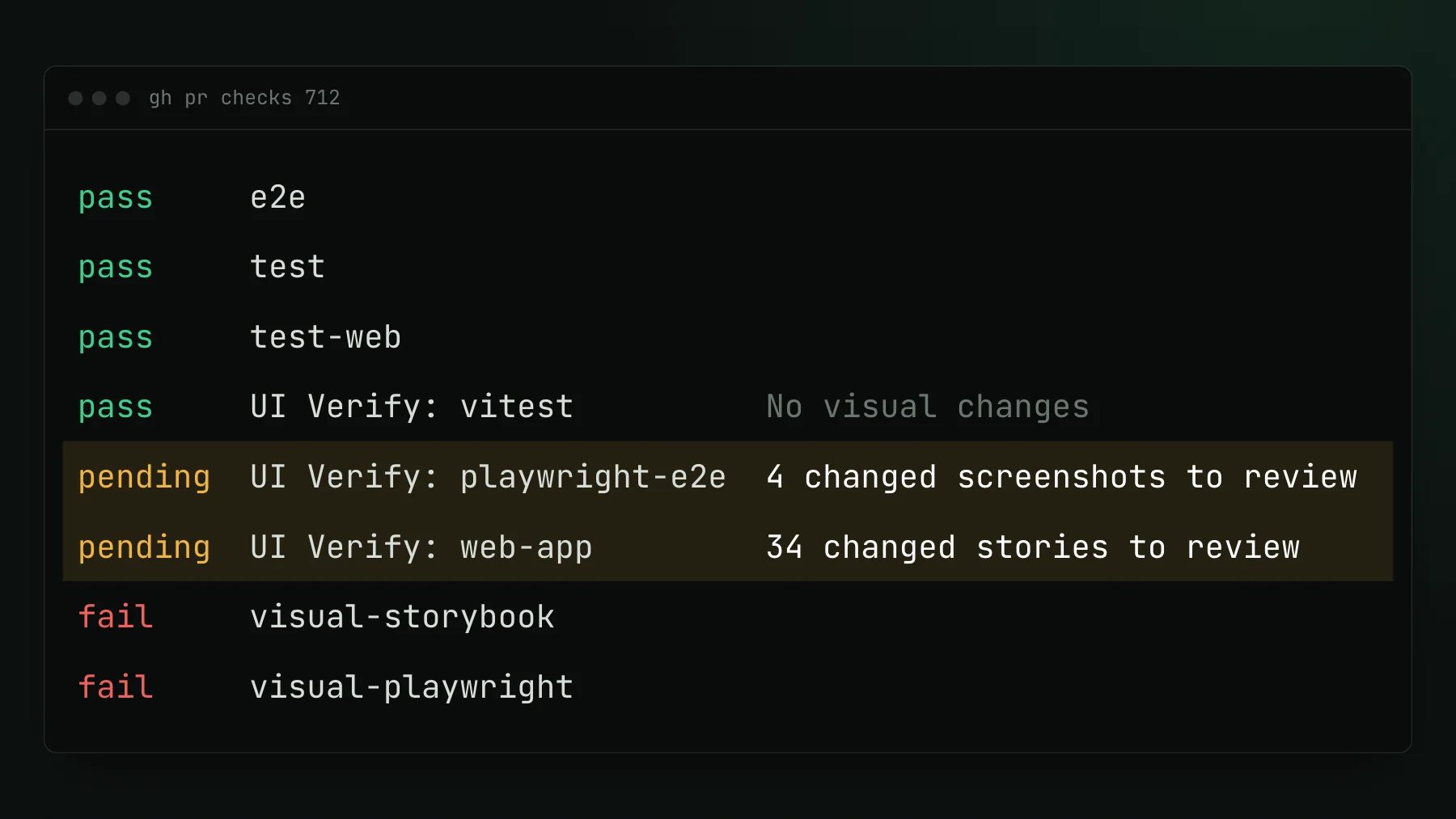
On this page
- Why UI regressions reach production even when PR checks exist
- What a PR check must do to actually block a regression
- Where raw screenshot diffs break down
- How UI Verify turns the PR check into a decision
- A minimal GitHub Actions setup for visual PR checks
- Troubleshooting when the visual check still feels flaky
- How do I make a visual test a required check in GitHub?
- Why do pixel diffs cause false failures in CI?
If your team keeps catching UI regressions in production instead of in pull requests, the instinct is to add more tests. The real problem is usually not coverage. It is that the checks you already have do not produce a decision. They produce pixel diffs, and under PR volume nobody has time to review a wall of them properly.
Why UI regressions reach production even when PR checks exist
Most teams that ship visual regressions have some form of screenshot comparison in CI. The checks exist, they run, they report back to GitHub, and regressions still get through. The reason is simple: a visual diff is not a decision. It tells you pixels changed. It does not tell you whether the change was intentional, a rendering fluke from an animation frame or a missing font, or a genuine regression.
When reviewers face a grid of image diffs on every PR, they do what engineers do under time pressure: they rubber-stamp the check and move on. Over time the baselines drift toward whatever shipped, not toward what is correct, because the path of least resistance in front of a diff is always to accept it.
Flakiness accelerates the breakdown. Sub-pixel shifts, async data loading, CSS animations caught mid-frame, and inconsistent font rendering across CI runners all produce false positives. Once a check is known to fire on noise, the team stops trusting it, and a check nobody trusts does not prevent production regressions. It is just overhead on every PR.
What a PR check must do to actually block a regression
To reliably stop a UI regression before merge, a visual check in GitHub CI needs a handful of things working together:
- A required status check that blocks merge. The visual check has to live in the PR's Checks tab as a required status check, and it has to fail and hold the merge when it finds a regression, not just post a link to a dashboard nobody opens.
- Stable capture. Animations, timers, async fetches, and font loading all need to be pinned before the screenshot fires. Flake is not a threshold you tune away by raising the tolerance, it is a capture problem you solve by controlling the environment.
- Skip-unchanged capture. Re-rendering every screen on every PR floods reviewers and burns budget. Capturing only what the PR touched keeps the signal high and the check fast enough that people actually wait for it.
- Classification, not a diff wall. A wall of before/after images does not scale past a few engineers. The reviewer needs one verdict per change, a real regression versus an intended update, so the job is confirming a call rather than triaging fifty pictures.
- Cross-browser and responsive coverage. A regression that only shows up in Safari at a mobile width is still a production regression, so the check should cover more than one browser and viewport.
Where raw screenshot diffs break down
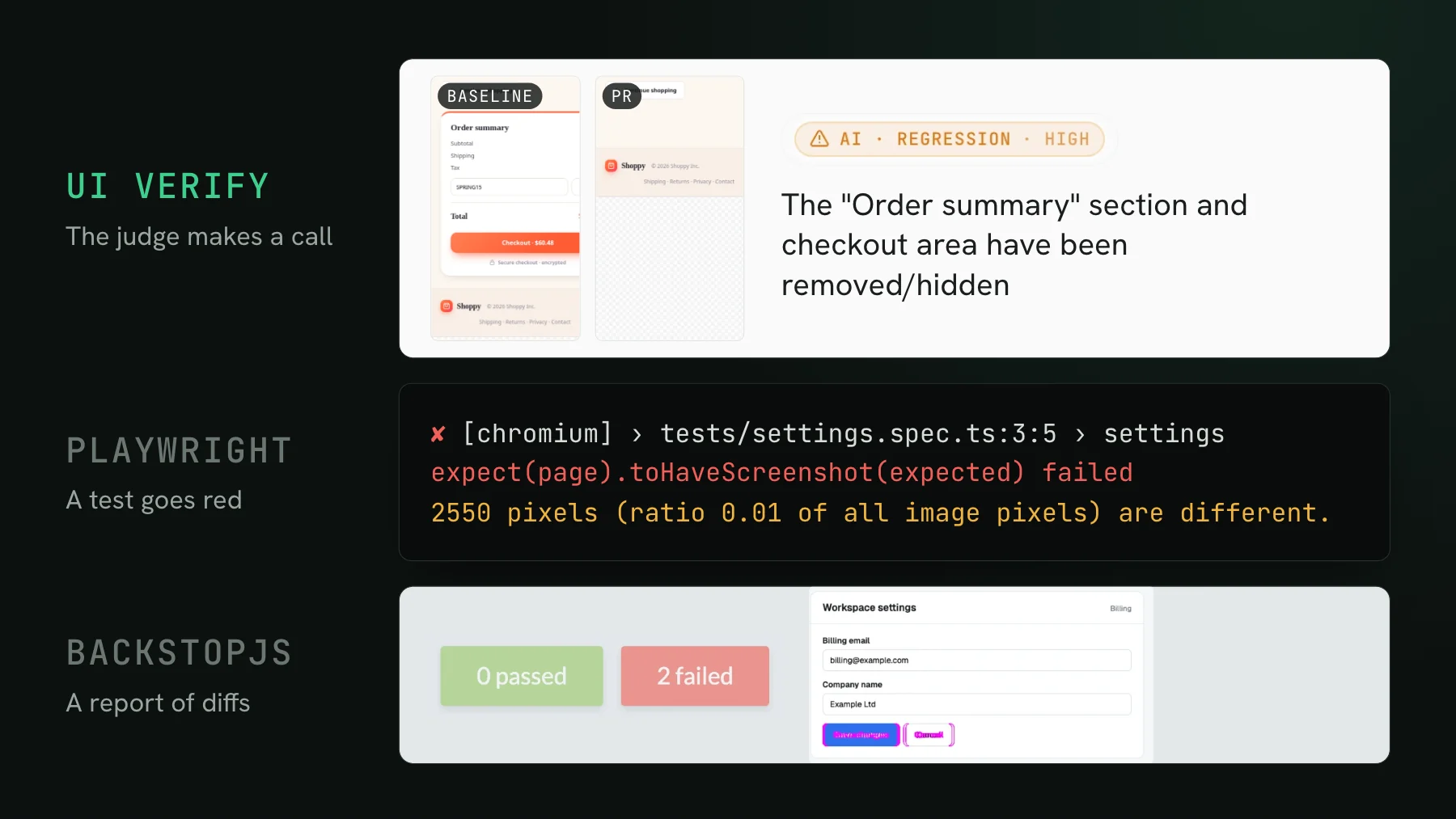
Pixel-diff tools are sensitive to rendering conditions that have nothing to do with your code. Anti-aliasing varies across OS and GPU, font hinting differs between runners, animations captured at different frames produce alarming diffs that mean nothing, and async data loaded in a different order makes the same component render differently every run. The deeper problem is the incentive: when a tool shows you a diff and asks accept or reject, without any classification context you end up accepting real regressions because they look like the dozens of intentional changes you accepted last sprint.
How UI Verify turns the PR check into a decision
UI Verify addresses this at the layer where most tools stop, the decision. When a pull request is opened, it captures only the screens and components that PR touched, diffs them against versioned baselines, and carries unchanged screens forward without re-rendering. An AI judge then labels each change a regression or an intended change with a reason, and that verdict surfaces in the PR check itself. When the verdict is a regression, the check fails and holds the merge, so a real one cannot slip through behind a green check.
- An AI judge that classifies each change and holds the PR on a regression, so review is a decision, not a diff wall. See the AI judge.
- Flake-resistant capture built in: a seeded
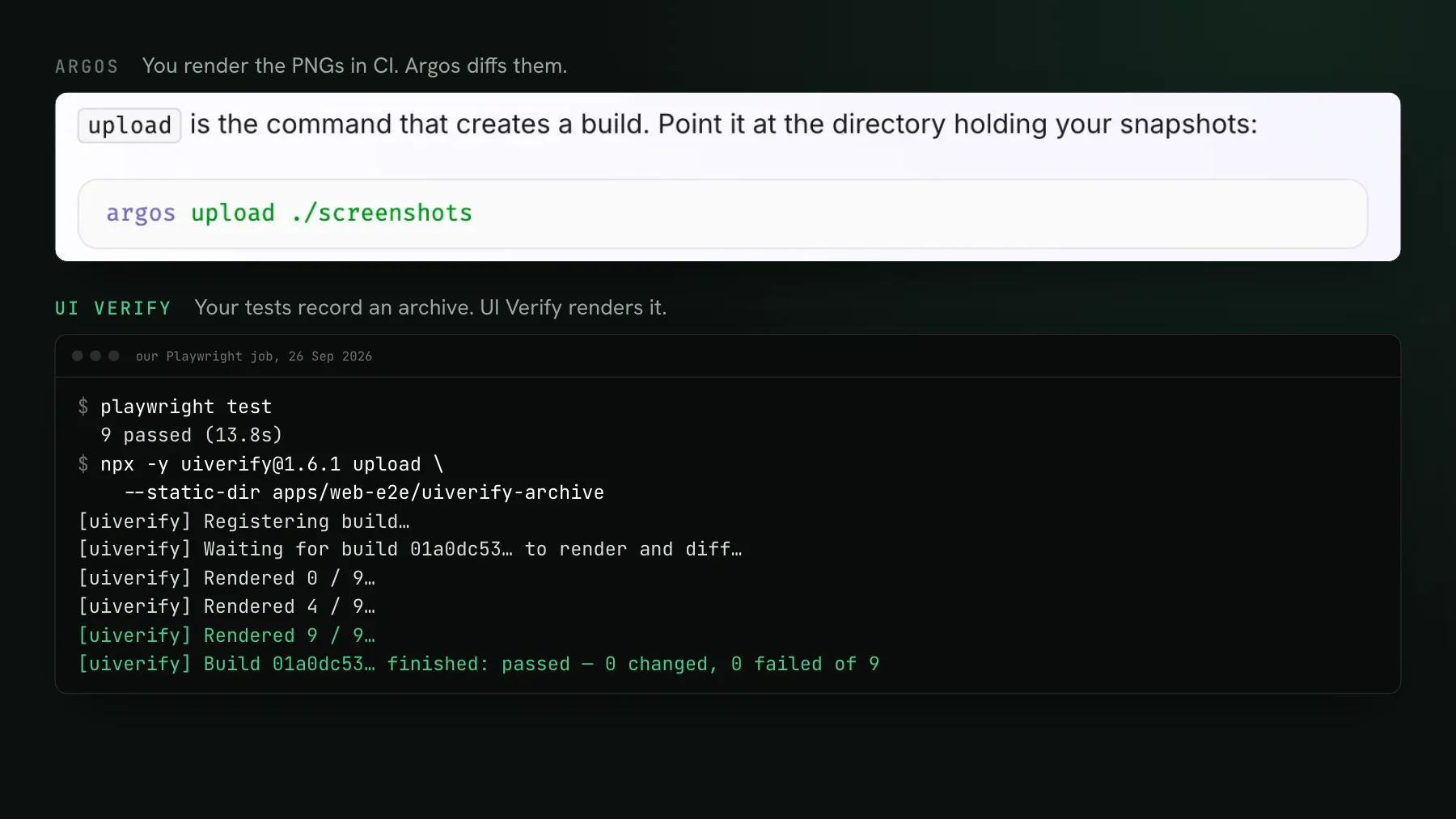
Math.random, inlined cross-origin fonts, a fetch-once image cache, a hermetic network, andprefers-reduced-motion, plus a re-render that auto-ignores flakes, so you are not tuning sensitivity thresholds. See deterministic captures. - Archive-replay of the Storybook, Playwright, and Vitest tests you already have, with custom screenshot uploads for React Native and other non-web workflows, so there is nothing new to author.
- Agent review over MCP: if a coding agent opened the PR, it reads the diffs and verdicts and accepts the intended baselines from the terminal. See triage with your agent.
A minimal GitHub Actions setup for visual PR checks
A GitHub Actions workflow for this has three parts: trigger on both push to your default branch and on pull request, build and upload for capture, and let the check block merge on a regression verdict.
name: UI Verify
on:
  push:
    branches: [main] # your default branch, so the first build seeds the baseline
  pull_request:

jobs:
  visual:
    runs-on: ubuntu-latest
    steps:
      - uses: actions/checkout@v7
        with:
          fetch-depth: 0   # full history so the baseline can be resolved
      - run: npm ci && npm run build-storybook -- --stats-json
      - run: npx -y uiverify@1.7.0 upload --static-dir ./storybook-static --only-changed
        env:
          UIVERIFY_API_KEY: ${{ secrets.UIVERIFY_API_KEY }}
The push trigger on your default branch is what seeds the baseline: it runs the job once on your default branch so the first build becomes the baseline every PR diffs against. Change [main] to whatever your default branch is (master, develop), or a repo whose default is not main gets a trigger that never fires. Accept that first build once, or add --auto-accept-changes to the upload on your default branch to seed it automatically. Without it, every PR shows all-new until a merge happens.
Then mark the visual job as a required status check under Settings > Branches > Require status checks to pass before merging. Once that is set, a regression verdict fails the check and blocks the merge automatically, without anyone needing to remember to look. fetch-depth: 0 matters: the default shallow checkout hides your branch history and produces phantom diffs, so the baseline cannot resolve correctly without it.
Troubleshooting when the visual check still feels flaky
UI Verify neutralizes the common false-diff sources at capture time, so most flake is handled for you. If you are wiring up a raw pixel-diff tool instead, work through this before raising diff thresholds:
- Dynamic content: mask or stub dates, user-generated text, and live API data before capture, or the diff moves every run.
- Animations and timers: freeze CSS animations with
animation: noneand cancel JavaScript timers before the screenshot fires. A near-zero duration does not fully stop an infinite animation. - Fonts: use a fixed font stack or wait for
document.fonts.ready, since font-hinting differences across runners are a common source of sub-pixel noise. - Async data: wait for the UI to reach its final loaded state, not just for the DOM to exist.
Raising the diff threshold is the last resort, not the first. Doing it early papers over real regressions by teaching the tool to ignore any change under a certain size, which is exactly how the regression reaches production in the first place.
How do I make a visual test a required check in GitHub?
Run the visual check as a job on pull_request, then add that job under Settings, Branches, Require status checks to pass before merging in your repository's branch protection rules. After that, a failing visual verdict blocks the merge the same way a failing unit test does, with no manual step to remember.
Why do pixel diffs cause false failures in CI?
Because a raw pixel diff fires on any change in the rendered image, including ones your code did not cause: anti-aliasing and font hinting that differ between CI runners, animations captured at different frames, and async data that loads in a different order. The fix is to control those at capture time and to classify the remaining changes, so the check reports a regression rather than a difference. See how visual testing works.
Block UI regressions on the pull request
UI Verify screenshots your UI on every pull request, an AI judge tells an intended change from a real regression, and the check holds the PR when it finds one. It reads your existing Storybook, Playwright, and Vitest tests, so wiring it into GitHub CI is a workflow change. Free for 10,000 snapshots a month (50,000 for open-source projects).
Start for freeNo credit card required.
Set up visual testing
From no visual tests to a green check on every pull request.