Chromatic pricing explained, and how to cut it
How Chromatic pricing works: per-snapshot billing, the free tier, and why coding agents make the bill climb, plus the levers that cut it without dropping coverage.
 Igor LuchenkovBuilding UI Verify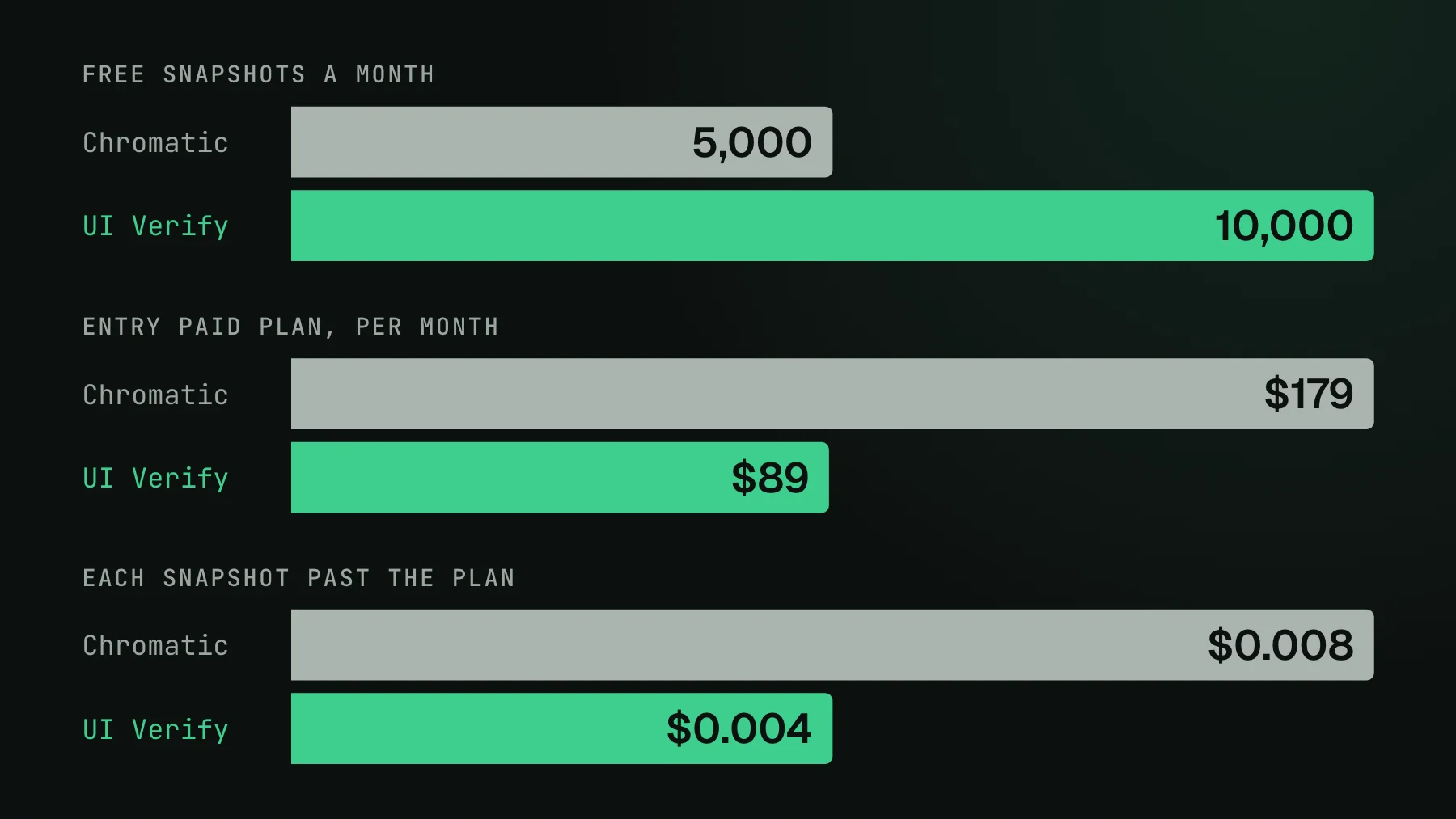
On this page
Chromatic is priced per snapshot, and that one fact explains almost everything about your bill. This is the honest breakdown of how Chromatic pricing works, what a snapshot actually is, why the number climbed the moment your team started using coding agents, and the levers that bring it back down. Competitor pricing moves, so treat the plan names and numbers here as the shape of the model and check Chromatic's own pricing page for current figures.
How Chromatic pricing works
Chromatic bills per snapshot. A snapshot is one story captured in one browser at one viewport, so a single component with five stories rendered in two browsers is ten snapshots on every build that runs them. Your monthly bill is therefore the number of states you render multiplied by how often CI runs them. There is a free tier of around 5,000 snapshots a month on Chrome. Paid plans bundle an allowance and then meter overage per snapshot: Chromatic's published rate is $0.008 per snapshot on its standard paid plans, dropping only on a custom enterprise deal. Pricing moves, so check Chromatic's page for the current numbers.
This is a fair model and it is not unusually expensive for the category. The trap is not the rate, it is the multiplication. Both terms, states rendered and run frequency, are things your workflow controls, and both creep up every month as you add stories and as CI runs more often.
What a Chromatic snapshot actually is
- One story, one browser, one viewport, one snapshot. More stories, more browsers, or more viewports multiply the count directly.
- Every build that runs a story re-bills it, unless the tool skips it as unchanged. Running visual tests on every commit rather than every PR multiplies the run count.
- Modes multiply too. A story rendered in light and dark, or at three breakpoints, is that many snapshots.
Why your Chromatic bill jumped when you adopted coding agents
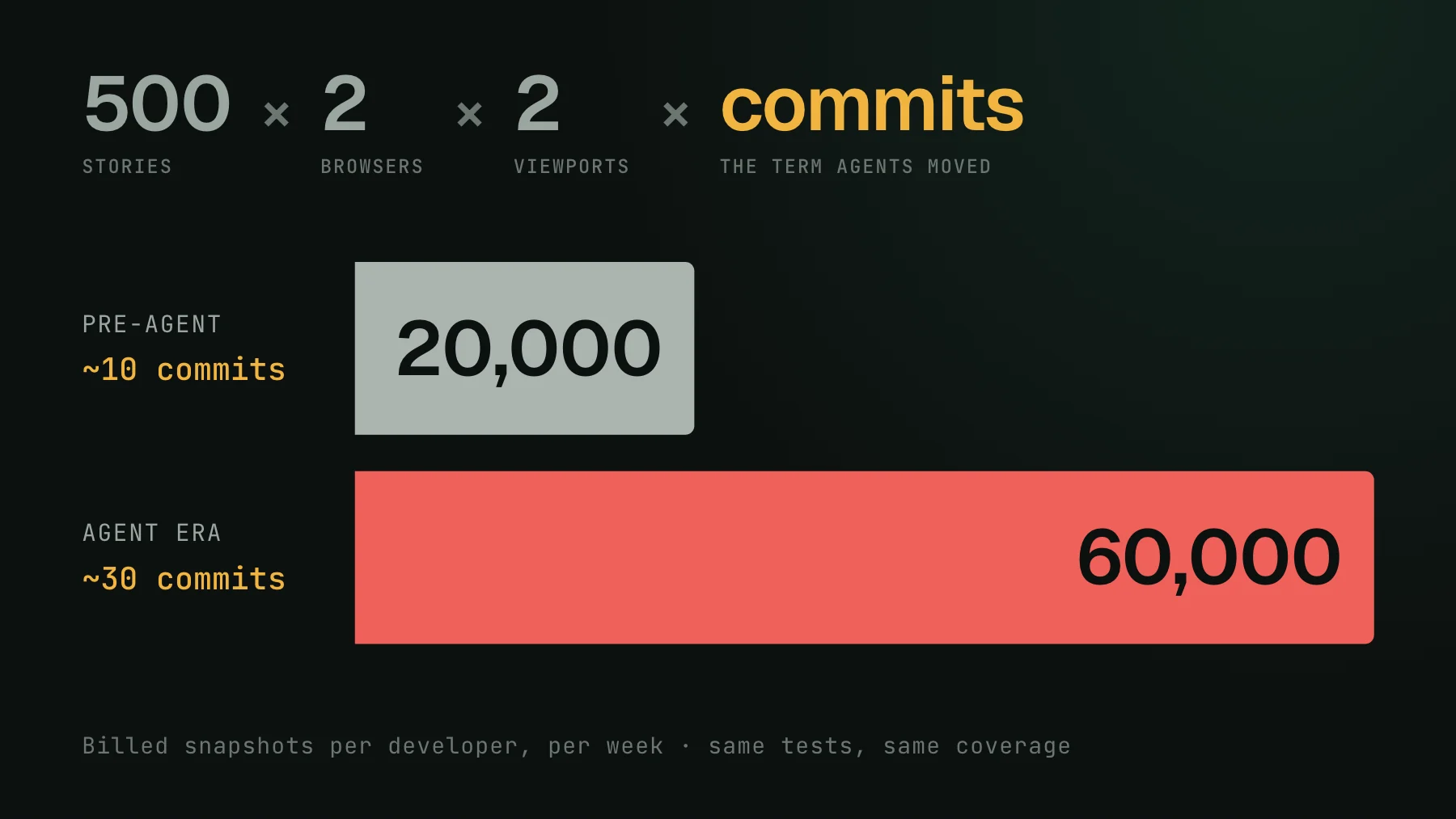
The pattern is the same across teams: the bill roughly doubles or triples in a quarter on the exact same tests, and it climbs quietly enough that nobody decides to act until someone pulls up the invoice and reads the monthly number out loud. Nothing about the UI got more valuable to screenshot. The machine just opened a lot more pull requests, each one re-rendering your stories. Because per-snapshot billing tracks render count times run frequency, agent-scale PR volume hits both terms at once. There is a subtle second cost too: when PR volume climbs, nobody spends proportionally longer reviewing each check, so an individual run is worth less right up until the one time it catches something real. You end up paying peak prices for a check people have stopped reading. This is covered in more detail in why your Chromatic bill exploded.
How to lower a Chromatic bill without dropping coverage
Because the bill is states times runs, you lower it by cutting either term, and neither has to cost you coverage:
- Render fewer states. Collapse near-duplicate stories and drive variants through args instead of separate exports. Two story patterns can cut a component's snapshot count up to 10x with the same coverage, walked through in how I cut my Chromatic bill 10x.
- Skip unchanged work. TurboSnap skips stories whose code did not change, which cuts the run term. Teams running on every commit typically skip only around half of what they could, so it is worth checking your actual skip rate rather than assuming it is working.
- Run on pull requests, not every commit, unless instant per-commit feedback is worth the multiple to you.
- Trim browsers and modes to the ones that actually catch distinct regressions for your product.
How UI Verify prices the same job
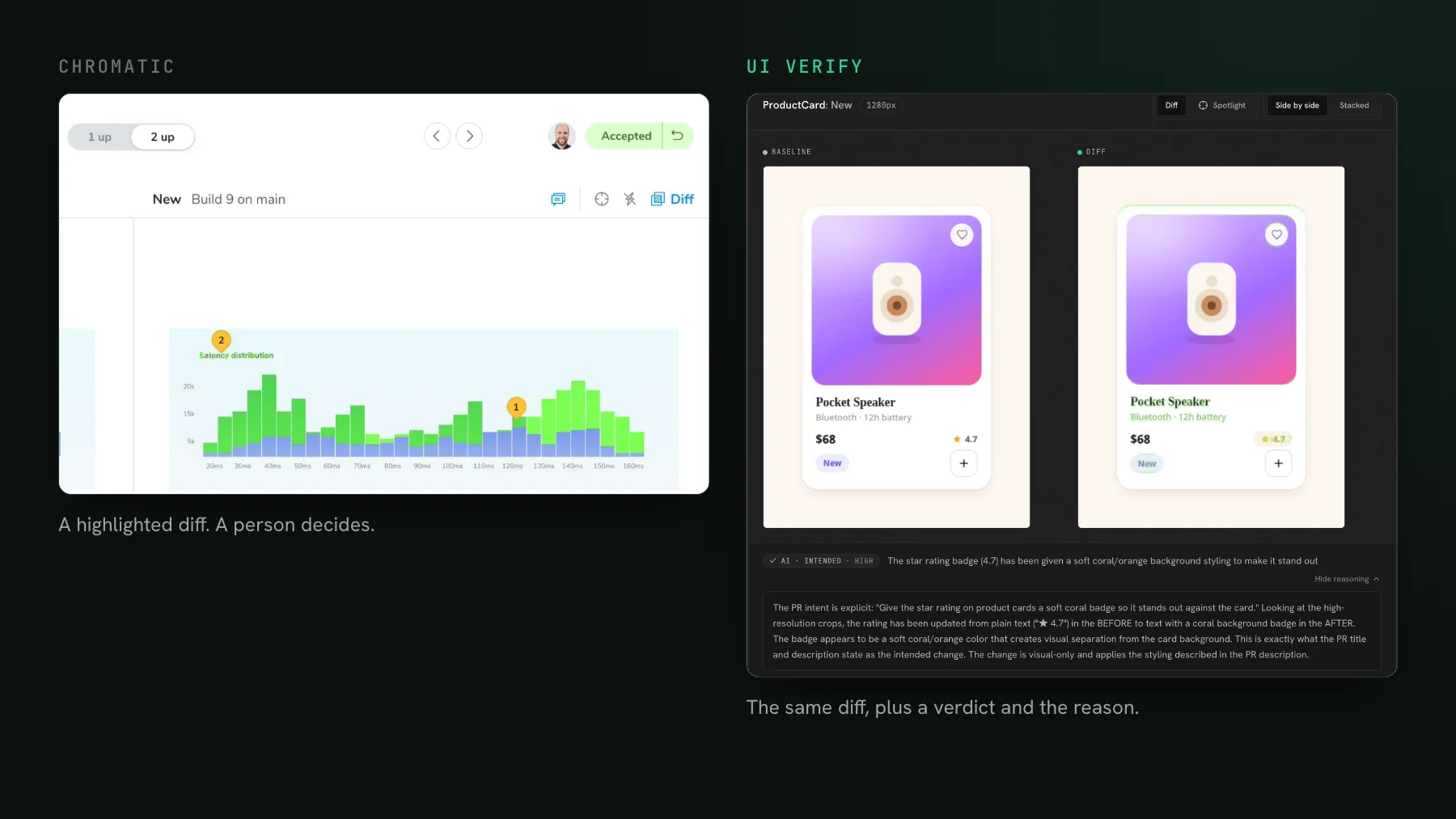
UI Verify does the same core job, cloud screenshots on every pull request diffed against baselines, with an AI judge that classifies each change and holds the PR on a regression on top. The pricing is a free tier of 10,000 snapshots a month with no credit card, then plans from $89 a month for 30,000 snapshots, with $0.004 per snapshot beyond your plan. That is roughly half the cost of Chromatic on the same job: double the free tier (10,000 against 5,000 snapshots), about half the entry paid-plan price ($89 against Chromatic's $179), and exactly half the overage rate ($0.004 against Chromatic's published $0.008 per snapshot). At the same snapshot volume, that is close to twice the coverage for the same spend. The same cost levers apply, so economical visual tests and `--only-changed` skip-unchanged work here too. If you are weighing a switch, the best Chromatic alternatives compares the options and UI Verify vs Chromatic has the feature-by-feature detail. To put your own numbers in, the visual testing pricing calculator shows your monthly cost across Chromatic, Percy, Applitools, and UI Verify at your volume.
How much does Chromatic cost?
Chromatic is billed per snapshot, so there is no single number: your cost is the states you render times how often CI runs them, at a per-snapshot rate that decreases on higher-volume plans. A small project on the free tier of around 5,000 snapshots a month pays nothing, while a team rendering hundreds of thousands of snapshots on agent-scale PR volume can reach four or five figures a month. Check Chromatic's pricing page for current plan prices, and estimate your own bill as snapshot count times runs per month.
Is Chromatic free?
Chromatic has a free tier of around 5,000 snapshots a month on Chrome, which is enough for a small library or a side project. Past that you move onto per-snapshot paid plans. If you want a hosted tool with a larger free allowance, UI Verify's free tier is 10,000 snapshots a month, and Playwright's toHaveScreenshot is free to run locally in your own CI with no service at all.
Roughly half the cost of Chromatic
UI Verify does the same job as Chromatic, screenshots on every PR with an AI judge on top, at $0.004 per snapshot against Chromatic's published $0.008 and a free tier of 10,000 snapshots a month against 5,000, and 50,000 for open-source projects. It reads your existing Storybook config, so switching is a CI swap.
Start for freeNo credit card required.
Write economical visual tests
Full visual coverage in the fewest billable snapshots.